34
Erasing recordings
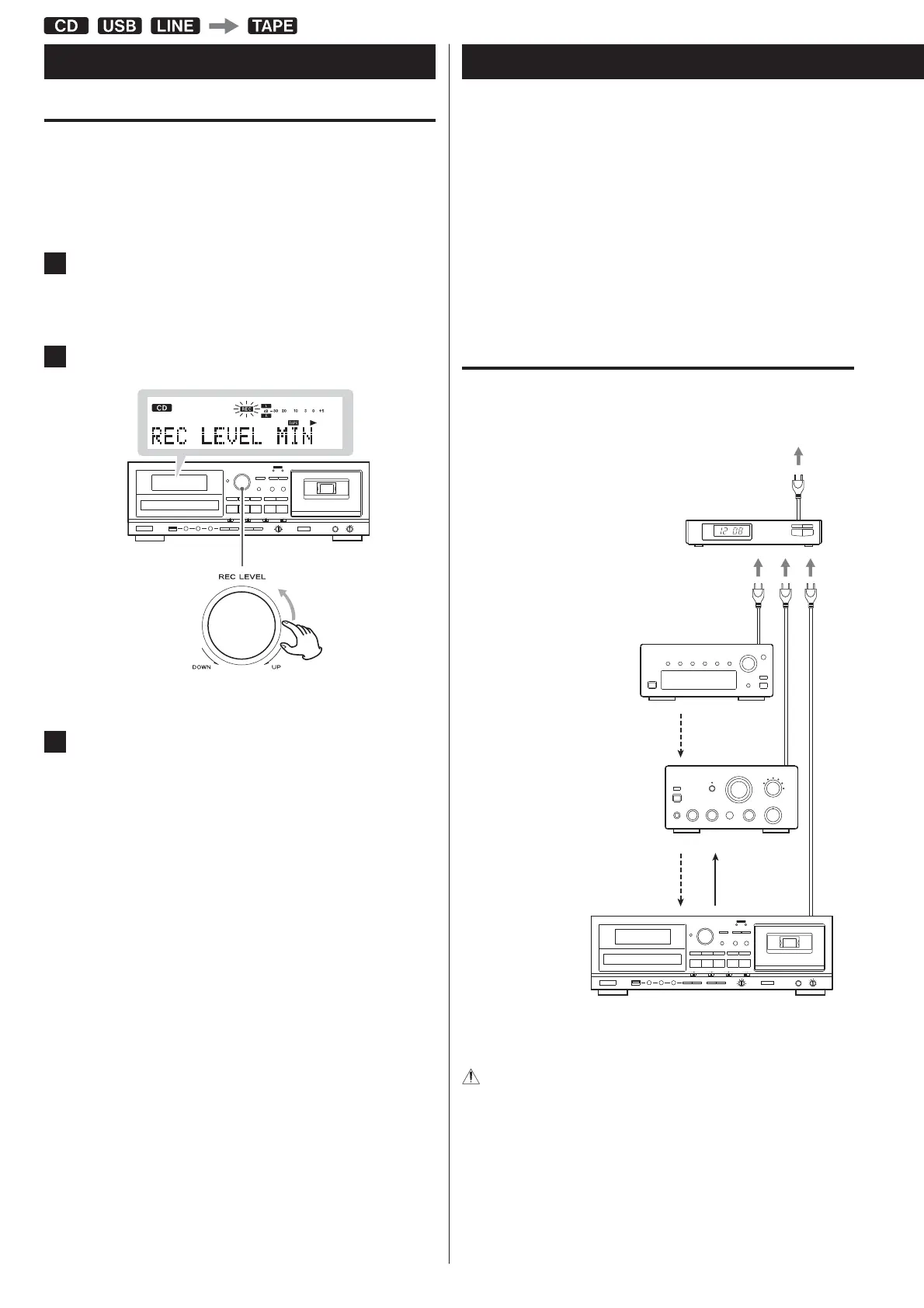
When you make a recording, the tape is overwritten (the previous
recording is erased). You can erase a tape recording by setting the
recording level to MIN and recording silence.
1
Press the TAPE RECORD button to start recording
standby.
2
Set the REC LEVEL control to the minimum MIN position.
3
Press the Forward (U) or Reverse (H) play button to start
erasing (by recording silence).
Timer-Controlled Playback and Recording (1)
Connecting a commercially-available timer to your audio setup lets
you wake up to your favorite music or start recording at specified
times.
The source for timer playback must be CD, TAPE or USB. Timer
playback does not work with external devices connected to the
LINE inputs.
The timer recording source can only be an external device
connected to the LINE inputs. And the timer recording can only
record to cassette tape.
Connections
Referring to the illustration below, connect your audio equipment.
Turn off the power of all equipment before making
connections.
Read the instructions of each component you intend to use with
this unit.
Be sure to connect each plug securely. To prevent hum and noise,
do not bundle the connection cords.
Recording on a Cassette Tape (2)



 To Next Page