EasyManua.ls Logo

Teac AG-V1200 - Operations; Simplified Setup Procedure; Radio Tuning and Reception

Teac AG-V1200
22 pages
Print Icon
To Next Page IconTo Next Page
To Previous Page IconTo Previous Page
Loading...
OPERATIONS
Simplified
Operating
Procedure
When
operating
your
unit
for
the
first
time,
follow
these
simplified
instructions.
‘e
2.
3.
Set
the
MASTER
VOLUME
control
to
the
"0"
position.
Set
the
LOUDNESS
control
to
the
FLAT
position.
Set the
BASS,
TREBLE
and
BALANCE
controls
to
their
center
(click)
positions.
.
Press
the
POWER
button
to
turn
the
power
on.
.
Select
the
required
input
source
by
pressing
one
of
the
FUNCTION
buttons.
To
listen
to
a
source
other
than
a
tape
deck,
be
sure
to
set
the
TAPE/DAT
MONITOR
button
to
OFF
(TAPE
MONITOR
indicator
will
not
be
lit).
Refer
to
the
tables
in
"Source
Signals
Output
to
Output
Terminals"
on
page
12.
.
Press
the
BYPASS
button
to
set
the
surround
mode
to
OFF.
Select
the
front
speaker
system
to
be
used
with
the
SPEAKERS
select
buttons.
Start
playing the
source
component,
and
gradually
turn
up
the
volume
to
the
required
level
with
the
MASTER
VOLUME
control.
e@
LOUDNESS
Control
@
©
BASS
and
TREBLE
Controls
®
©
SPEAKERS
Select
Buttons
@
e@
MUTING
Button
@(on
the
remote
When
loudness
compensation
is
required,
adjust
this
control
by
rotating
it
counter-clockwise
(towards
higher
numerals),
and
adjust
the
MASTER
VOLUME
control.
When
the
LOUDNESS
control
is
rotated
fully
counterclockwise
(to
the
"10"
position),
maximum
loudness
compensation
is
applied
to
the
output
sound.
These
two
tone
controls
are
used
to
obtain
a
“flat"
frequency
response
or
the
tone
which
suits
your
individual
listening
preference.
The
BASS
control
adjusts
low
frequencies
and
the
TREBLE
control
adjusts
high
frequencies.
These
buttons
are
used
to
select
front
speaker
systems
A
and/or
B.
Before
operating
these
buttons,
refer
to
the
"Speaker
IMPEDANCE
SELECTOR"
on
page
6.
control
unit)
Press
this
button
to
decrease
the
volume
of
the
front
speakers
or
headphones
instantaneously.
When
this
button
is
pressed
(the
LED
indicator
in
the
MASTER
VOLUME
control
knob
will
flash),
the
output
level
will
be
decreased
by
20
dB.
To
restore
the
original
output
level,
press
it
again.
Listening
to
Radio
Broadcast
Press
the
POWER
button
to
ON.
2.
After
making
sure
that
the
TAPE/DA
MONITOR
button
is
set
to
OFF,
press
the
TUNER
button,
then
select
the
required
band
by
pressing
either
the
AM
or
FM
button.
3.
Tune
to
the
desired
station
using
the
appropriate
tuning
methods
which
are
described
in
the
next
section.
4.
Adjust
the
volume
and
tone
as
required
using
the
MASTER
VOLUME,
BASS,
TREBLE,
and
LOUDNESS
controls.
e
FM
MODE
Button
@
This
button
is
used
to
alternate
FM
reception
between
stereo
and
mono.
Stereo
To
receive
FM
broadcasts
in
stereo,
Press
this
button
to
set
to
the
stereo
mode
(so
that
the
STEREO
indicator
lights).
_
Mono
If
this
button
is
pressed
again
while
receiving
an
FM
broadcast
in
the
Stereo
mode,
the
STEREO
indicator
goes
out
and
the
FM
broadcast
will
be
received
in
mono.
It
may
be
difficult
to
hear
stereo
broadcasts
Clearly
in
areas
where
the
signals
are
weak
and
reception
is
noisy;
in
such
a
case,
use
the
mono
mode
to
reduce
noise.
Note:
When
power
is
switched
on
or
the
reception
band
is
changed,
the
unit
is
automatically
set
to
the
stereo
mode.
e
TUNED
Indicator
@'s
©
This
indicator
lights
when
correctly
tuned
to
a
broadcast.
Tuning
Methods
Following
step
2
in
"LISTENING
TO
RADIO
BROADCASTS”
above,
tune
to
the
required
station
using
one
of
four
tuning
methods;
auto
tuning,
manual
tuning,
direct
tuning
and
preset
tuning.
Auto
Tuning:
First
press
the
AUTO/MANU
TUNING
button
(the
AUTO
indicator
lights)
to
set
to
the
Auto
Tuning
mode.
Check
that
the
AUTO
indicator
is
lit
and
press
the
TUNING
UP
or
DOWN
button.
The
next
station
broadcasting
at
a
higher
or
lower
frequency
is
automatically
located
and
tuned
in.
During
tuning,
interstation
noise
will
be
muted
automatically.
When
the
upper
limit
frequency
in
each
band
is
reached,
the
frequency
displayed
changes
to
the
lower
limit
frequency,
then
tuning
starts
again
upward.
When
the
lower
limit
frequency
is
reached,
tuning
restarts
downward
from
the
top
frequency.
Note:
When
power
is
switched
on,
the
unit
is
always
set
to
the
Auto
Tuning
mode.
Manual
Tuning:
The
Manual
Tuning
mode
is
normally
used
to
tune
to
staticns
broadcasting
weak
signals.
Press
the
AUTO/MANU
TUNING
button
again
(so
that
the
AUTO
indicator
goes
out)
to
set
to
the
Manual
mode.
When
the
TUNING
UP
or
DOWN
button
is
pressed,
the
frequency
is
changed
up
or
down
at
fixed
steps
in
the
each
band.
Holding
the
UP
or
DOWN
button
pressed
for
more
than
0.5
seconds
causes
the
frequency
to
change
continuously
upward
or
downward.
When
you
release
your
finger
from
the
UP
or
DOWN
button,
the
frequency
will
stop
changing.
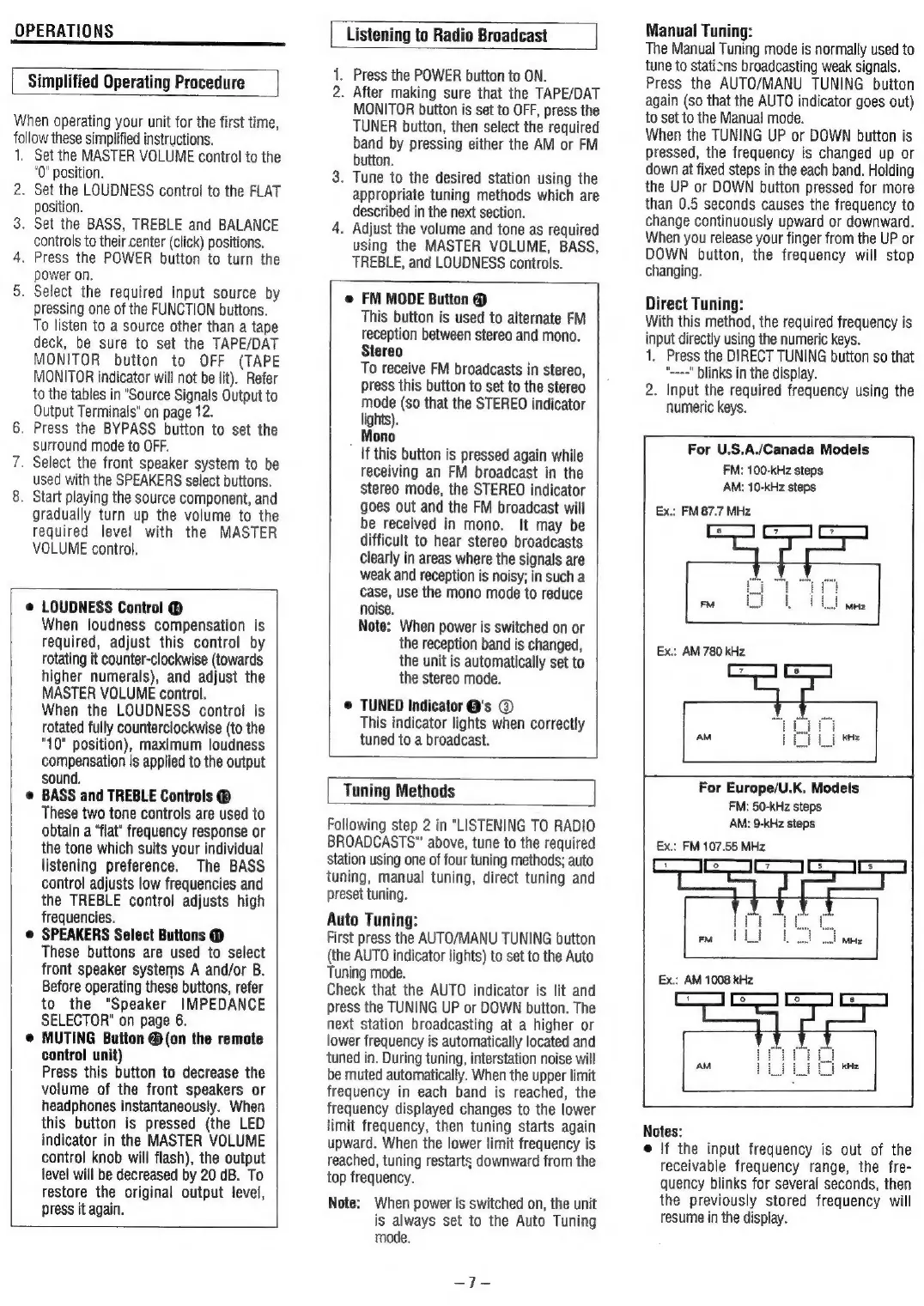
Direct
Tuning:
With
this
method,
the
required
frequency
is
input
directly
using
the
numeric
keys.
1.
Press
the
DIRECT
TUNING
button
so
that
“---="
blinks
in
the
display.
2.
Input
the
required
frequency
using
the
numeric
keys.
For
US.A/Canada
Models
|
FM:
100-kHz
steps
AM:
10-kHz
steps
Ex.:
FM
87.7
MHz
Ex.:
AM
780
kHz
For
Europe/U.K.
Models
FM:
50-kHz
steps
AM:
9-kHz
steps
Ex.:
FM
107.55
MHz
Ex.:
AM
1008
kHz
Notes:
e
|f
the
input
frequency
is
out
of
the
receivable
frequency
range,
the
fre-
quency
blinks
for
several
seconds,
then
the
previously
stored
frequency
will
resume
in
the
display.

Related product manuals