EasyManua.ls Logo

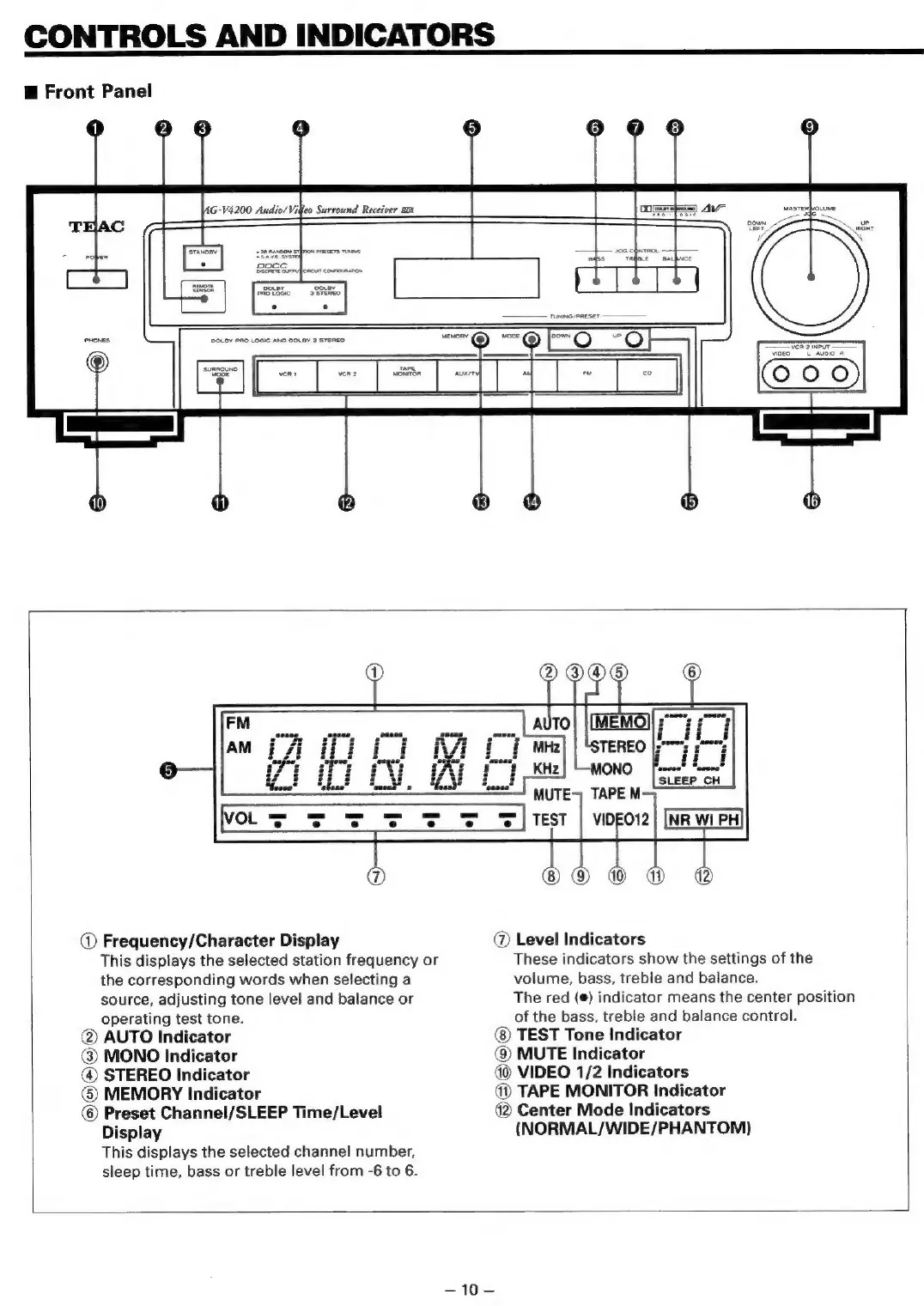
Teac AG-V4200 - Controls and Indicators; Front Panel

Teac AG-V4200
47 pages
Print Icon
To Next Page IconTo Next Page
To Previous Page IconTo Previous Page
Loading...
CONTROLS
AND
INDICATORS
@
Front
Panel
rer
a
=
eR
>
E4
wis
Syl
eae,
s
@
Frequency/Character
Display
the
corresponding
words
when
selecting
a
source,
adjusting
tone
level
and
balance
or
operating
test
tone.
@
AUTO
Indicator
@
MONO
Indicator
@
STEREO
Indicator
©
MEMORY
Indicator
©
Preset
Channel/SLEEP
Time/Level
Display
This
displays
the
selected
station
frequency
or
This
displays
the
selected
channel
number,
sleep
time,
bass
or
treble
level
from
-6
to
6.
@
Level
Indicators
These
indicators
show
the
settings
of
the
volume,
bass,
treble
and
balance.
The
red
(@)
indicator
means
the
center
position
of
the
bass,
treble
and
balance
control.
@)
TEST
Tone
Indicator
@
MUTE
Indicator
VIDEO
1/2
Indicators
@
TAPE
MONITOR
Indicator
4
Center
Mode
Indicators
(NORMAL/WIDE/PHANTOM)
=>
10—

Related product manuals