Balancing relative volumes
among speakers
The test tone function is useful to adjust
the relative volumes among speakers in
DOLBY PRO LOGIC or 3 STEREO mode.
Once the balance is well settled, you
don't have to change the balance as far
as the speakers aren't moved.
<
Stay the listening position and use the
remote control unit.
<
Adjust the balance of front speakers
beforehand.
<
Select the center mode in accordance
with your speaker system.(see page 22)
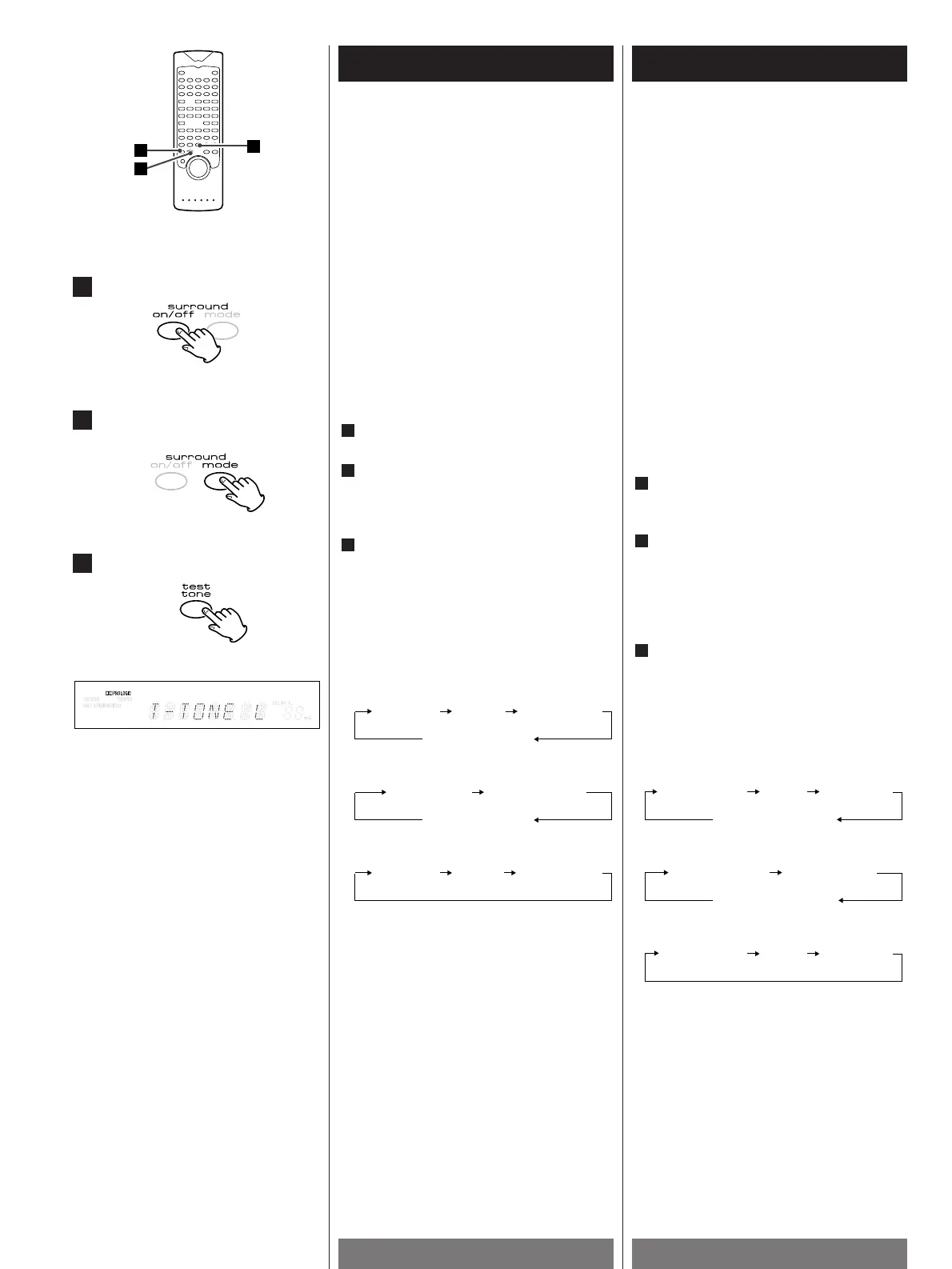
Press the SURROUND ON/OFF button to
turn the surround mode on.
Select "DOLBY PRO LOGIC" or "3
STEREO" by pressing the SURROUND
MODE button.
Test tone doesn't work in other modes.
Press the TEST TONE button.
The test tone comes in the following
order, for 2 seconds each:
3
2
1
< To cancel the test tone, press the TEST
TONE button again.
Réglage du volume entre les
enceintes
La fonction "Test de tonalité" permet de
régler le volume entre les enceinte en
mode DOLBY PRO LOGIC et 3 STEREO.
Une fois que vous avez réglé
correctement cette balance, vous n'avez
plus à y toucher, dès lors que vous ne
déplacez pas les enceintes.
<
Installez vous en position d'écoute et
procéder au réglage à l'aide de la
télécommande.
<
Régler la balance des enceintes avant au
préalable.
<
Sélectionner le mode central en fonction
de votre système d'enceintes.
(Voir page 22)
Appuyer sur la touche SURROUND
ON/OFF de manière à activer le mode
surround.
Sélectionner le mode désiré, "DOLBY
PRO LOGIC" ou "3 STEREO" en appuyant
sur la touche SURROUND MODE.
La fonction Test de tonalité ne fonctionne
pas avec les autres modes.
Appuyer sur la touche TEST TONE
Les différentes options possibles
s'affichent dans l'ordre suivant, pendant
2 secondes.
3
2
1
< Pour annuler la fonction Test de tonalité,
appuyer à nouveau sur la touche TEST
TONE.


 To Next Page