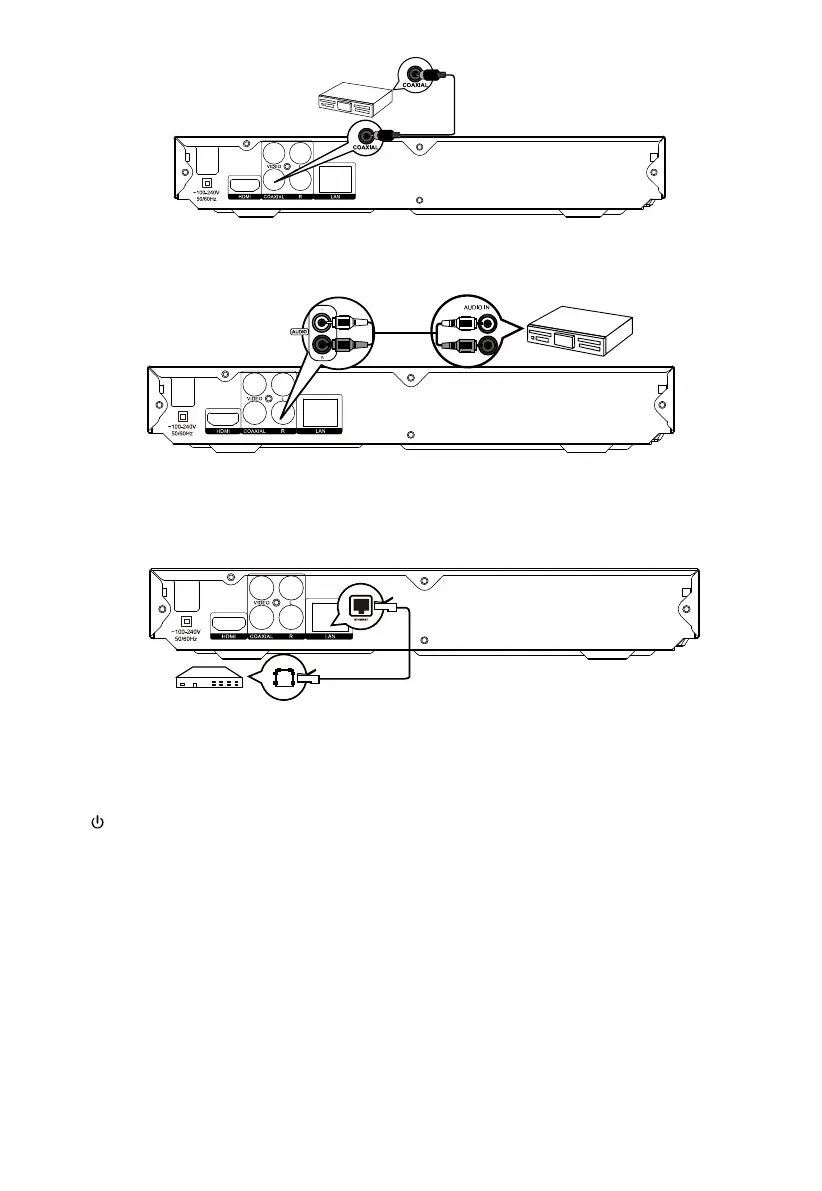
3 Connect to Digital Amplifier / Receiver
4. C
onnect Analog Stereo System
5. C
onnect Network
Basic Operations
Turn On
Press
to turn on the Blu-ray disc player.
Turn on the TV and switch to the correct video input (refer to the TV user manual)
Setup Menu
Press SETUP to display the setup menu on the TV s
creen.
Navigate the Menu
When a menu is displayed, press the Navigation Keys on the remote control to navigate through it.
Select Menu Display Language
1. Select General Settings in SETUP Menu.
2. Press Up/Down buttons to select Language.


 To Next Page