(25) RETURN: Return to a previous display menu.
(26)
DOWN: Navigates through the Menus.
(27) C
LEAR: To clear an entry.
(28) G
OTO: Jump to a user specified time during playback.
(29) A-B:
Press A-B can repeat playback of a user defined section.
(30) Z
OOM: To zoom it or zoom out.
(31)
STOP: Stop play.
(32)
PLAY/ PAUSE: Start (resume) / pause play.
(33) P
REV: Skip to the previous title, chapter or track.
(34) N
EXT: Skip to the next title, chapter or track.
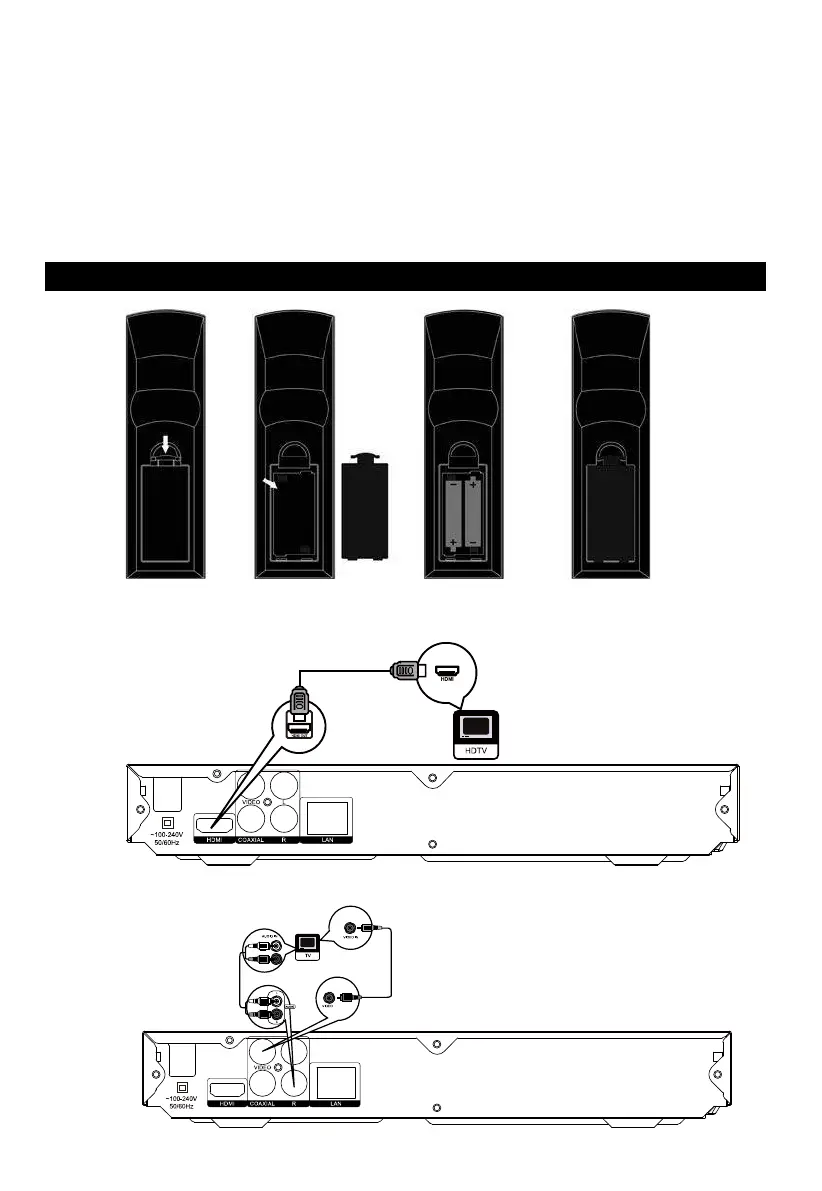
Remote Control Batteries
Connections
1. Connect to the HDMI
2. Connect to Composite
Video


 To Next Page