Security
1. C
hange Password: Changes the password for parental control menu.
2. P
arental Control: to set the parental control.
3. C
ountry Code: Select the Country code.
Note:
The original code is 0000. The code can be changed by
user.
Network
• Connect this product to a broadband MODEM or r
outer.
• This player will start to detect if there is a connection to the network.
• If the connection test fai
ls, select (Retry) and press OK to try and re-connect to the network again.
1. I
nternet Connection: Displays the Internet connection state.
2. I
nformation: Displays information of the current Network.
3. C
onnection Test: Tests the Internet connection state.
4. IP Setting: Sets the IP for t
he player.
5. BD-Li
ve Connection: Connection situation of BD-Live.
Display Settings
TV
1. TV Screen: Selects the display mode for the TV.
2. R
esolution: Selects the resolution for the TV.
3. T
V System: Selects the TV system type.
4. C
olor Space: Selects the color space.
5. H
DMI Deep Color: Selects the color for HDMI.
6. H
DMI 1080 24Hz: Enable/disable this settings.
Video Processing
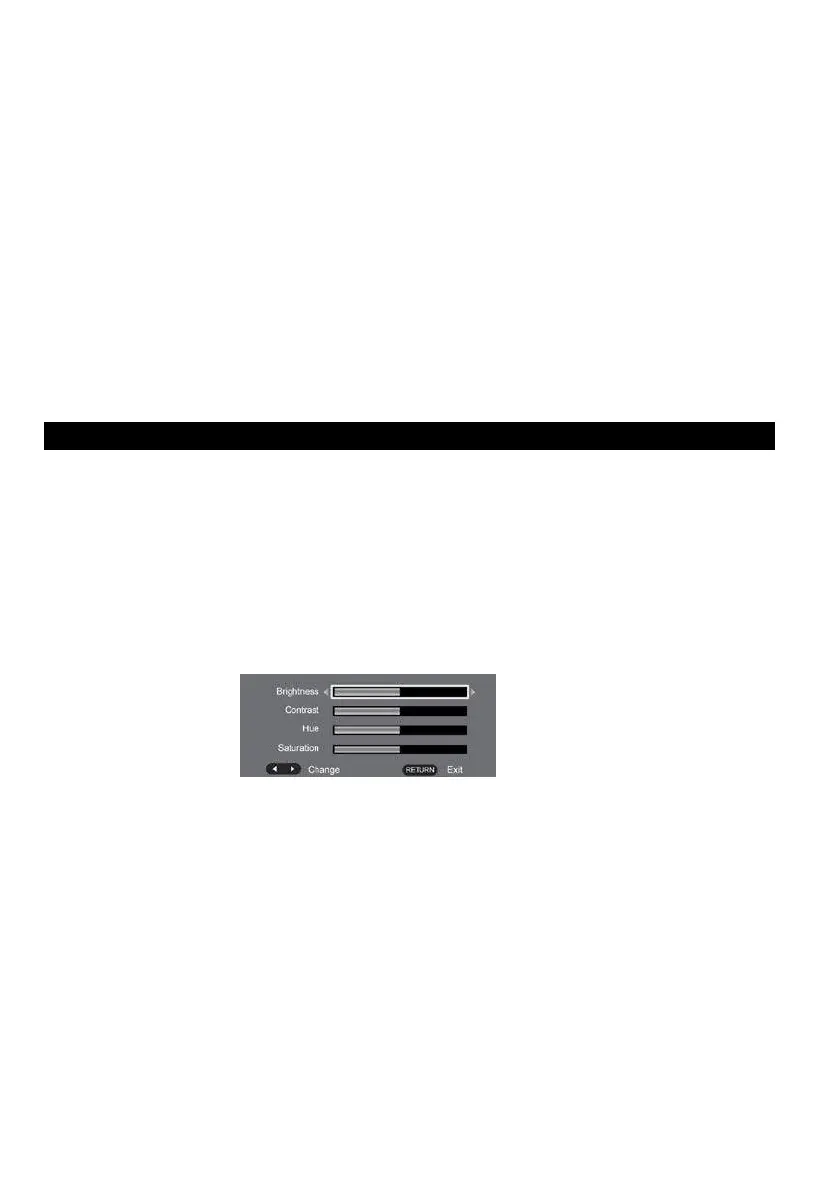
1. Video Adjust: Enter the submenu to adjust the video display.
Adjust the Brightness, Contrast, Hue, Saturation of the screen to suit.
Audio Setting
1. SPDIF: Selects the SPDIF mode.
2. H
DMI: Selects the HDMI mode.
3. D
own samping: Selects down samping.
(Select this when the Amplifier connected to the placer is not 96KHz c
ompatible)
4. D
olby DRC: Dynamic range compression
Speaker Setting
1. configuration: channels 2x
Clean Discs
Wipe the disc with a Micro fiber Cleaning Cloth from the centre to the edge in a straight line movement.
Caution
Never use solvents such as benzene, thinner, cleaners available commercially, or anti-static sprays
intended for discs to clean the player.


 To Next Page