Play a Blu-ray Video Disc
Blu-ray video discs have larger capacity and support features such as high-definition video,
multichannel surround sound, Interactive menus and so on.
1. I
nsert a BD-video disc.
2. P
layback will automatically start, or select a play option in the menu and press OK.
3. D
uring playback, you can press TOP MENU to display additional information, features or content
store on the disc.
4. D
uring playback, you can press POPUP to display the disc menu without interrupting disc play.
5. Dur
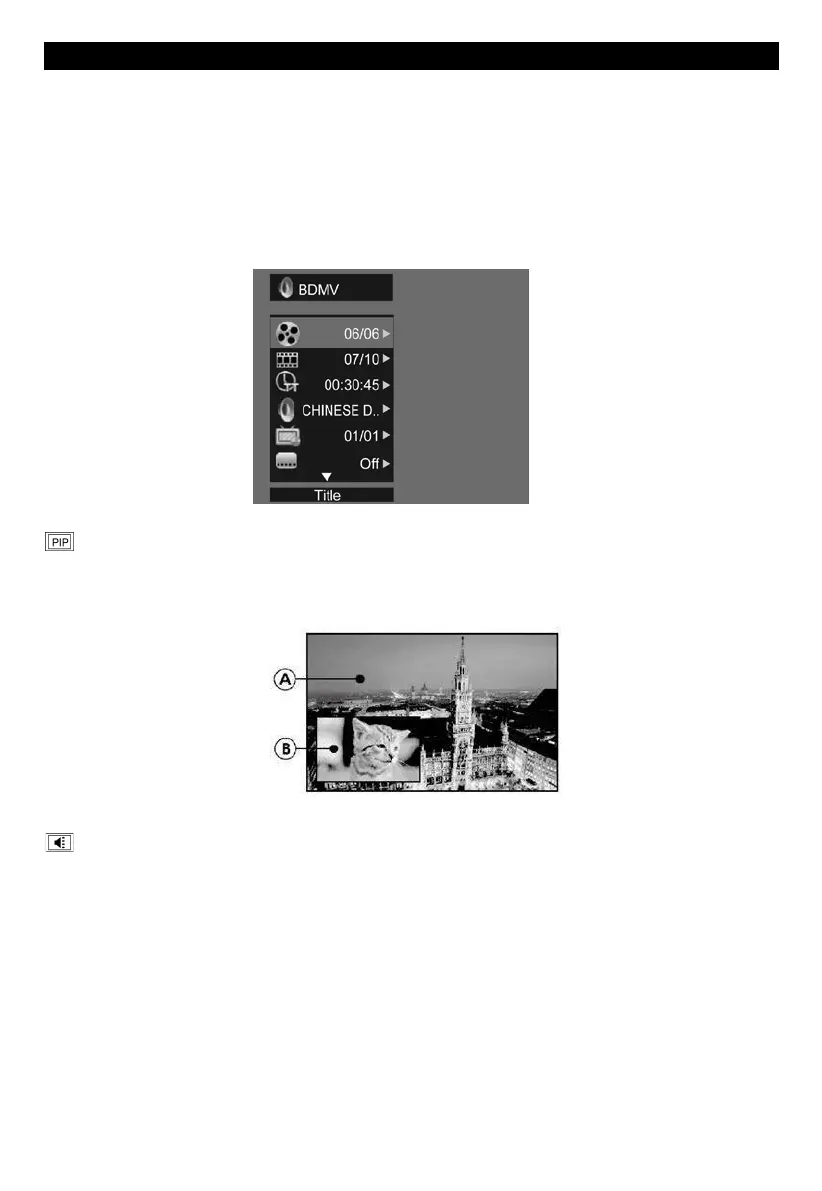
ing playback, press the [OSC] button on the RMC - the ON SCREEN MENU will be displayed.(As
shown in the picture bellow)
second video【
BD-V】:Displays the state of the second Video. Use direction key【 】to open the
second video selection box, then press【 】/【 】to select the full screen video and the second video
window (picture in picture).
(A) Primary video (
B) Secondary video
s
econd Audio【BD-V】:Displays the state of the second Audio. Use the direction key【 】to open
the selection box, then press【 】/【 】to switch on/off the audio output.


 To Next Page