21
Finalize
Finalizing is a process of writing the TOC data (recorded data) to a
disc.
Finalized CD-Rs can be played with other CD players. No more tracks
can be recorded on a finalized CD-R.
Finalized CD-RWs can be played with other compatible CD players.
To record additional tracks on a finalized CD-RW, first unfinalize it.
1
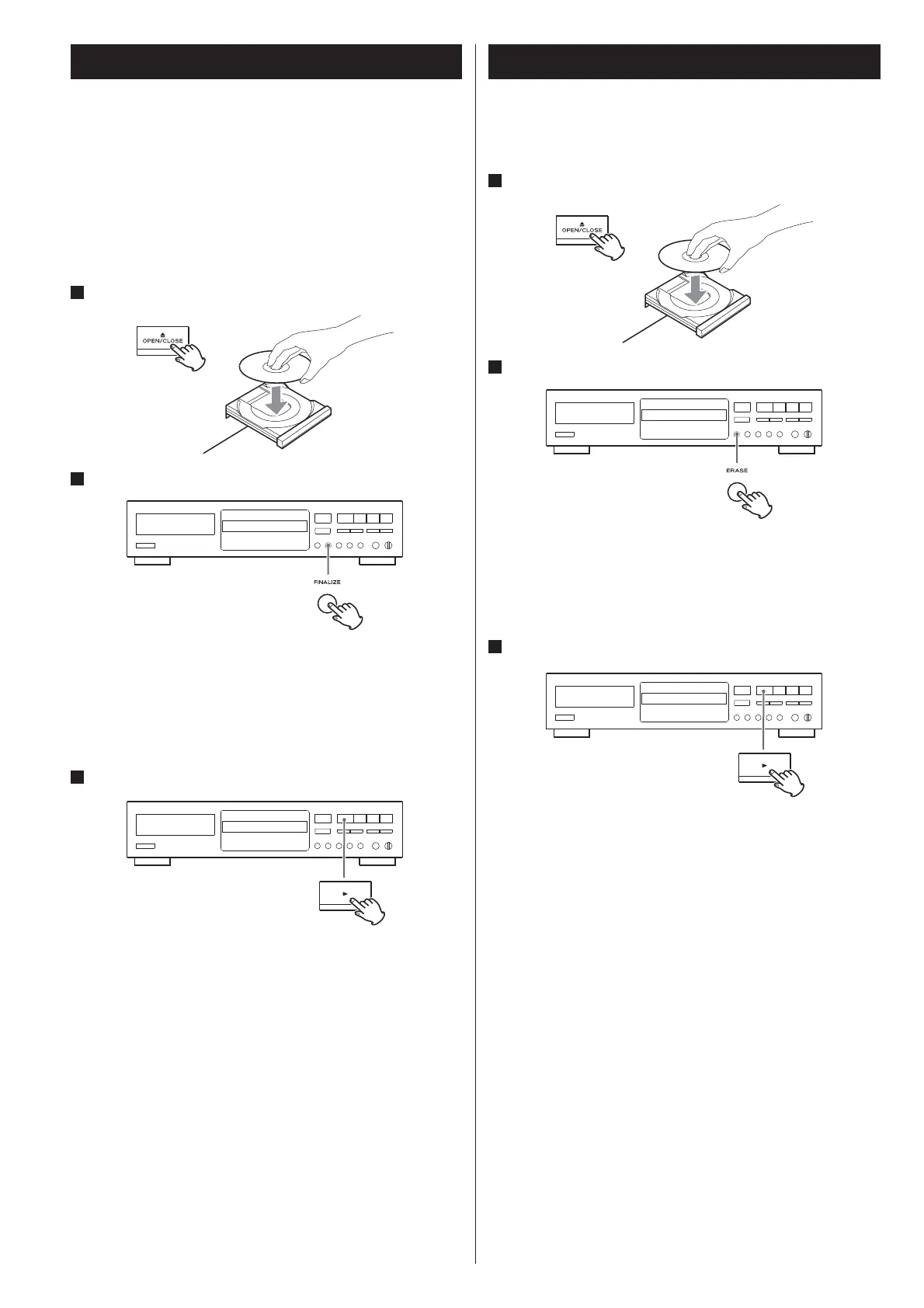
Load an unfinalized (recordable) disc.
2
Press the FINALIZE button in the stop mode.
“FINALIZE” appears on the display.
If a finalized disc has been loaded, the FINALIZE button cannot be <
used.
To cancel the finalizing process, press the Stop ( <H) button.
3
Press the Play (y) button to start finalizing.
Finalizing starts.
When the operation has been finished, the display returns to the
track/time display.
Never turn the power off nor unplug the power cord during <
finalizing.
During finalizing, no button works. <
If a finalized CD-RW is unfinalized, recording and erasing will be
possible on the CD-RW.
1
Load a finalized (not recordable) disc.
2
Press the ERASE button in the stop mode.
“UNFINALIZE” appears on the display.
If “ERASE” and the last track number or “ERASE DISC” is displayed <
on the display, it indicates that the disc has not been finalized and
so does not need to be unfinalized.
3
Press the Play (y) button to start unfinalizing.
Unfinalizing starts.
When the operation has been finished, the display returns to the
track/time display.
Never turn the power off nor unplug the power cord during <
unfinalizing.
During unfinalizing, no button works. <
Unfinalize
CD-RW890EvAunlocked.pdf21 10/09/0817:17



 To Next Page