The Radio Data System (RDS) is a broadcasting service which allows
stations to send additional information along with the regular radio
programme signal.
1
Tune in an FM RDS station (page 47).
2
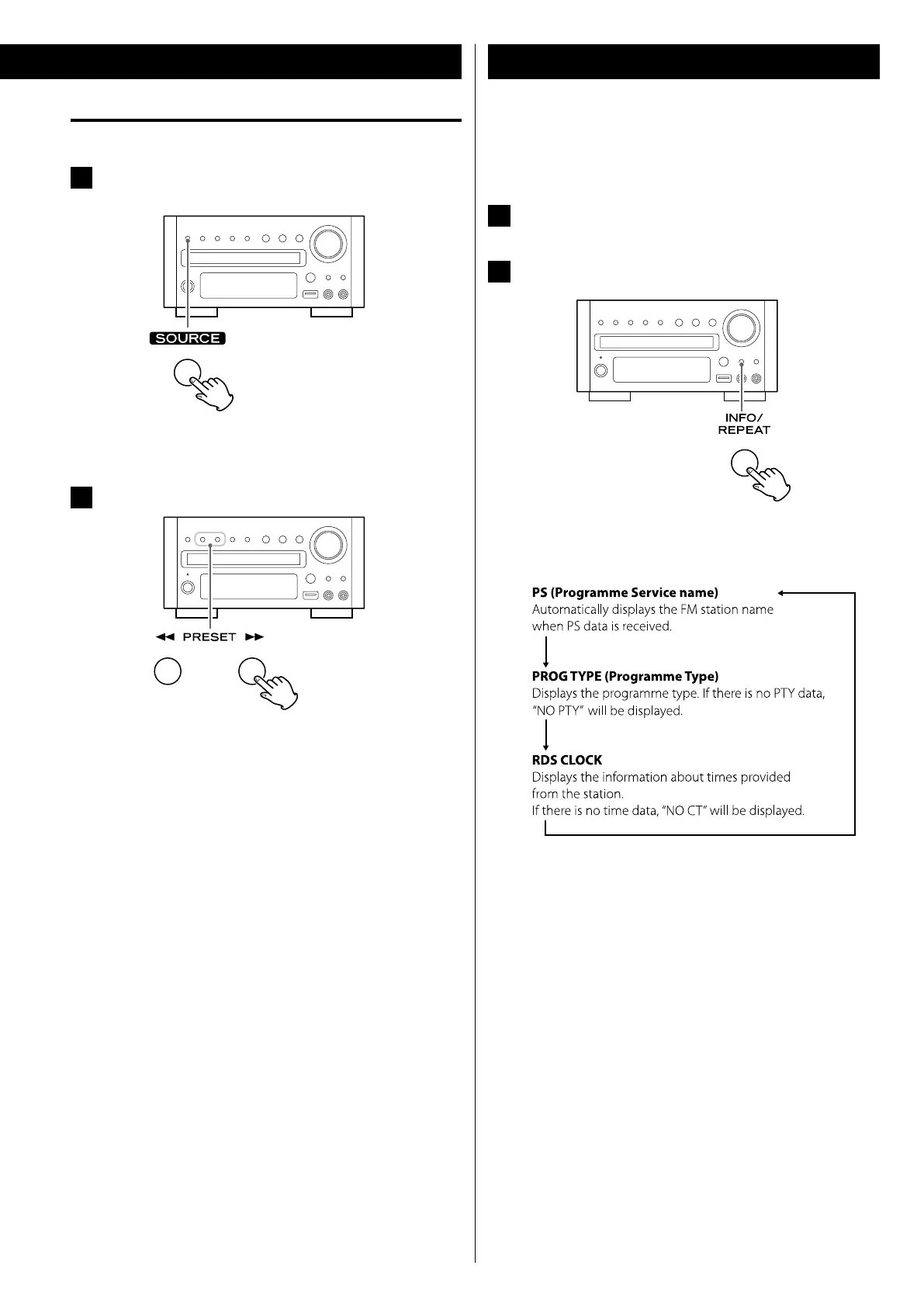
Press the INFO/REPEAT button.
Each time the RDS button is pressed, the RDS mode is changed
as follows:
RDS (Display Setting of the FM)
How to select preset stations (DAB/FM)
1
Select “FM Radio” or “DAB Radio” using the SOURCE
button.
< You can also select “FM Radio” or “DAB Radio” by pressing the
TUNER button on the remote control unit once or twice.
2
Select a preset channel using the PRESET buttons.


 To Next Page