11
ENGLISH
Listening to CDs
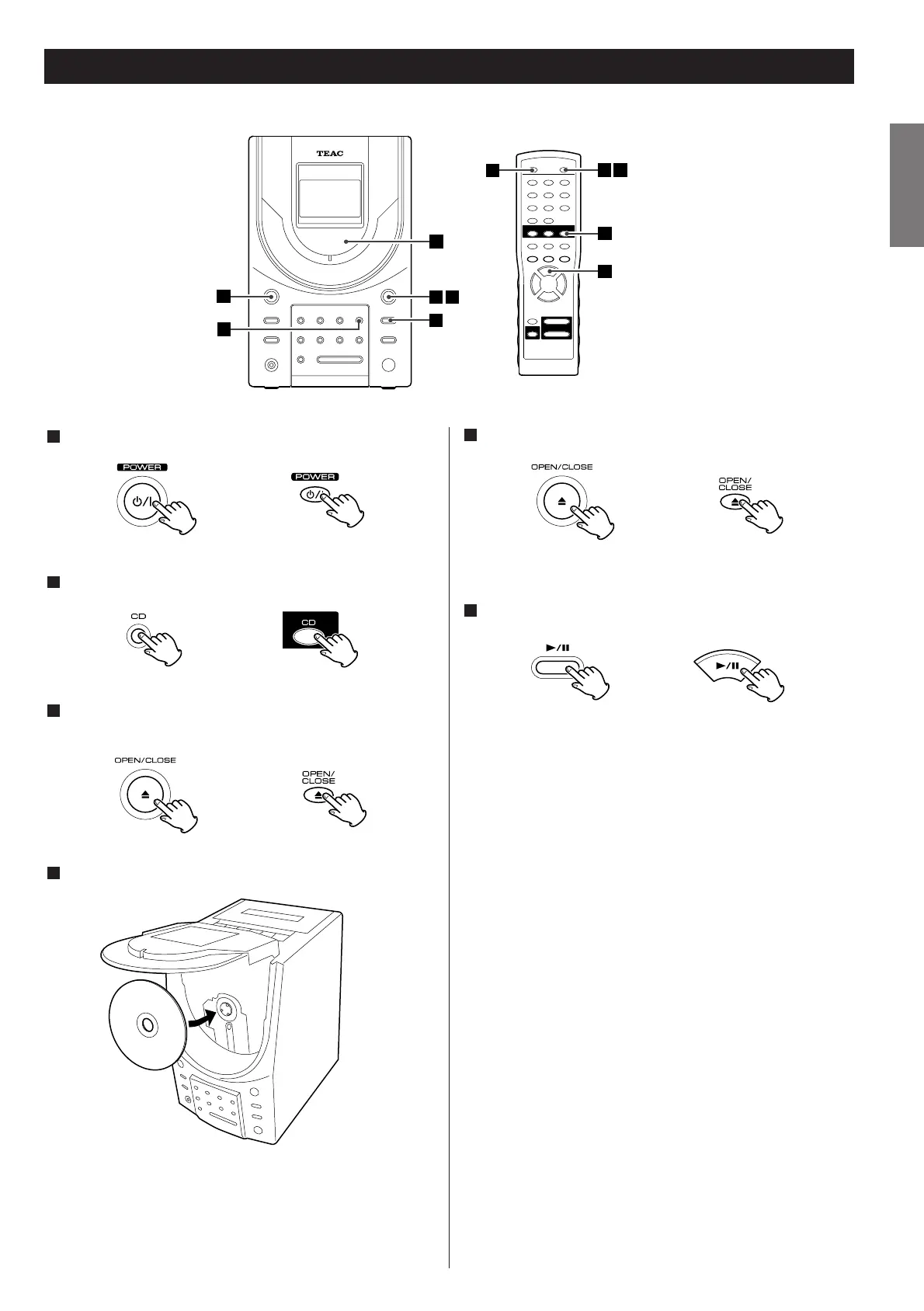
Press the POWER switch to turn the unit ON.
Press the CD button to get "DISC" displayed.
Press the OPEN/CLOSE button (L
) to open the disc
compartment lid.
Put a disc in place with the printed label facing you.
Notes
<
Push the disc until it clicks in so that it securely seats on the
spindle.
<
Never set more than one disc.
4
3
2
1
Press the OPEN/CLOSE button again to close the lid.
<
A moment later, the display shows the total playback time and
the total number of tracks on the disc.
Press the PLAY/PAUSE button (y/J) to start playback.
Playback starts from the first track.
When the playback of all the tracks has been finished, the unit
stops automatically.
6
5



 To Next Page