14
Listening to Radio Programs
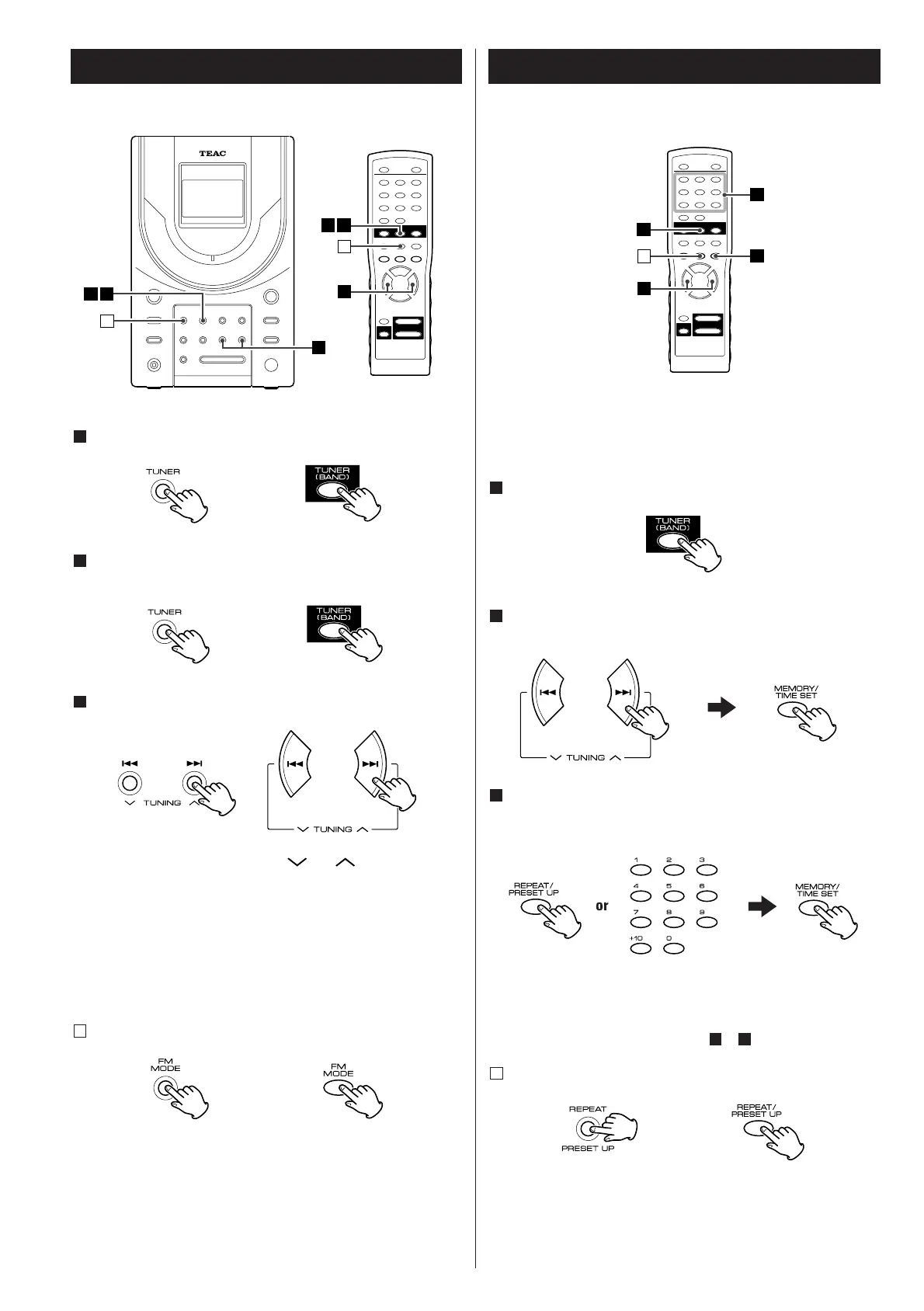
Press the TUNER (BAND) button.
To select the band (AM or FM), press the TUNER (BAND)
button again.
Select a station.
Hold down the TUNING button ( or ) for a while and
release the button. When a station is tuned in, the tuning stops
automatically.
Repeat this step until the desired station is found.
Press the TUNING button to stop the tuning.
<
To select stations which cannot be tuned automatically, press
the TUNING button repeatedly.
<
"STEREO" is displayed when a stereo broadcast is tuned in.
If the reception is poor
Press the FM/MODE button.
The unit is turned to mono mode, but the reception will
improve.
For a good reception, turn around the antenna so that you can
get the stations clearly.
A
3
2
1
Storing Preset Stations
Up to 20 FM and 12 AM stations can be stored in preset
memories.
Press the TUNER [BAND] button to select FM or AM.
Press the TUNING button and tune in a station to be stored as
a preset station and then press the MEMORY/TIME SET button.
Select a preset channel to store the station by pressing the
REPEAT/PRESET UP button or a numeric button, and then press
the MEMORY/TIME SET button.
Remember not to overwrite a preset channel. It is wise of you
to write down which stations are stored in which channels.
To store more stations, repeat steps to .
How to select preset stations
Press the PRESET UP button or numeric buttons to select a
preset channel.
A
31
3
2
1



 To Next Page