8
Names of Each Control (1)
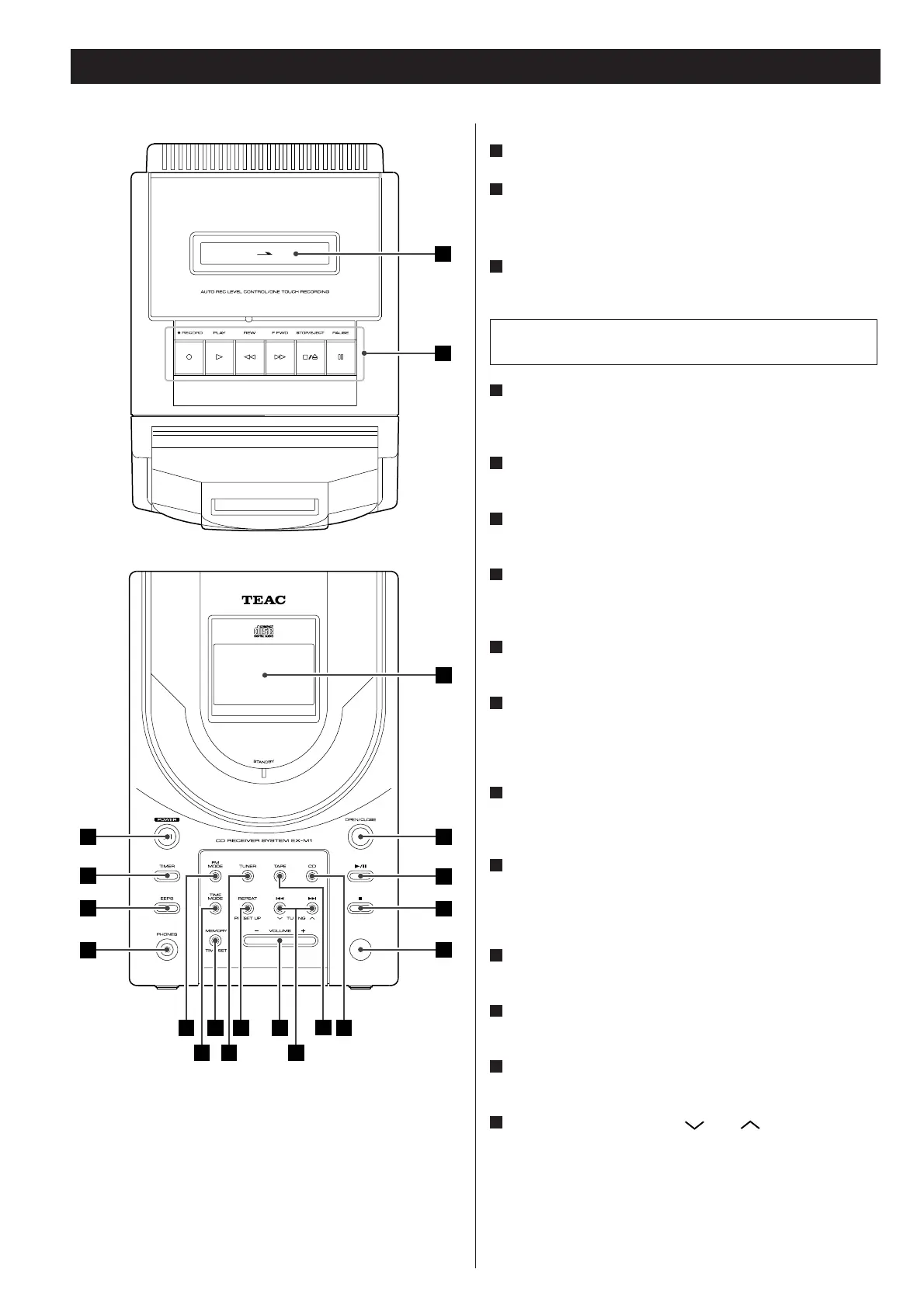
TOP
Cassette holder
Tape transport control buttons
FRONT
POWER button
Turns on and off the power of this unit.
TIMER button
This button is used to disable and enable a preset timer-on/-off
time.
EEPS button (Electronic Equalizer Preset System)
This button offers Flat, Rock, Jazz, Pop and Classic modes.
PHONES jack
Connect optional headphones to this jack.
FM MODE button
In Tuner mode, puts the tuner into mono mode typically to
reduce noise in weak FM stereo signals.
TIME MODE button
To switch between different modes of time.
MEMORY/TIME SET button
This button is used for programed playback of CD or to preset
broadcasts. Also used to change between the hours and the
minutes when setting a built-in clock or timer-on or -off times.
TUNER button
Use this button to select the tuner mode then to change AM
and FM bands.
REPEAT/PRESET UP button
While in CD mode, this button is used to change the repeat
mode. While in Tuner mode, this button switches preset
stations up.
VOLUME button (+ / –)
Use this button to adjust the volume level.
TAPE button
Use this button to select the TAPE mode.
CD button
Use this button to select the CD mode.
.
///TUNING buttons ( and )
When playing a CD, use this buttons to skip tracks. Holding
down either button offers "cue" or "review" functions.
While in Tuner mode, these buttons are used to seach for
broadcasts.
O
N
M
L
K
J
I
H
G
F
E
D
The equipment draws nominal non-operating power from the
AC outlet with its POWER switch in the OFF position.
C
B
A



 To Next Page