13
ENGLISH
Programmed Playback – CD
Up to 16 tracks can be programmed in the desired order.
<
Shuffle playback does not work during program playback.
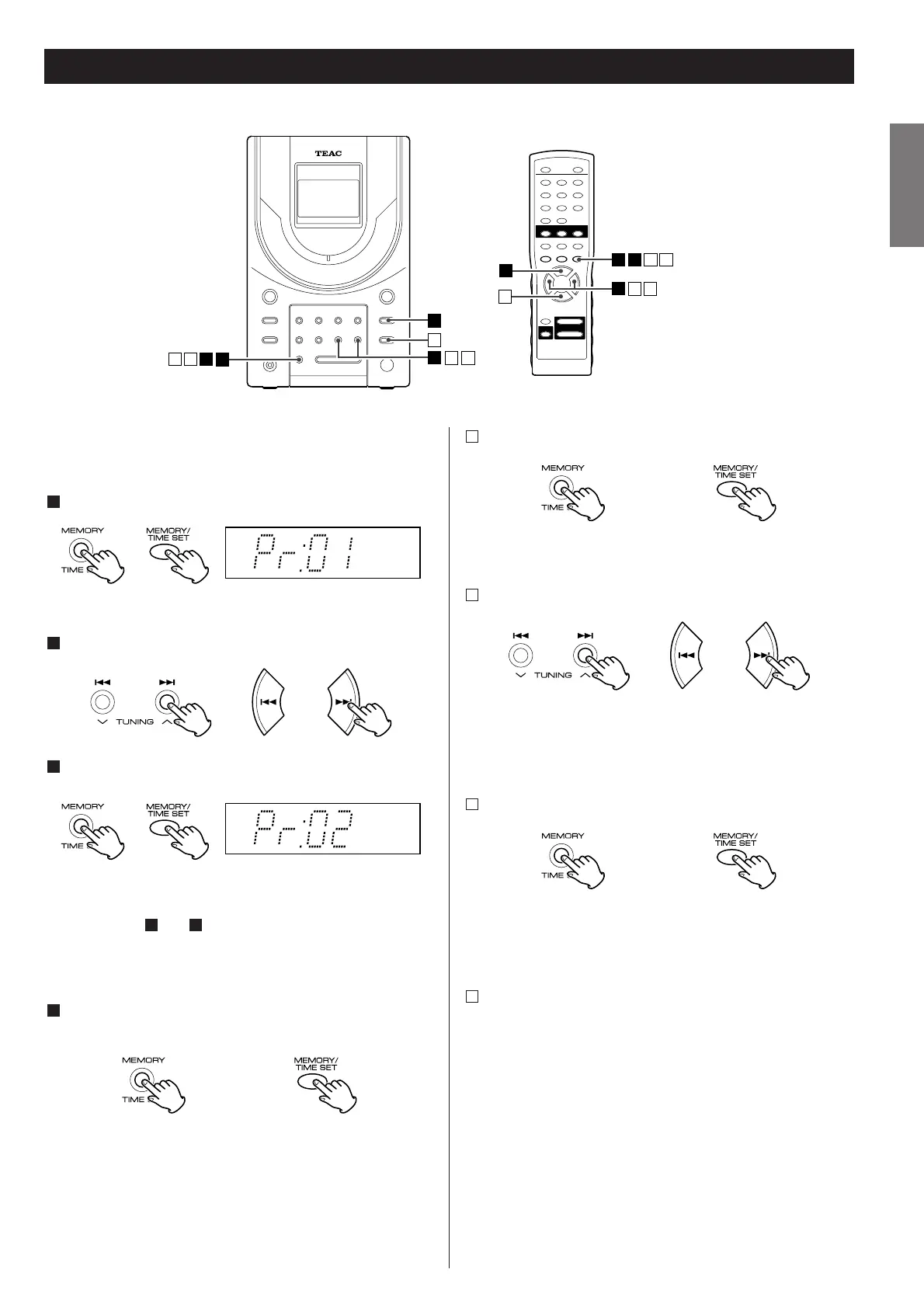
Press the MEMORY button in the stop mode.
"Pr:01" is displayed, along with "MEMORY."
Press the skip button (
.or/
) to select a track.
Press the MEMORY button.
The track is programmed and "Pr:02" is displayed.
Repeat steps and to program more tracks.
<
You can program up to 16 tracks.
<
To cancel the programming, press the STOP button (H). All the
tracks you have programmed so far are cleared from memory.
When the selection of track numbers is completed, press the
PLAY/PAUSE button (y
/J) to start program playback.
The programmed contents are kept in memory even after you
have switched the unit into the TUNER or TAPE modes or the
power is turned off.
4
32
3
2
1
To check the programmed order
In the stop mode, press the MEMORY button repeatedly.
The track number will be shown on the display.
To add a track to the end of the program
In the stop mode, press the MEMORY button repeatedly until
"- -" is displayed to the right of a program number.
Select a track number by pressing the skip button (.
//)
and then press the MEMORY button.
The track is added to the end of the program.
To overwrite the program
In the stop mode, press the MEMORY button repeatedly until
the track number to be changed appears on the display.
Select a new track number by pressing the skip button
(.
//) and then press the MEMORY button.
To clear the program
To clear the programmed contents, press the STOP button (H)
in the stop mode.
Pressing the OPEN/CLOSE button also clears the programmed
contents.
<
If the unit is disconnected from the power supply, the
programmed contents will be cleared.
D
C
B
A



 To Next Page