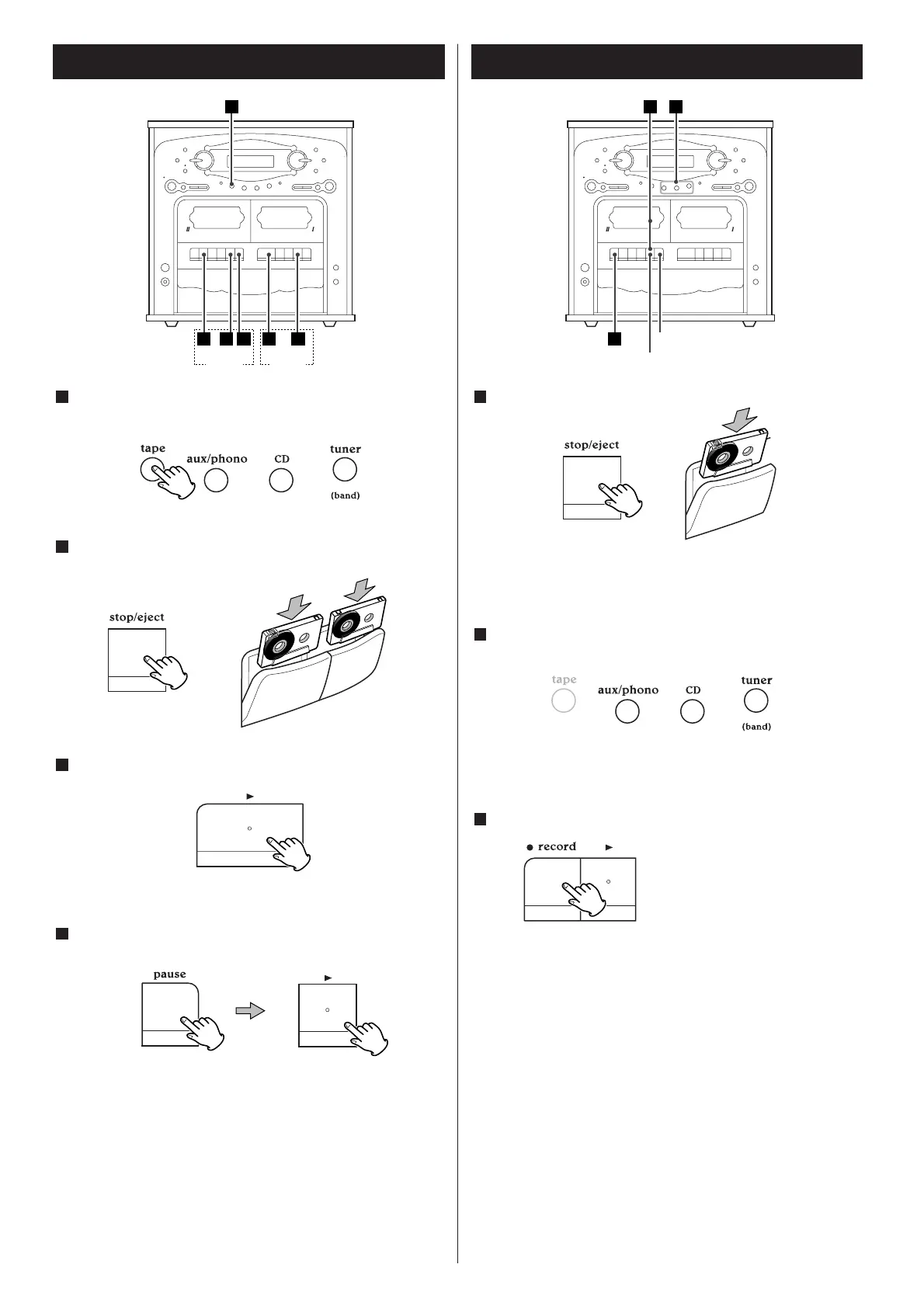
Load cassette tapes into TAPE ! and TAPE @.
2
Press the PLAY button of TAPE !.
3
Press the PAUSE and the PLAY button of TAPE @.
4
When TAPE ! stops, TAPE @ starts playback automatically.
When TAPE
@ stops, the extended playback ends.
Recording (TAPE II only)
Load a recordable cassette tape into TAPE @.
1
< You can use normal (Type!) tape only.
<
If the safety tabs of the cassette tape have been broken off,
cover the holes with adhesive tape.
Select the source to be recorded by pressing the
corresponding button.
2
< Do not select TAPE.
<
Prepare the source to be recorded. When you select "TUNER",
tune in a station.
Press the RECORD button to start recording.
3
< When you select "CD", the playback of CD starts
simultaneously.
<
To stop recording temporarily, press the PAUSE button. To
restart the tape, press the PAUSE button again.
<
To stop recording, press the STOP button.
CD Synchronous Recording
1. Load a recordable cassette tape into TAPE @.
2. Press the CD button or the FUNCTION button to select "CD".
3. Select a disc to be recorded by pressing the corresponding
button (DISC 1, 2 or 3) or the DISC SKIP button.
<
You can program tracks to be recorded.
4. Press the RECORD button to start recording.
The playback of CD starts simultaneously.
<
To stop recording, press the STOP button.
When the RECORD button is
pressed, the PLAY button is also
pressed down automatically.


 To Next Page