Voltage Conversion
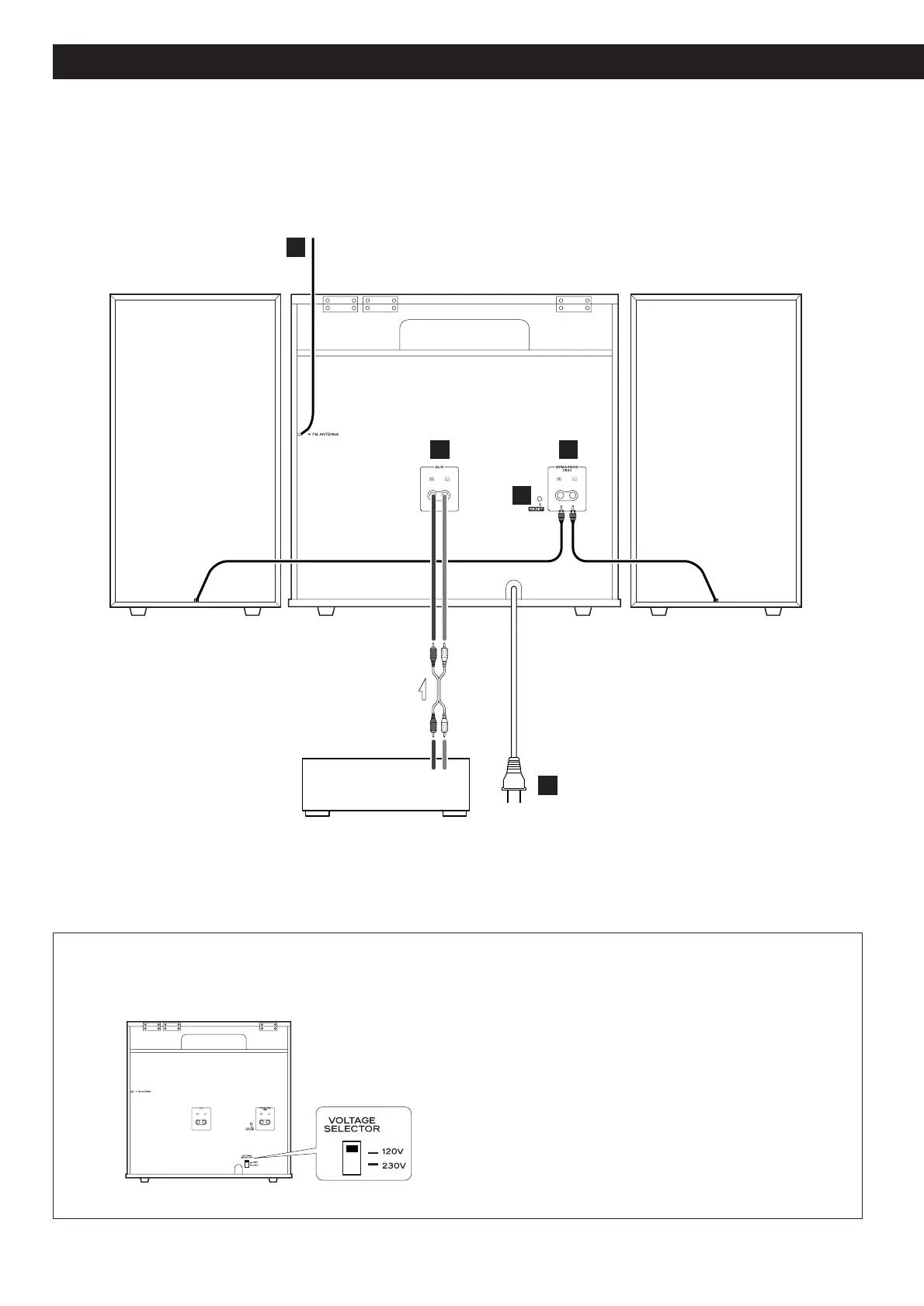
(General export models only)
Be sure to remove the power cord from the AC outlet
before repositioning the voltage converter switch.
1. Locate the voltage selector on the rear panel.
2. Using a flat-bladed screwdriver, set to the
appropriate 230V or 120V position according to
your area.
IN NORTH AMERICA USE ONLY ON 120 V SUPPLY.
B
C
D
E
A


 To Next Page