29
ENGLISH
Timer Recording
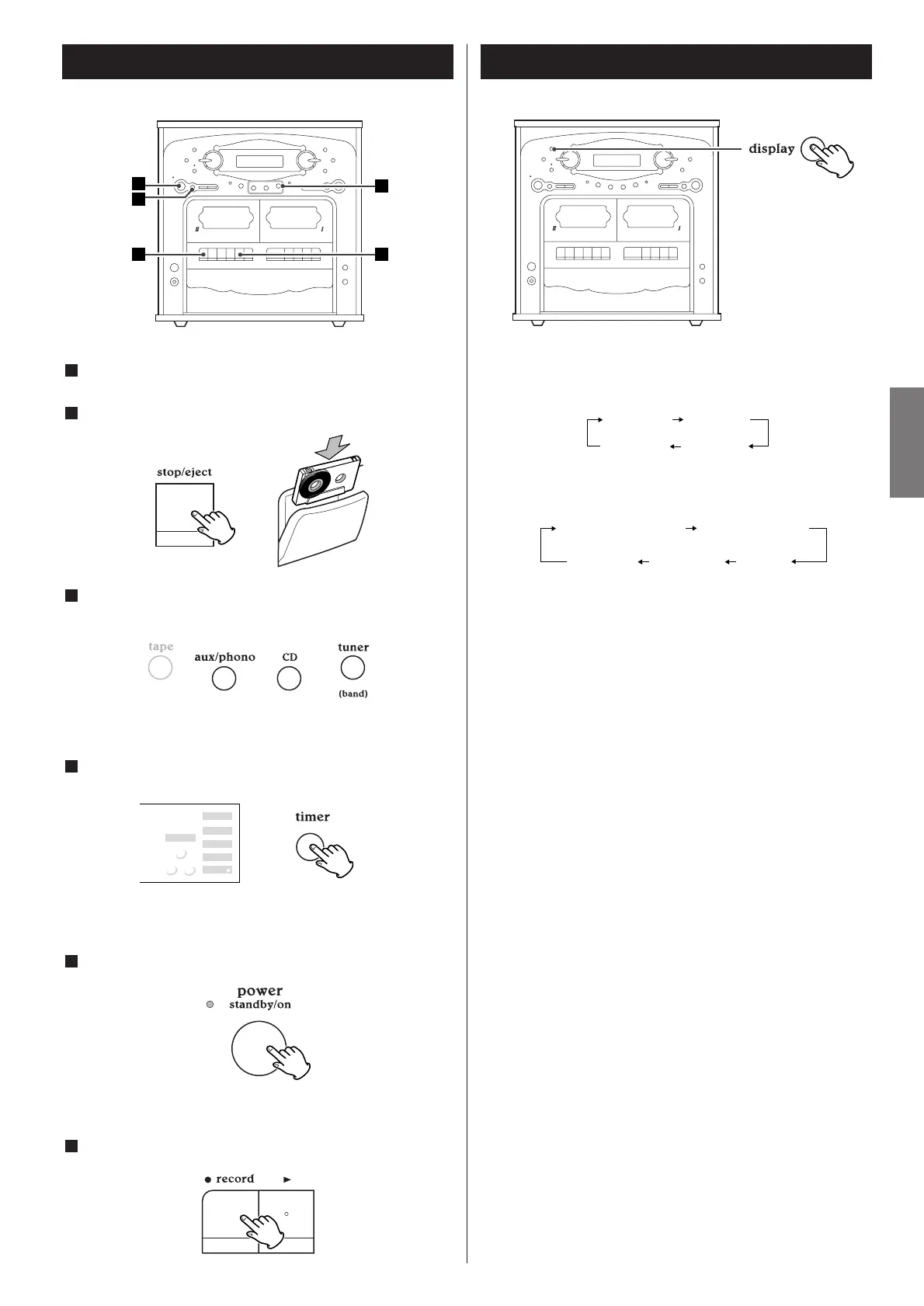
Set the start time and stop time (see 27 page).
Load a recordable cassette tape into TAPE
@.
2
1
Select a source to be recorded by pressing the corresponding
button.
3
< Don’t select "TAPE".
<
When you select "TUNER", tune in a station.
Press the TIMER button.
4
"TIMER" indicator appears on the display.
Press the POWER switch to turn the unit off(standby).
5
Press the RECORD button of TAPE @.
6
Display
Each time the DISPLAY button is pressed, the display is changed
as follows:
During playback of CD:
When the unit is on:
"clock", "timer on" or "timer off" is displayed for 5 seconds, and
then returns to "source".
When the unit is off:
"timer on" or "timer off" is displayed for 5 seconds, and then
returns to "clock".


 To Next Page