ENGLISH
9
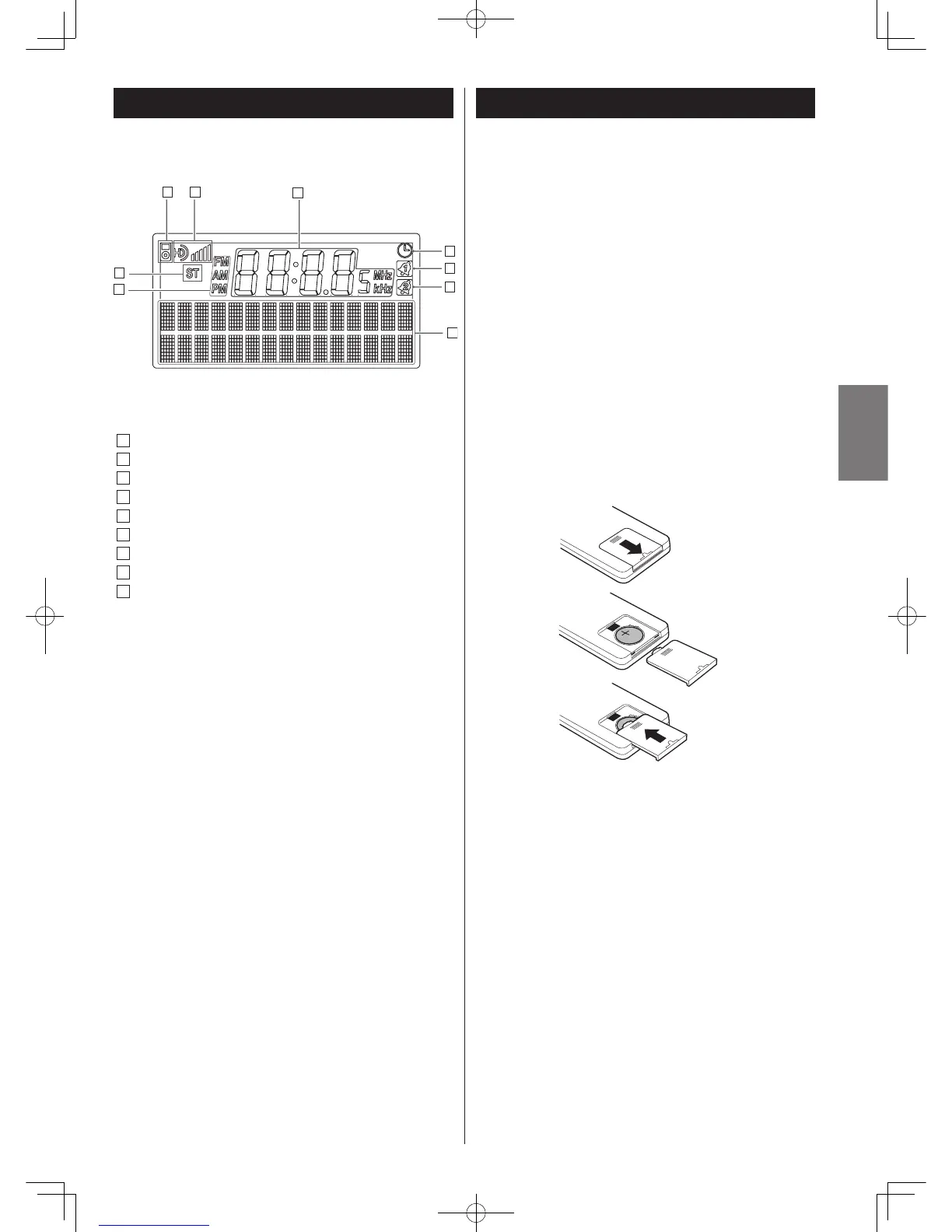
Display
A
iPod or iPhone indicator
B
HD Radio indicator
C
FM STEREO indicator
D
Band FM/AM, clock, AM/PM indicator
E
Time/Frequency Readout
F
SLEEP indicator
G
ALARM 1 indicator
H
ALARM 2 indicator
I
RBDS Messages/FUNCTION indicator
The provided Remote Control Unit allows the unit to be operated
from a distance.
When operating the remote control unit, point it towards the
remote sensor on the front panel of the unit.
< Even if the remote control unit is operated within the effective
range (5m), remote control operation may be impossible if
there are any obstacles between the unit and the remote
control.
< If the remote control unit is operated near other products
which generate infrared rays, or if other remote control
devices using infrared rays are used near the unit, it may
operate incorrectly. Conversely, the other products may also
operate incorrectly.
1
2
3
Remote Control Unit



 To Next Page