User Manual
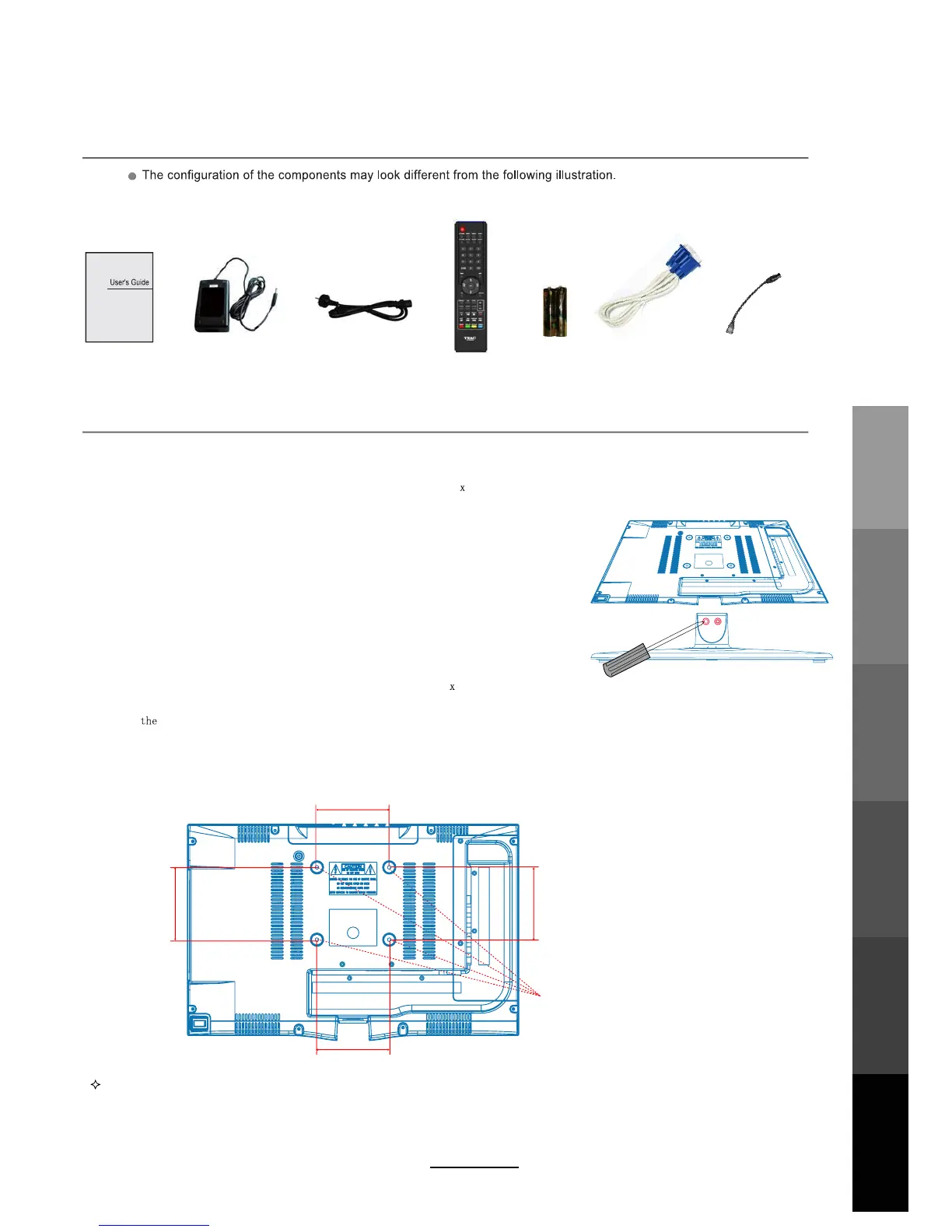
Remote Control
AC power cable
AC power adaptor
Wall Mounting Information
Accessories
Stand and wall-mounted (optional)
Your LCD TV can be mounted on the wall with the use of a wall mount bracket (not supplied with this LCD TV, please
contact your local hardware store) and the mounting hole screw size (M4
10) on the back of the unit.
We recommend removing theTV stand prior to mounting the TV on the wall. Please refer to the figures and procedure below.
How to remove/re-install the stand
How to mount the LCD TV on the wall
Follow instructions below to remove the base of the TV:
1. Place the unit (face down) on a soft surface.
2. Loosen and remove the 2 screws securing the stand to the
TV set per the diagram to the right.
3. Gently remove the stand.
4. To reinstall the stand, place the unit (face down) on a soft surface.
and reverse instructions as above.
1. After detaching the stand, fasten 4 mounting screws (thread size M4
10 - NOT SUPPLIED. Please
2. Fasten
wall mounting bracket (NOT SUPPLIED with this LCD TV, please contact your local hardware store)
with screws on the wall.
contact your local hardware store) into the 4 screw holes on the rear cover, see the figure below.
3. Carefully check that the fastenings are secure before releasing the LCD TV.
NOTE : For more detailed instructions please refer to your “after market” wall mounting instruction book.
Thread hole size – M4 x 10 depth (TV mounting screw size) on the TV.
6
Screw holes
100mm
100mm
100mm
100mm
2 x AAA Battery VGA cable USB extension cable
Basic OperationOSD Menu
Multimedia
Operation
Recording
Operation
Maintenance
and Service
User Guidance
Information



 To Next Page