24
T-Link
This enables the TV set and your CEC devices (e.g. DVD) to turn on/off. Press OK to enter.
Software Upgrade
Choose to upgrade the software by USB or network.
Software version
Display the currently installed software version by pressing OK.
Netflix Setting
In Netflix Setting menu,Netflix Deactivation can deactivate your device form Netflix
Primary Subtitle Language
Press OK to enter sub-menu.Press to select the Primary Subtitle Language.
Secondary Subtitle Language
Press OK to enter sub-menu.Press to select the Secondary Subtitle Language
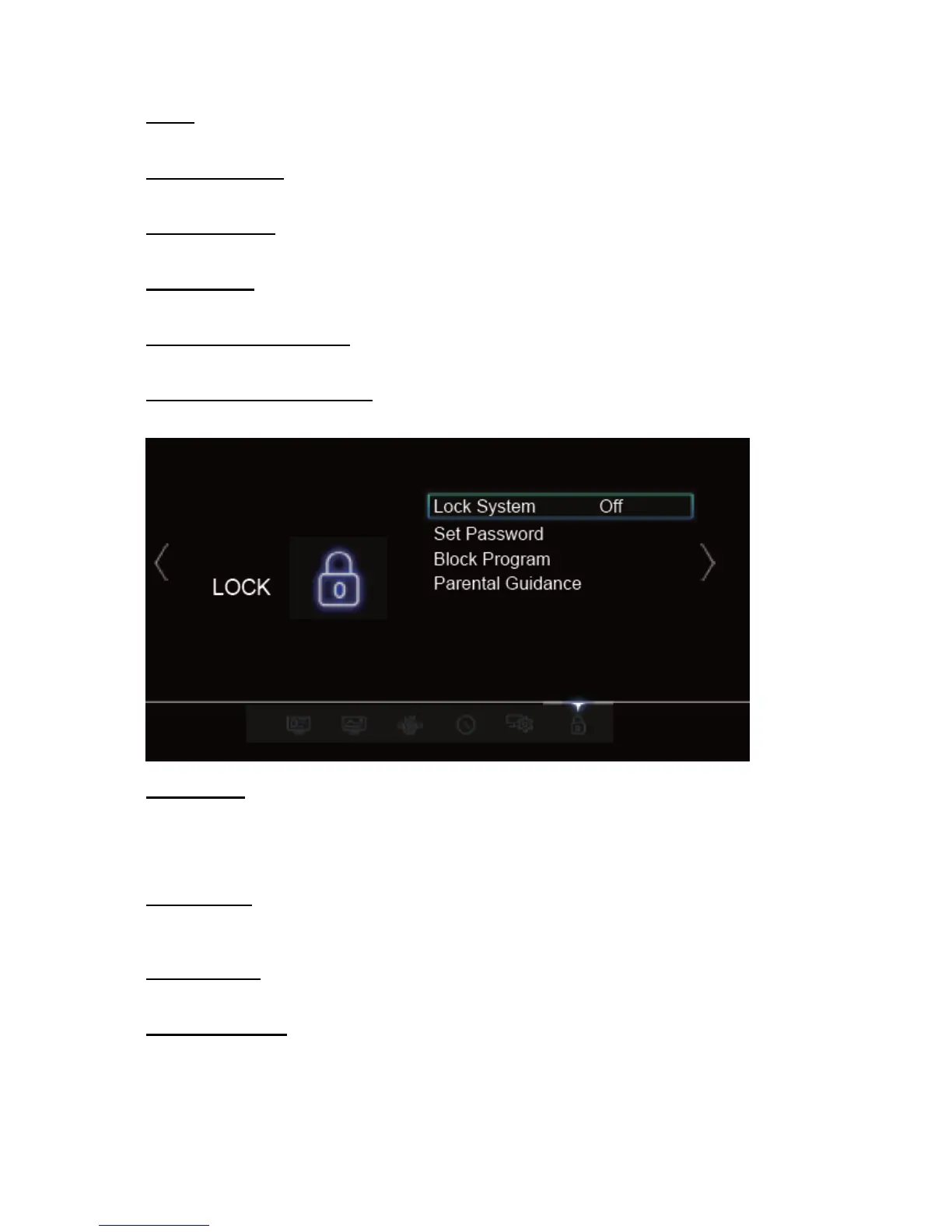
Lock System
Press OK to enter and choose On and Off.
NOTE: You will be prompted for a password. The default password is 0000. The super password is
0812. If you forget your password, use the super password to override the existing one.
Set Password
This option allows you to change the password. Press OK to enter, then press the numeric
button to enter the old password, and then the new password twice.
Block Program
Block chosen channels.
Parental Guidance
Block programs by TV age rating. Options include No block, Block G and above, Block
PG and above, Block M and above, Block MA and above, Block AV and above, Block
R and above and Block all.



 To Next Page