9. 3D VIDEO PLAYBACK
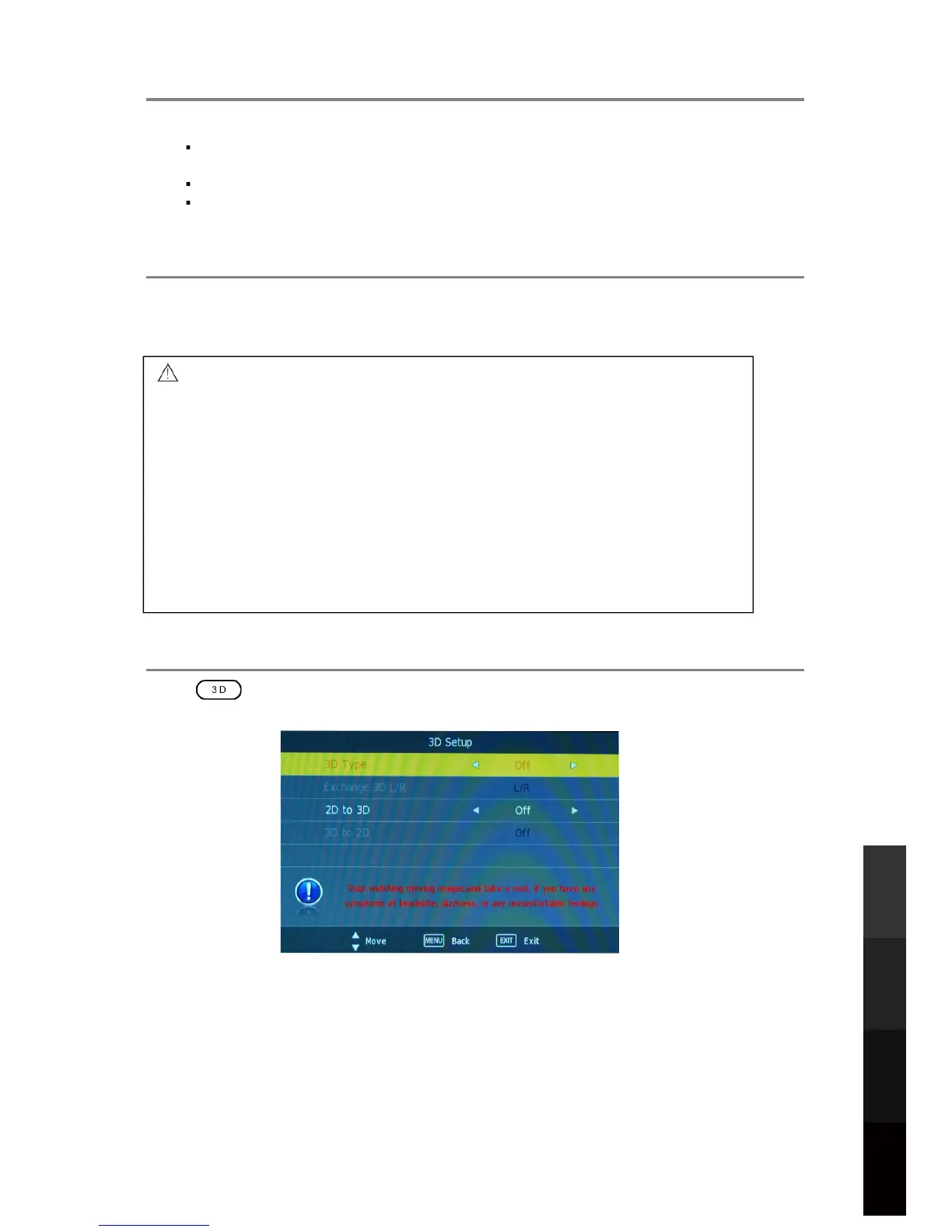
9.3 3D Settings
Press to display the 3D Setup Menu, and use to adjust the options. Some
options may be disabled depending on the input mode.
L NOTE:
If you have eyesight conditions like short-sightedness and astigmatism, please put on
your corrective lenses before using the 3D glasses.
Maintain a distance of at least 2 times the screen width or 3 times the screen height.
Maintain a position where your eyes are on the same level as the TV screen and
looking straight at the screen.
9.2 3D Glasses
Use the provided 3D Glasses when watching 3D TV. Please use your corrective lenses
together with the 3D Glasses to watch 3D TV. The 3D Glasses do not have eyesight
correcting properties by themselves.
27
3D Video Playback
USB Multimedia
Blu-Ray Disc Player
Playback
Reference
- 3OHDVHXVHWKH'*ODVVHVRQO\ZKHQZDWFKLQJ'79'RQRWPRYHDURXQG
ZKLOHZHDULQJWKH'*ODVVHVDVWKH\PD\DOWHU\RXUVHQVHRIVLJKWEDODQFH
DQGGLVWDQFHOHDGLQJWRSRVVLEOHSK\VLFDOLQMXU\RUSURSHUW\GDPDJH
- 7KH'*ODVVHVDUHQRWWREHXVHGDVVXQJODVVHV
- $IWHUZDWFKLQJ'79UHPRYHWKH'*ODVVHVDQGWDNHDPRPHQWWRUHFRYHU
IURPSRVVLEOHGLVRULHQWDWLRQGXHWRWKHFKDQJHWR\RXUVHQVHRIVLJKW
EDODQFHDQGGLVWDQFHEHIRUHPRYLQJDURXQG
- +DQGOHWKH'*ODVVHVZLWKFDUHZKLOHSXWWLQJWKHPRQRUWDNLQJWKHPRIIWR
DYRLGFDXVLQJLQMXU\ZLWKWKHJODVVHV¶IUDPHRUKLQJHV
- &OHDQWKH'OHQVHVRQO\ZLWKDFOHDQVRIWFORWKWRDYRLGVFUDWFKLQJWKHP
- $YRLGWRXFKLQJWKHGHOLFDWH'OHQVHVWRDYRLGVFUDWFKLQJWKHP
- $YRLGGURSSLQJRUEHQGLQJWKH'JODVVHVWRSUHYHQWGDPDJLQJWKHP



 To Next Page