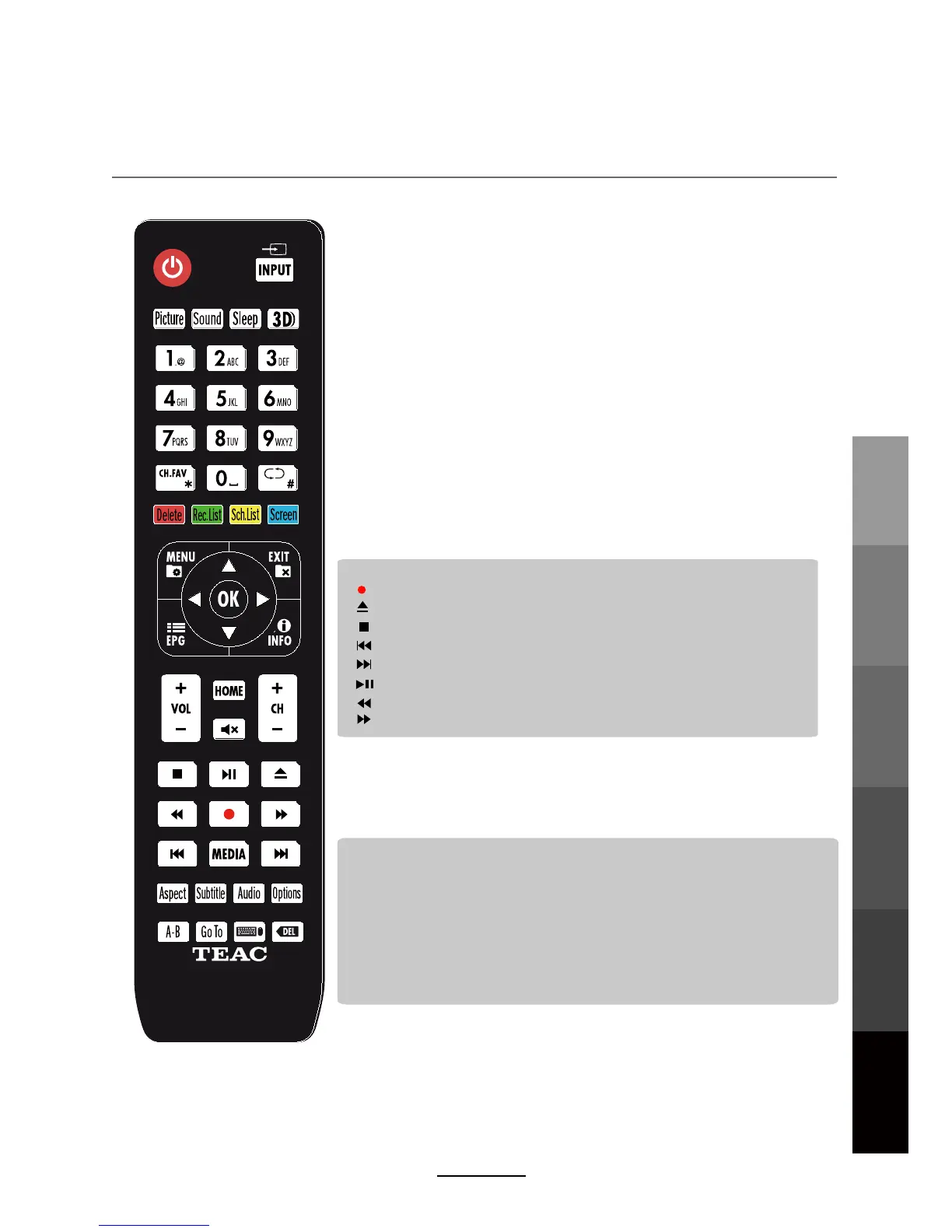
Remote Control
Basic OperationOSD Menu
Multimedia
Operation
Rec ording
Operation
User Guidance
Information
Maintenance
and Service
11
Buttons for USB operation:
(REC): Press to start recording the program in DTV mode.
: Previous chapter.
: Next chapter.
: Fast reverse.
: Fast forward.
: Stop program.
: Play/Pause program.
: Load/eject DVD disc.(Only used in HDMI CEC function)
Colour buttons:
Short cuts - follow the coloured links on the screen.
MEDIA
Options: Sort in MEDIA menu.
A-B: During playback, trigger A-B looping playback by pressing once to park point A
and again to mark point B. Stop looping playback by pressing PLAY/PAUSE or STOP.
Go To: Play your favourite title/chapter/track.
ASPECT: Adjust picture size.
SUBTITLE: Select available subtitles in DTV mode.
AUDIO: Select different audio languages, subject to availability from broadcaster.
: Press to display the MEDIA menu.
240602000541



 To Next Page