Recording Operation
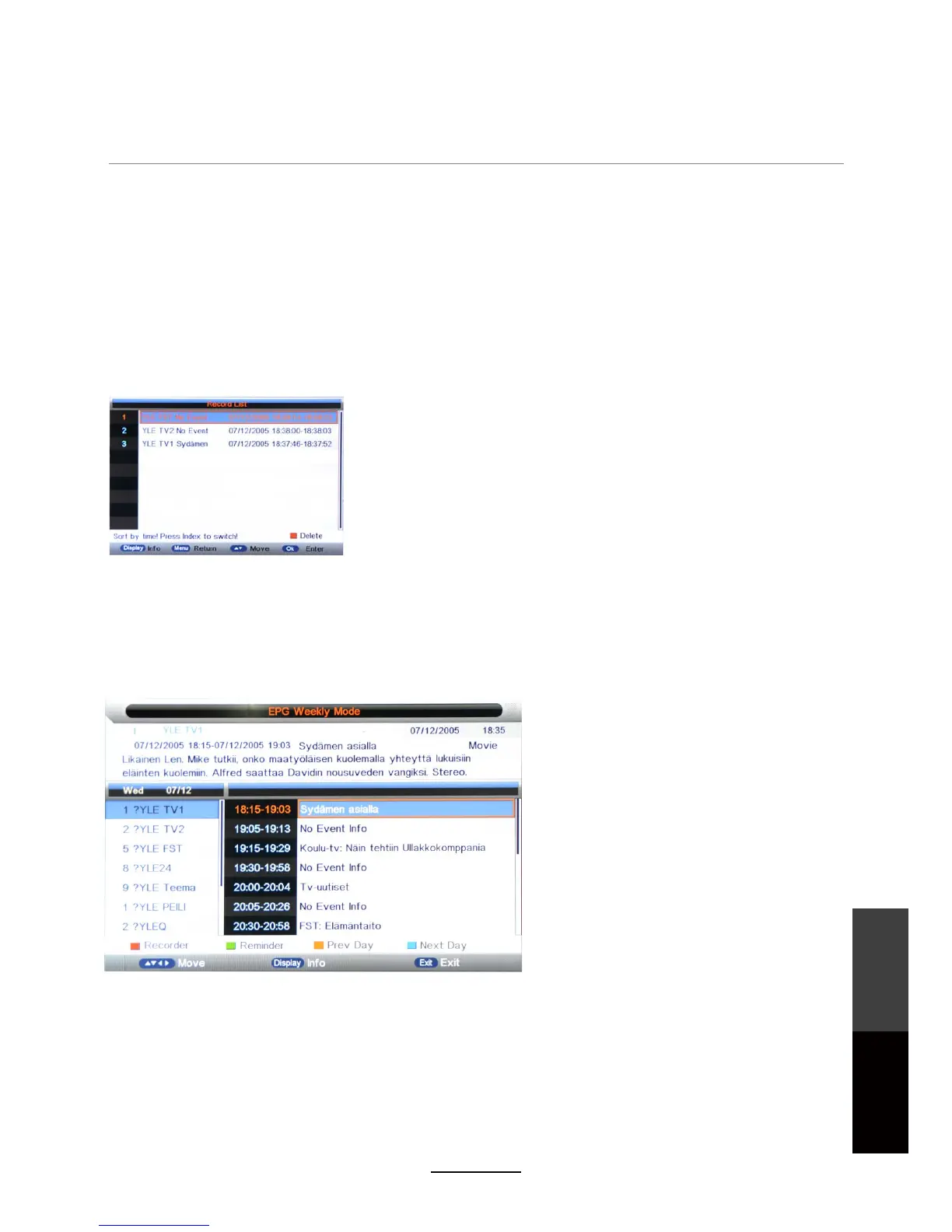
Delete: Press the RED button to delete the
selected recording/reminder schedule.
Display the Record List.
Press OK to start recording. Alternately, use the REC button on the remote control directly.
Press EPG on the remote control to display the EPG menu. It may take a couple of seconds to load.
Record List
Recorder Start
EPG, Timer Record and Reminders
EPG mode: Press the RED button to change the EPG display mode.
Daily mode: Displays information of the program schedule in daily mode.
Weekly mode: Displays the information of the program schedule in weekly mode.
Reminder: Press the GREEN button once to set a program reminder. When the reminder triggers at the
Record : Press the RED button to quick-set a scheduled recording according to the program shown on
the EPG.
set time, the TV will switch to the specified channel automatically.
Previous/Next Day: Press YELLOW/BLUE buttons to display schedules up to 7 days in advance.
Recorder: Turn on/off recording. (If it is off, the scheduled item is set as a Reminder.)
Type: Select the type of content. (DTV, Radio)
Channel: Select the channel.
Start Date: Set the start date.
End Date: Set the end date.
End Time: Set the end time.
Start Time: Set the start time.
Mode: Select the repeat mode. (Once, Daily, Weekly, Monthly)
25
Recording
Operation
Maintenance
and Service



 To Next Page