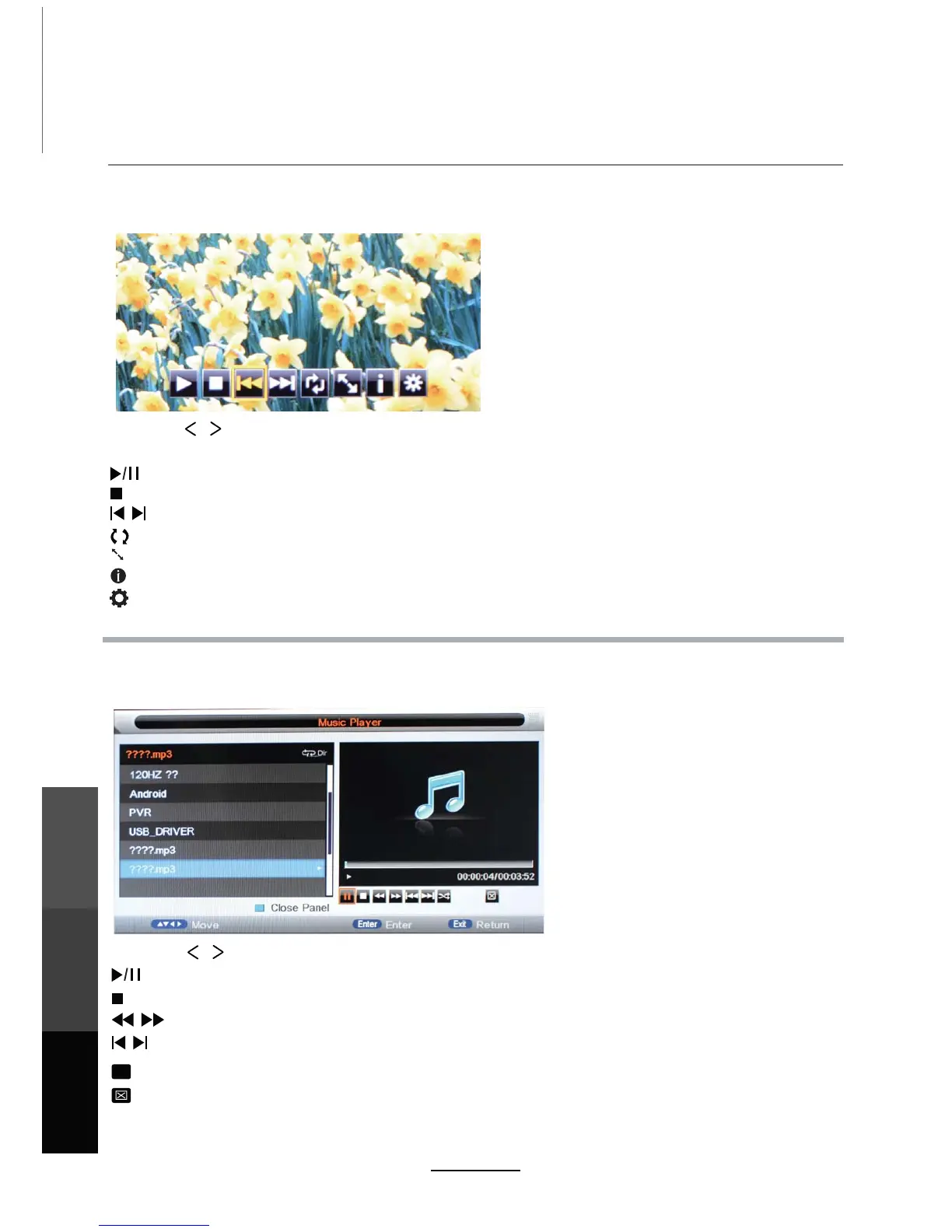
1. Photo
2. Music
Press the / buttons to select the options on the toolbar, and
NOTE: Press OK to display and use the control bar after it has disappeared.
OK to confirm.
Run a photo slideshow from USB.
Play music files from USB.
Multimedia Operation
Stop and exit the full screen slideshow.
Play the previous or next file immediately.
Rotate the picture (0, 90, 180, 270).
Zoom in/out on the picture. Move around in a zoomed-in picture using the direction buttons.
Display information about the current file.
Display the photo setup menu to adjust Repeat Mode, Background Music, Slide Time, Effect.
Stop and exit music playback.
Play the previous or next file directly.
Fast rewind or forward.
Select to cycle through these playback modes: Repeat All, Shuffle, Repeat Folder, Repeat 1.
ALL
Select this (or press the BLUE button) to switch off the screen display. NOTE: This is NOT Standby.
Turn the screen on with any button on the remote other than the POWER button.
Play/Pause music playback.
Play/Pause the photo playing.
22
Multimedia
Operation
Recording
Operation
Maintenance
and Service
Press the / buttons to select the options on the toolbar, and OK to confirm.



 To Next Page