6
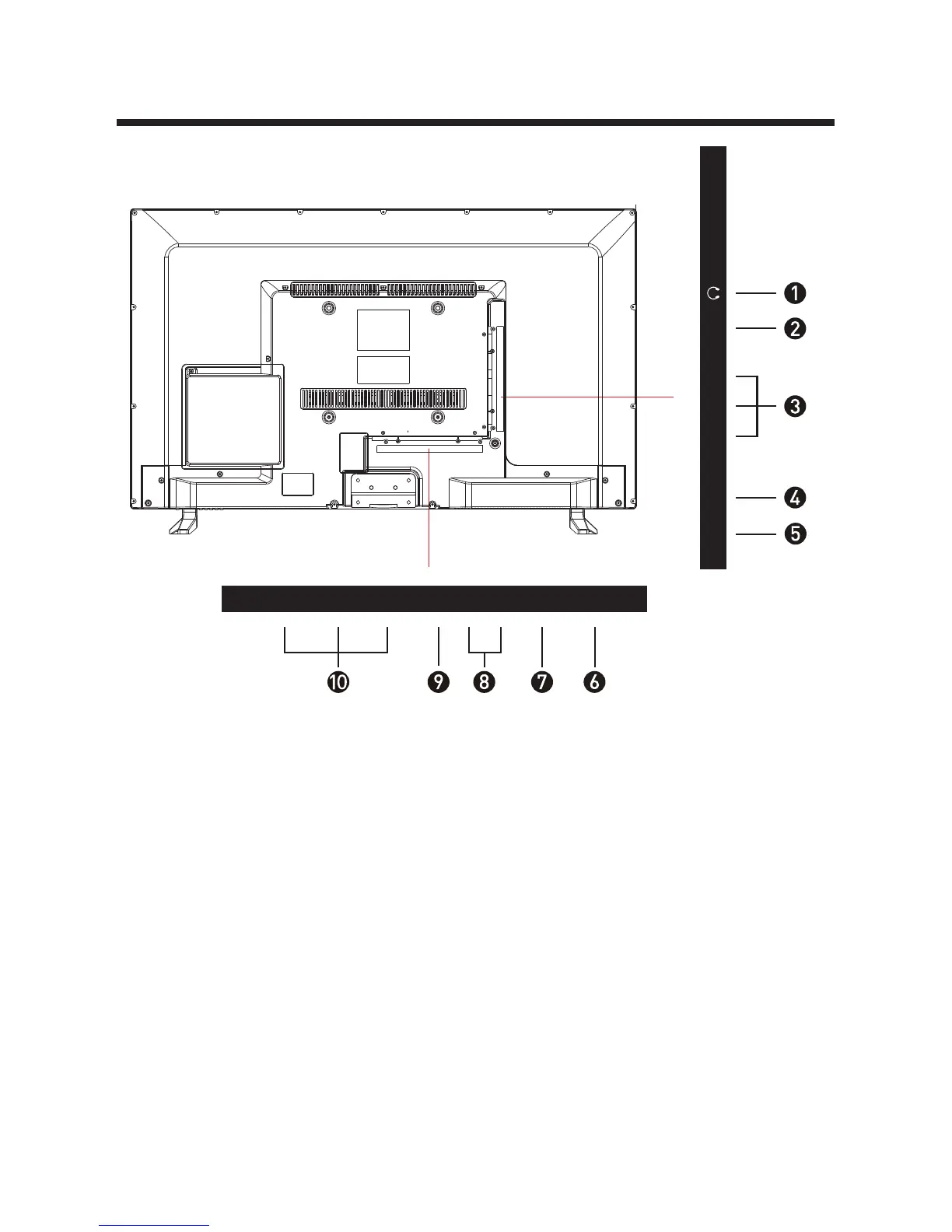
USB2.
5. COAXIAL 10. HDMI
RF: Antenna connection
4.
3.
YPbPr: Connect to the YPbPr video
output terminal of the DVD
VIDEO: Video input9.
8. AUDIO IN R/L: Stereo audio input
PC AUDIO: Connect it to the audio
output terminal of the PC
7.
VGA: PC video input6. 1. HEADPHONES
NOTE:
Before making or changing cable connections, please make sure that power to the unit is
completely disconnected by switching off the power supply and unplugging the power
cable from the wall outlet.
USBCOAXIAL RF
Pb
PrY
HDMI1HDMI2
HDMI3
L R
AV
VGAPC AUDIO


 To Next Page