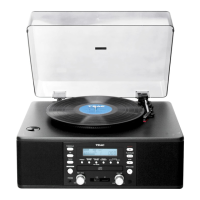
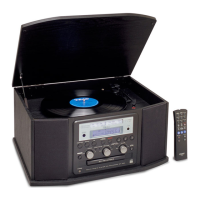
Location of Controls
1) Dust Cover
2) Radio Band Selector
3) Speakers
4) USB Socket
5) Function knob
6) FM Stereo LED Indicator
7) Repeat/Random button
8) Record Button
9) Skip Up / Skip Down Button
10) Play/Pause/Stop Button
11) +10 Button
12) Record LED indicator
13) Play LED indicator
14) Repeat/Random indicator
15) SD/MMC Card Slot
16) Power On/Off-Volume knob
17) Power LED indicator
18) Tuning Knob
19) Spindle Adaptor
20) Turntable Speed Selector
21) Pick-Up Holder
22) Auto Stop On/Off Switch
23) Line Out Socket
24) 3.5mm Aux-In Jack
25) FM Wire Antenna
26) AC Power Cord
CAUTION:
Usage of controls or adjustments or performance of procedures other than those specified herein may
result in hazardous radiation exposure.
This unit should not be adjusted or repaired by anyone except qualified service personnel.
Installation Precautions
Unpack all parts and remove protective material.
Do not connect the unit to the mains before checking the mains voltage and before all other
connections have been made.
Do not cover any vents and make sure that there is a space of several centimeters around the unit for
ventilation.
Power Connection
1. Connect the Power Cord (26) to an AC wall outlet.
2. Turn the Power On/Off Knob (16) clockwise until the Power LED Indicator (17) lights up, showing that
the power supply is normal. Now your system is ready to play music.
NOTE: The unit will switch to standby mode automatically if it is left idle for over 15
minutes in order to save energy.



 To Next Page