Radio Operation
MANUAL TUNING
1. Turn on the Power (16) and turn Function knob (5) to “Tuner”.
2. Select the desired band with the Radio Band Selector (2)
3. Tune to the desired station by turning the Tuning Knob (18).
4. Adjust the Volume Knob (16) to the desired volume level.
FM / FM-STEREO RECEPTION
Set the Radio Band Selector (2) at “FM” to receive FM radio in Mono mode. Mono mode is a good
alternative to use when stereo FM reception is weak.
Set the Radio Band Selector (2) at “FM-ST” to receive stereo FM radio. The FM-Stereo LED Indicator
(6) will light up to show that stereo FM is being received.
Hints for best reception:
- AM: The receiver has a built-in bar antenna. If AM reception is weak, slight rotation or re-positioning of
the unit will usually improve the AM reception.
- FM: The receiver has a built-in FM Wire Antenna (25) hanging at the rear cabinet. This wire should be
totally unraveled and extended for best reception.
Phono (Record Player) Operation
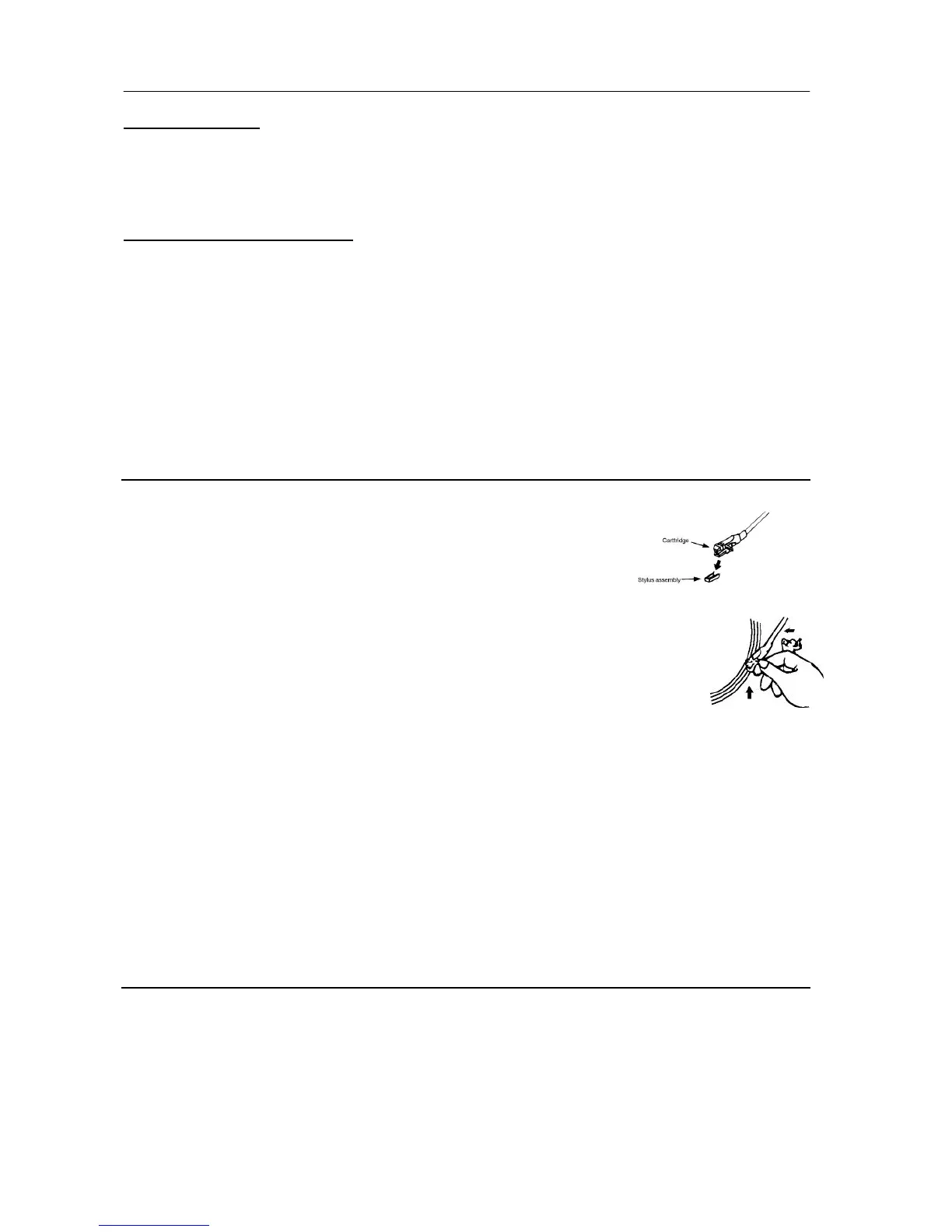
To start, remove the stylus protector. Ensure that the tone arm is moved from
the tone arm rest before operating and re-secured again after use. If the
stylus needs to be replaced, you can buy a new stylus from your local music
store.
1. Select “Phono” with the Function Selector (5)
2. Set the speed selector to the proper position depending on the record to be played.
3. Place the vinyl record on the platter (use the Spindle Adaptor if required).
4. Lift the tone arm from the rest and gently move it towards the record. The platter will
start to rotate.
5. Place the tone arm to the desired position on the record.
6. Adjust the volume to the desired level.
7. At the end of the record, the platter will automatically stop rotating. Lift the tone arm
from the record and return it to the rest.
8. To stop manually, lift the tone arm from the record and return it to the rest.
NOTES:
- With certain types of records, the auto-stop area is out of the unit setting, so playback will stop before
the last track finishes. In this case, switch the Auto-Stop Switch (22) to “Off” so that it will run to the end
of the record. With this setting, the platter rotation will not stop automatically; manually turn off the unit
with the power button or switch the Auto-Stop Switch (22) to “On”. Then put the tone arm back to the
rest.
- As Aux and Phono were designed at the same position of this system, when the Aux In jack(24) is
plugged in, the channel will change to Aux automatically and the turntable rotation will be disabled.
Please ensure the Aux In jack (24) is not plugged in before using Phono mode.
Aux In Operation
Connect the unit to other device by connecting the Aux In jack (24) with a 3.5mm audio cable (not
provided) , then connect the other end to your external device such as a smartphone/Discman/MP3 player
to perform the music playback or encoding function etc.
1. Slide the Function Knob (5) to Phono/Aux.
2. Adjust the Power ON-OFF/ Volume Control Knob (16) to the desired volume level.
3. Start music playback on your external device.



 To Next Page