Timer Review – changing and erasing
MORE
functions
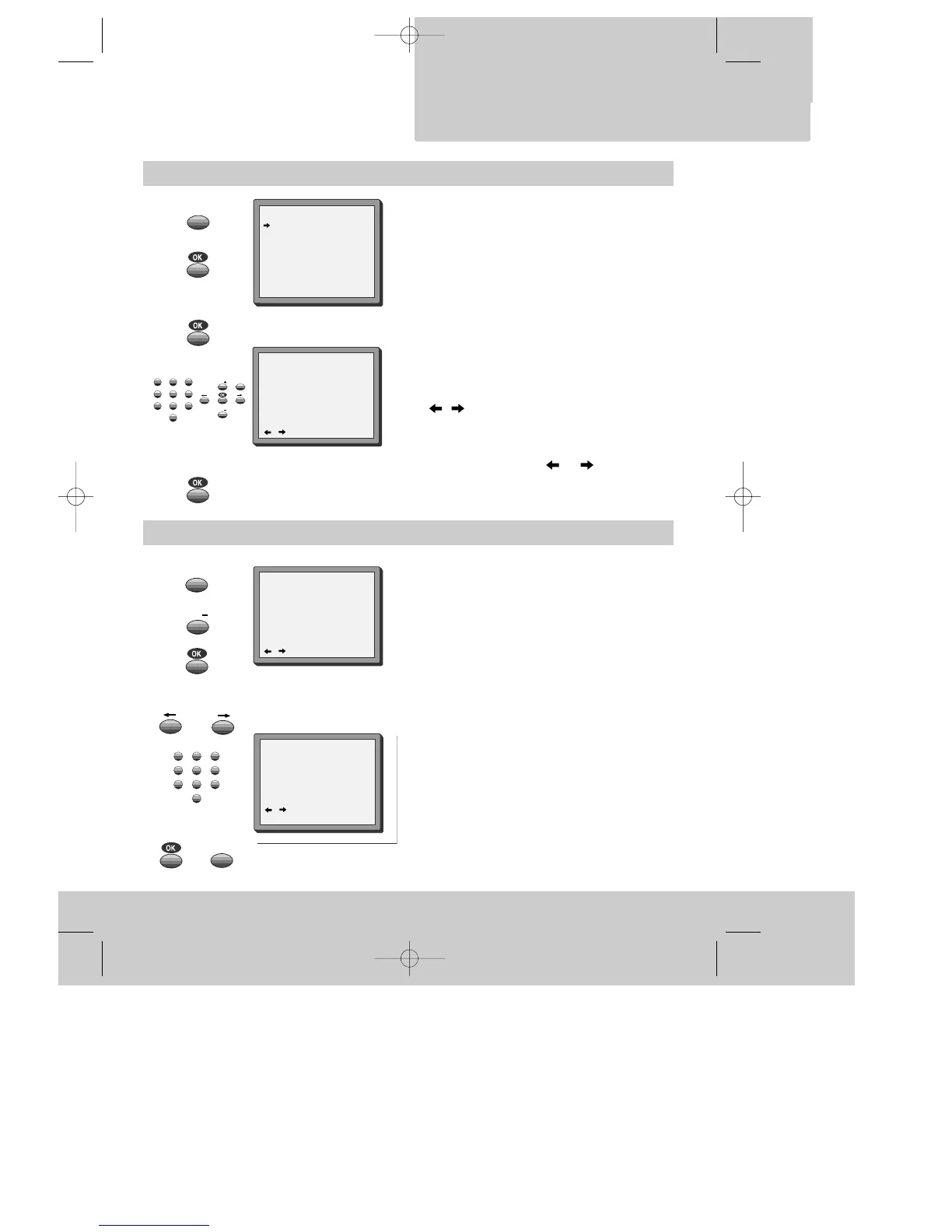
Call the video’s "MAIN MENU",
choose "Timer Program".
Select the programming to change or erase.
If you want to erase this programming press
button 0, confirm with OK.
If you wish to make changes:
Move to the position you want to change using
the / buttons.
Change the settings using the PR +/– or number
buttons.
If all setting are ok, press or , till you see
"OK: confirm" in the bottom line.
Confirm changes with OK. Exit the menus.
TIMER PROGRAM
PR START END DATE
03 21:20 22:20 14/04
01 18:30 20:20 12/04
-- -- : -- -- : -- -- / --
-- -- : -- -- : -- -- / --
-- -- : -- -- : -- -- / --
-- -- : -- -- : -- -- / --
-- -- : -- -- : -- -- / --
-- -- : -- -- : -- -- / --
PR+/-:SELECT
OK:CONFIRM MENU:END
Setting time and date
Call the video’s "MAIN MENU",
choose "VCR Setup", then "Clock Set".
Move to the position you want to change and type
in the new values.
Wait a few seconds after typing a one-digit number.
Store with OK button and exit with MENU button.
2x
2x


 To Next Page