CONNECTIONS
a n d c o p y i n g
◆
Switch off all components when connecting or disconnecting cables.
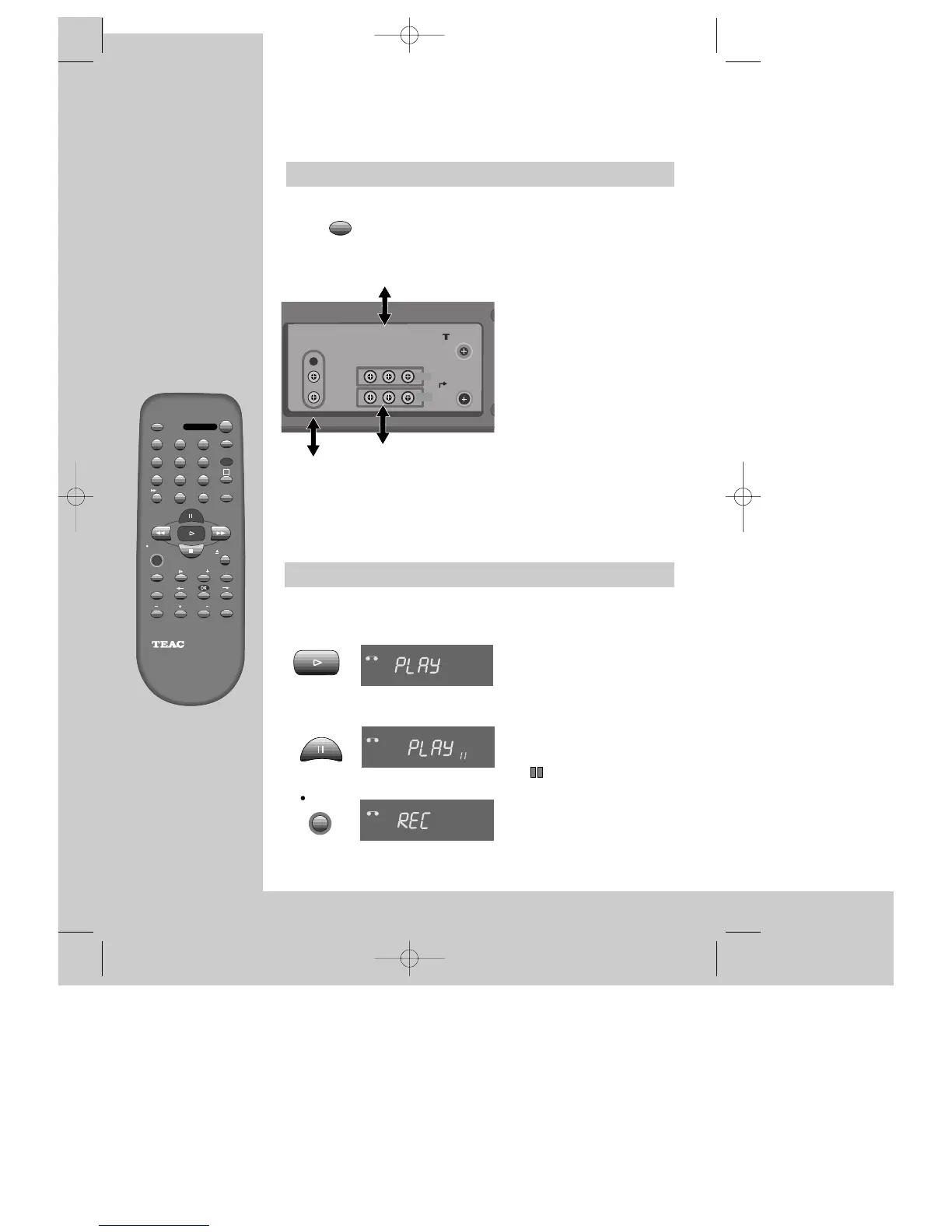
To copy to your video from
another video machine,
connect the two machines with a
cable between their RCA sockets
and select as programme "AV" or
“F. AV” (front sockets) using the
[AV], [PR+/-], or [00] button.
Set the other video machine to
playback and your machine to
record.
To connect a mono audio source,
use the front Audio In socket
marked L.
To copy to another video
machine from your video,
connect the two machines by
means of their
RCA
sockets.
On the other video, select its AV
input and set the machine to record.
Switch your video to play back
at the position you want
copying to start.
TV
(other VCR)
Assembling
For the best results, the source cassette from which you are recording should already be
playing back when you start recording.
Should you wish to assemble your own film, from camcorder footage for example, use the
assembly technique for smooth edit points:
◆
Move the tape to the
position at which the new
scene is to be added using
the play functions (pages
8/9).
◆ Wind back slightly before
the edit point and put the
machine into pause
using the
button (do not press
STOP!).
◆ Now go directly into record.
VCR
VCR
VCR
2x


 To Next Page