Initial
INSTALLATION
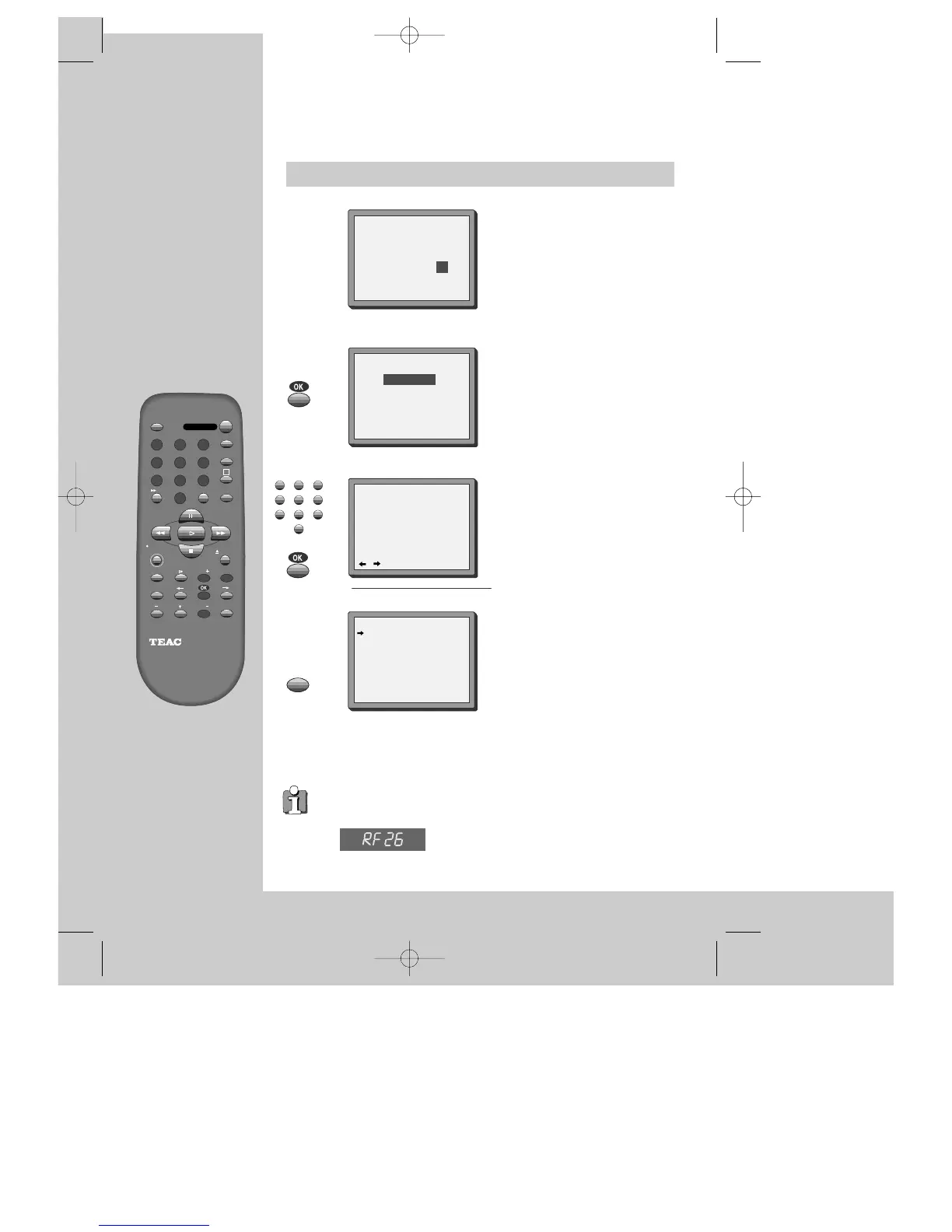
If other stations are positioned
on near the current RF OUTPUT
PR, the guide message appears
automatically.
The VCR recommends the optimal RF
OUTPUT PR number automatically.
Should you wish the stations to
have the same numbers as those
used on the TV, follow the
instructions in "Sorting
programme locations" on page 20.
Else ...
exit the basic installation function and
enjoy your video recorder.
MANUAL SET
PR01 P-01 PR08 P-08
PR02 P-02 PR09 P-09
PR03 P-03 PR10 P-10
PR04 P-04 PR11 P-11
PR05 P-05 PR12 ----
PR06 P-06 PR13 ----
PR07 P-07 PR14 ----
PR+/-:SELECT
OK:CONFIRM MENU:END
ONE OR MORE STATIONS ARE
CLOSE TO THE VIDEO PICTURE.
PLEASE SELECT ANOTHER.
Press the OK button to confirm
the recommended PR.
PLEASE CHANGE THE TV
PR TO 36.
0-9:SELECT (21-69)
OK:CONFIRM MENU:END
CURRENT PR 26
RECOMMENDED PR 36
IMPORTANT!
Then type in the current time and
date.
CLOCK SET
0-9:SETUP (HOUR)
/ :CORRECT MENU:END
TIME - - : - -
DATE - - / - - /- - - -
◆ If you don´t see this picture, because you don´t use a RCA cable, search this
picture now (CH 26) with the station tuning functions of your TV set (see its
user manual).
◆ In case of interference problems on CH 26, type in an
other transmission channel between 21 and 69 using the
number buttons.
DVST7D1D-RB/H(148*210) 01.4.13 3:20 PM ˘`6


 To Next Page