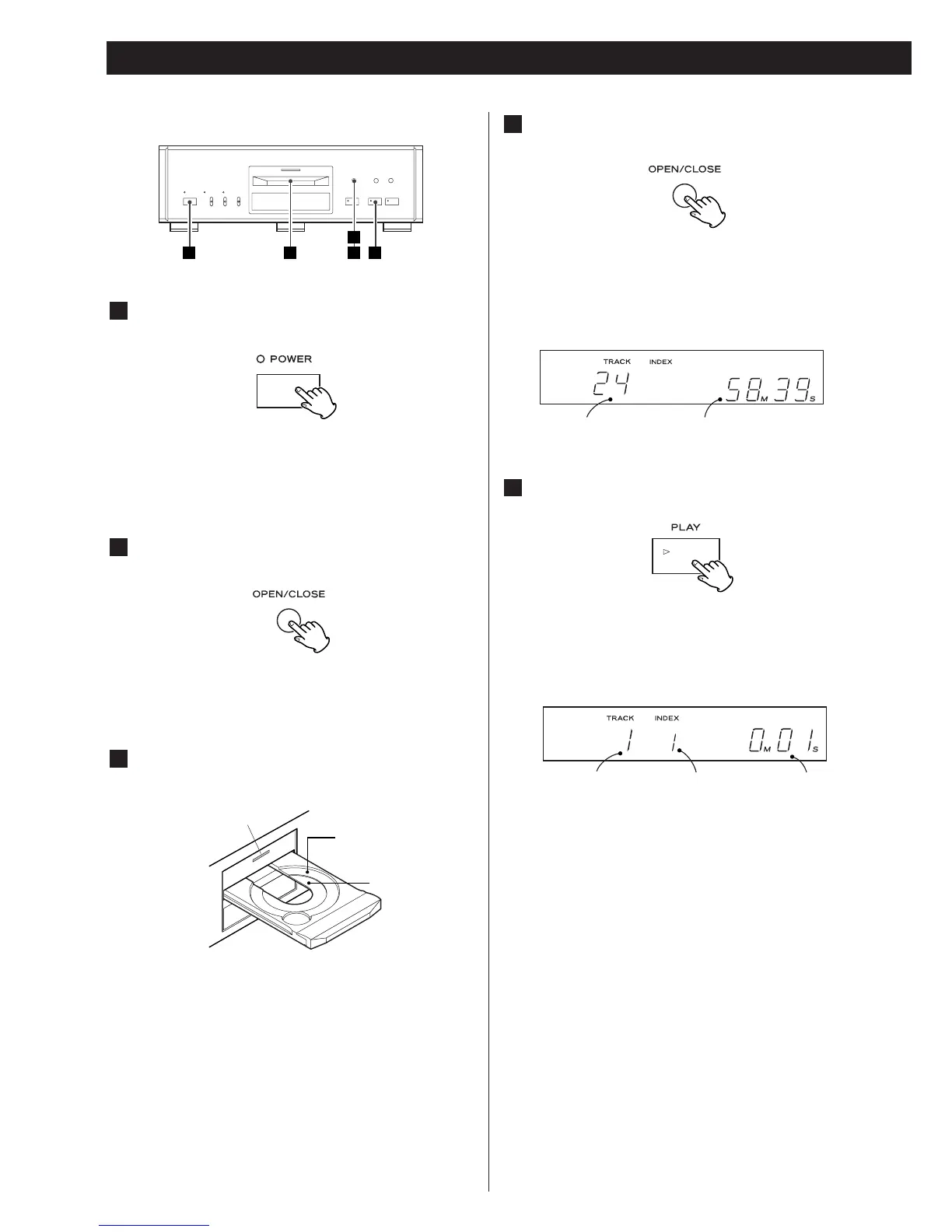
The POWER indicator lights.
<
You can only use the remote control unit with the main unit
power turned on.
The disc indicator flashes, and the disc tray opens.
The display shows “OPEN”.
The tray of the player is specially made to reduce vibration
and is coated to protect the discs. The disc must be loaded
centrally into the disc tray. If the disc is not correctly loaded,
it may not be possible to open the tray again once it has
closed, so you should ensure the disc is always centrally
loaded in the tray.
The disc indicator starts to flash and the tray closes. The
display shows “CLOS” (avoid trapping your fingers, etc. in
the tray as it closes).
<
The player reads the disc table of contents (TOC) and then
shows the number of tracks and disc running time.
<
The disc indicator lights when a disc is loaded.
Disc indicator
12cm CD
8cm CD
(CD single)
Total number of tracks Total disc running time
Number of the track
being played back
Current index Duration time of the
track being played back
The PLAY indicator lights, playback starts from the first track
and continues to the end of the last track, when playback
stops.
<
If you load the disc, and then press either the PLAY button,
or one of the number buttons on the remote control unit
without having first closed the disc tray, the disc tray closes
and playback starts.
<
If you load the disc, and then press the PAUSE button
without having first closed the disc tray, the disc tray closes
and playback is paused at the start of the first track. Press
either PAUSE or PLAY to start playback.
<
The index number indicates a track which has been sub-
divided into sections, and the current index number is
shown in the display. In the case of a track without index
markers, the display shows “1”.
Press the POWER switch of the player.
1
Press the OPEN/CLOSE button.
2
Insert the disc, label side up in the tray.
3
Press the OPEN/CLOSE button.
4
Press the PLAY button.
5



 To Next Page