ENGLISH
Remote Control
_
7
_
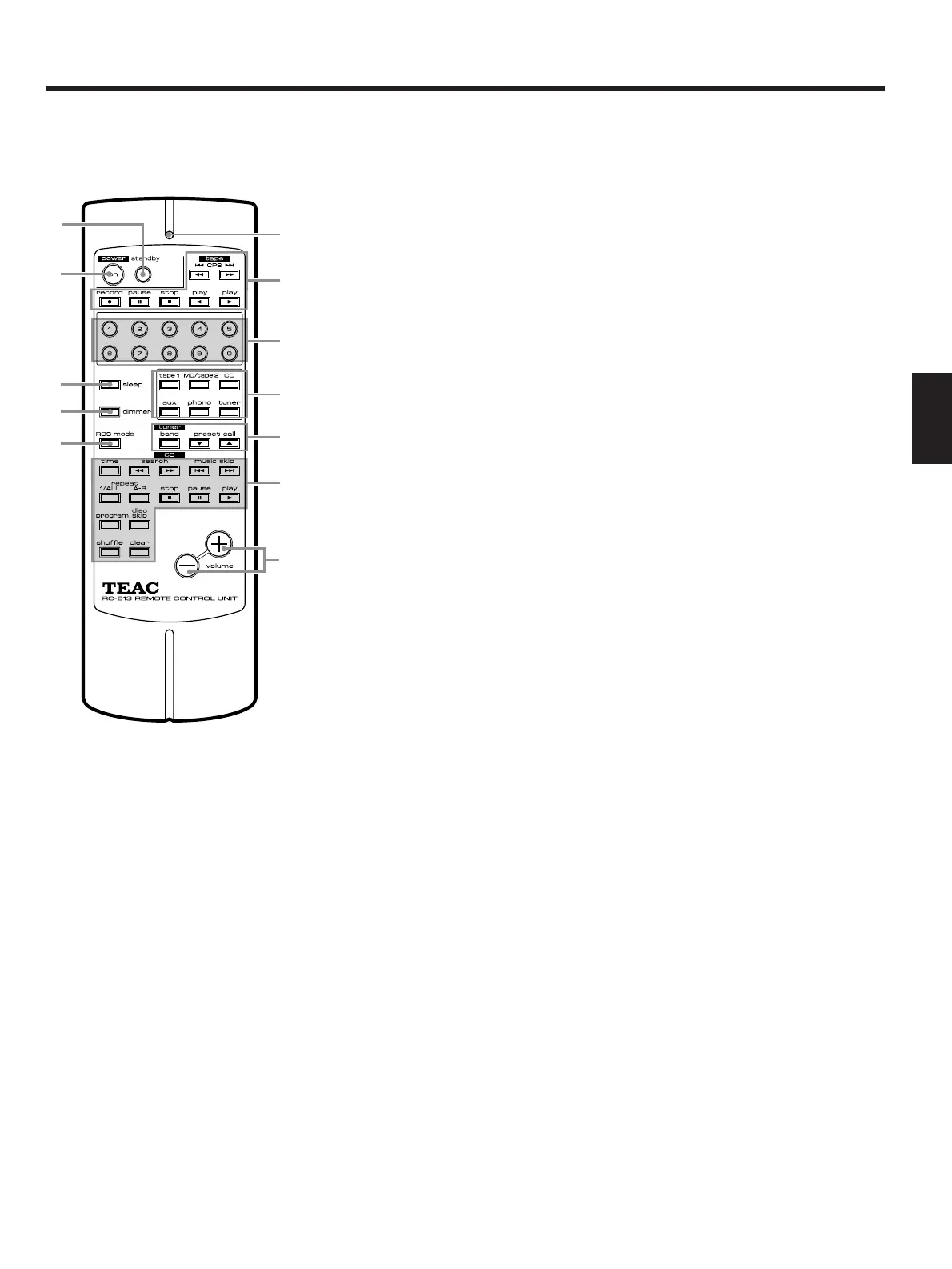
1power [standby] button
2[power on] button
3Indicator
This indicator blinks in green in the CD
operating mode; blinks in red in other
mode.
4Cassette deck operation buttons
5Numeric buttons
These numeric buttons are used for
selecting track numbers on the CD, or for
preset channels on the tuner.
They can be used for the CD after the CD
button or the CD play (
∏) button is
pressed.
6Input selector buttons of the
amplifier
7Tuner operating buttons
8CD player operation buttons
• search (/Ò) buttons
These buttons are used for searching for
the desired position quickly during play
or in the pause mode.
Ò: for forward search
: for backward search
• music skip (Ú/Æ) buttons
• play (∏) button
• pause (ƒ) button
• stop (∑) button
• time button (see page 10)
• repeat (1/ALL, A-B) play buttons
(see page 8)
• program button (see page 9)
• clear button (see page 9)
• shuffle button (see page 10)
• disc skip button (see page 6)
9[volume up/down] buttons
• + : press to increase the volume.
• – : press to decrease the volume.
0[sleep] timer button
This button is used for engaging the sleep
timer in the tuner T-H500.
q[dimmer] button
Press this button when you want to darken
the displays on the system. Press it again
to resume the original brightness.
wRDS (Radio Data System) mode
button
1
2
0
q
w
3
4
5
6
7
8
9
Note:
This remote control unit (RC-613) is
provided with the amplifier A-H500.


 To Next Page