ENGLISH FRANÇAIS
29
Basic Setup (7) Réglage de base (7)
To specify the balance and level of the
speakers
You can use the Test Tone function to check
whether all the speakers are connected
correctly, and to specify the balance of the
speakers.
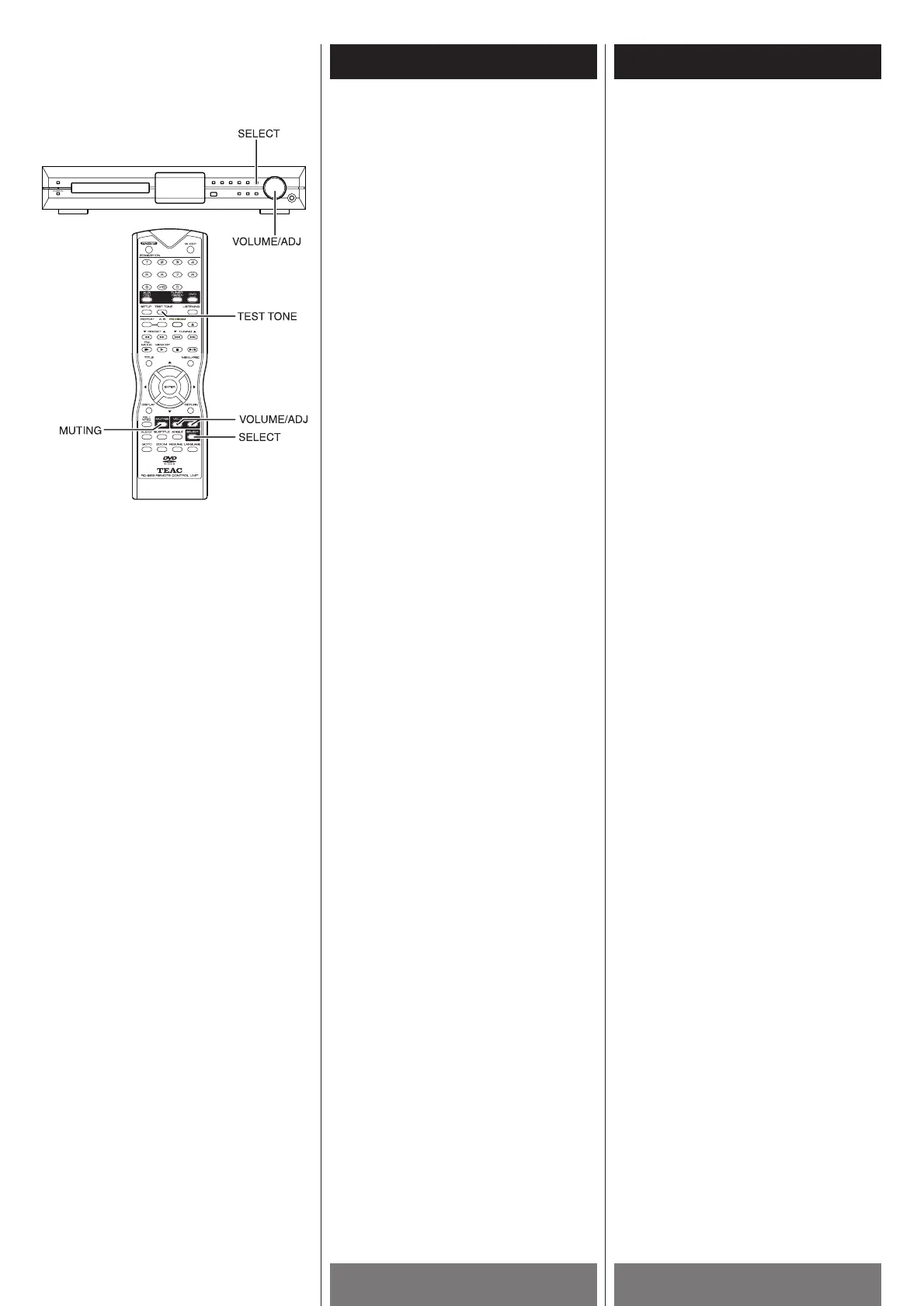
1 Press the TEST TONE button on the
remote control.
You will hear the test tone from Front-left
speaker, Center speaker, Front-right
speaker, Surround-right speaker and
Surround-left speaker in sequence.
2 Sit at your listening position, use the
VOLUME/ADJ (b
/5) buttons to adjust
the level of each speaker.
Adjust the volume level so that the
volume of the test tone from each
speaker sounds the same.
The adjusted value will appear on the
front panel display and TV screen. If you
do not operate the remote for a few
seconds, the value turns off and is stored
in the system.
3 Press the TEST TONE button again to turn
off the test tone.
Notes
< The playback will pause during test tone.
<
The test tone only tests the valid speakers,
depending on the current listening mode.
<
If there is no sound from one or more of
the speakers during the test tone function,
recheck your speaker connections at both
the PL-D2000 end as well as the speaker
end.
Pour régler l’équilibre et le niveau des haut-
parleurs.
Vous pouvez utiliser un ton d’essai pour
vérifier si tous les haut-parleurs sont bien
branchés et pour régler l’équilibre des haut-
parleurs.
1 Appuyer sur la touche TEST TONE de la
télécommande.
Vous allez entendre le ton d’essai
parvenant du haut-parleur avant gauche,
haut-parleur du centre, haut-parleur
avant droit, haut-parleur d'ambiance droit
et haut-parleur d'ambiance gauche dans
cet ordre.
2 Assuyez-vous à votre position d’écoute,
utiliser les touches VOLUME/ADJ (b
/5)
pour régler le niveau de chaque haut-
parleur.
Régler le niveau du volume afin que le ton
d’essai de chaque haut-parleur est au
même niveau.
Le niveau est affiché sur le panneau
avant et l’écran de votre téléviseur. Si
vous n’utilisez pas la télécommande pour
quelque secondes, le niveau disparait et
est entreposé dans le système.
3 Appuyer sur la touche TEST TONE de
nouveau pour arrêter le ton d’essai.
Remarque
< La lecture se pause durant le ton d’essai.
<
Le ton d’essai vérifie seulement les haut-
parleurs valides selon le mode d’écoute
courant.
<
Si vous n’obtenez pas de son d’un ou
plusieurs haut-paleurs durant la fonction
de tonalité Test, revérifier toutes vos
connextions de haut-parleurs à l’arrière
du PL-D2000 et aux haut-parleurs.



 To Next Page