ENGLISH FRANÇAIS
51
Réglages & ajustages (6)Settings & Adjustments (6)
Audio Mode Setting
Path: Main PagewSpeaker Setup Pagew
Audio Mode.
<
These functions are not active when
Tuner or AUX is selected.
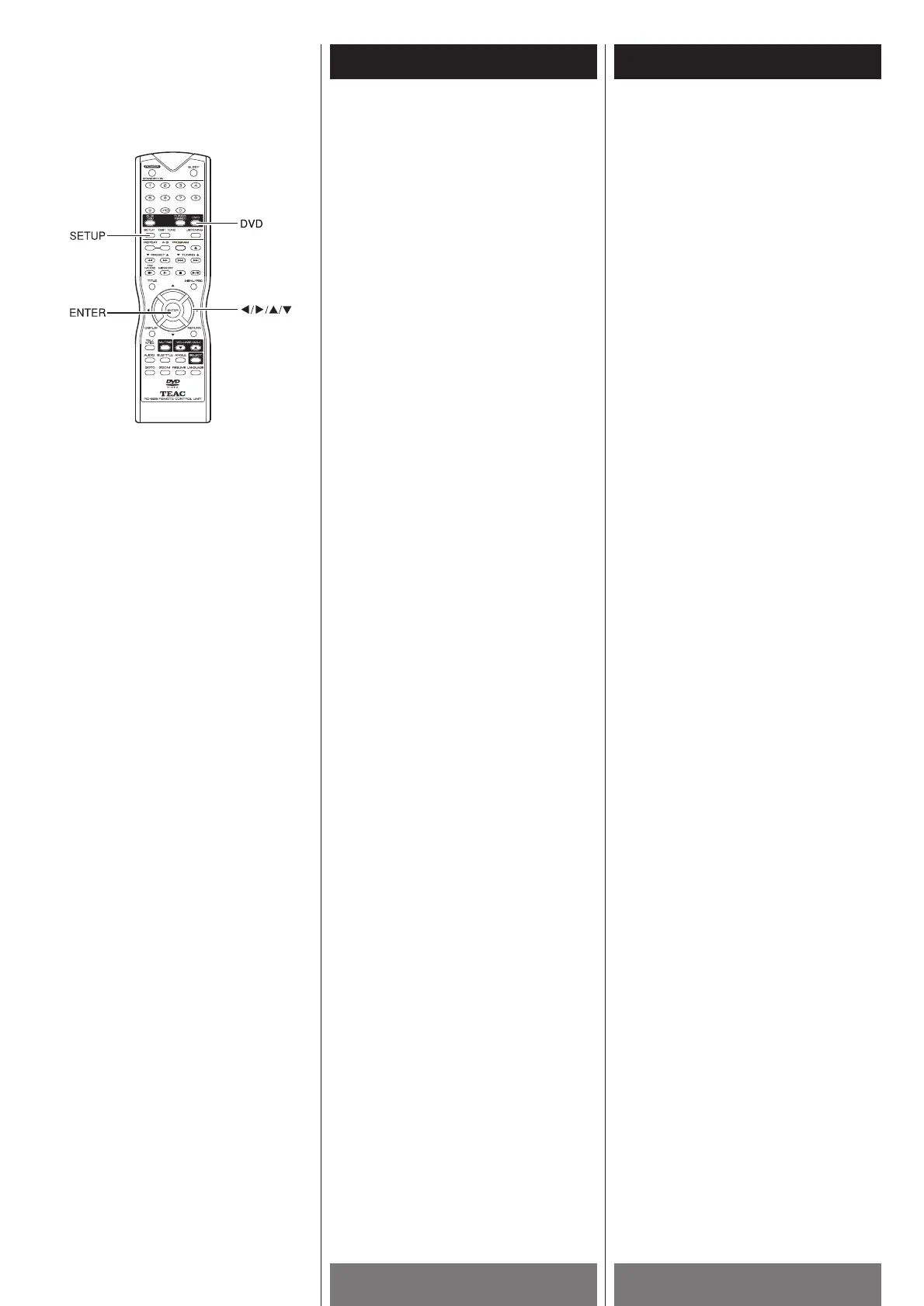
1 Press the DVD button.
2 Load a disc into the unit.
<
If a DVD is loaded, the Audio Mode will be
set to "5.1CH" automatically.
<
If a VCD or CD is loaded, the Audio Mode
will be set to "PROLOGIC" automatically.
3 If you want to change the Audio Mode,
press the SETUP button to enter SETUP
menu.
4 Select "AUDIO MODE" by pressing the
direction buttons and the ENTER button.
(Path: MAIN PAGEwSPEAKER SETUP
PAGEw
AUDIO MODE)
5 Select one of the followings by pressing
the direction buttons and the ENTER
button.
STEREO:
2-channel stereo outputs, for stereo and
headphone listening.
VSS:
2-channel Virtual Surround outputs.
PROLOGIC :
Dolby Pro Logic decoding function is
activated.
5.1CH:
5.1-channel outputs
Depending on the audio encoding format
of the loaded disc, Dolby Digital or DTS
decoding function is activated
automatically.
LT/RT:
2-channel Tape outputs (for later
decoding by Dolby Pro Logic decoder).
<
If LT/RT, STEREO or VSS is selected, the
outputs of Center, Rear and Subwoofer
are disabled.
<
Depending on the disc, there might be no
audio output if LR/RT or STEREO is
selected.
<
Depending on the disc, the actual outputs
may not match your selection.
6 Press the SETUP button to exit the
SETUP menu.
Réglage mode audio
Source: Page principalewPage réglage des
haut-parleursw
Mode Audio.
<
Ces réglages sont inefficaces quand on
est en Tuner ou Aux.
1 Appuyez sur la touche DVD.
2 Charger un disque dans l’appareil.
<
Au chargement d’un disque DVD, le mode
audio est automatiquement réglé sur
“5.1CH.”
<
Au chargement d’un disque VCD ou CD, le
mode audio est automatiquement réglé
sur “PROLOGIC.”
3 Si vous voulez change le mode audio,
appuez sur la touche SETUP pour
accéder au menu SETUP.
4 Choisir “AUDIO MODE” à l’aide des
touches fléchées et presser la touche
ENTER pour valider votre choix.
(Source: Page principalewPage réglage
des haut-parleursw
Mode audio)
5 Choisir l’une des options suivantes à
l’aide des touches fléchées et appuyer
sur la touche ENTER pour valider votre
choix.
STEREO:
Sorties stéréo 2 canaux pour la
reproduction stéréo ou l’écoute au
casque.
VSS:
Sorties Virtual Surround 2 canaux
PROLOGIC:
Le décodage Dolby Pro Logic est mis en
fonction
.
5.1CH:
Sorties 5.1 canaux
Le décodage Dolby Digital ou DTS est
automatiquement mis en fonction selon le
format d’encodage du disque chargé.
LT/RT:
Sorties bande 2 canaux (pour le décodage
ultérieur par le décodeur Dolby Pro Logic).
<
Au choix de LT/RT, STEREO ou VSS, les
sorties centre, arrière et sub-woofer sont
arrêtées.
<
Selon le disque chargé, il n’y aurait pas de
sortie audio si LR/RT ou STEREO est
choisi.
<
Selon le disque charge, il se peut que le
mode audio actuel soit différent de votre
choix.
6 Appuyer sur la touche SETUP pour
quitter le menu SETUP.



 To Next Page