EasyManua.ls Logo

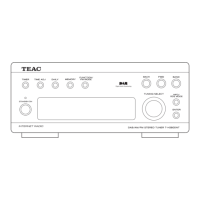
Teac T-H300 - Front Panel Controls and Functions; Key Controls and Buttons; Display Indicators Explained

Teac T-H300
48 pages
Print Icon
To Next Page IconTo Next Page
To Previous Page IconTo Previous Page
Loading...
Front
Panel
Controls
and
Their
Functions
(na
eo
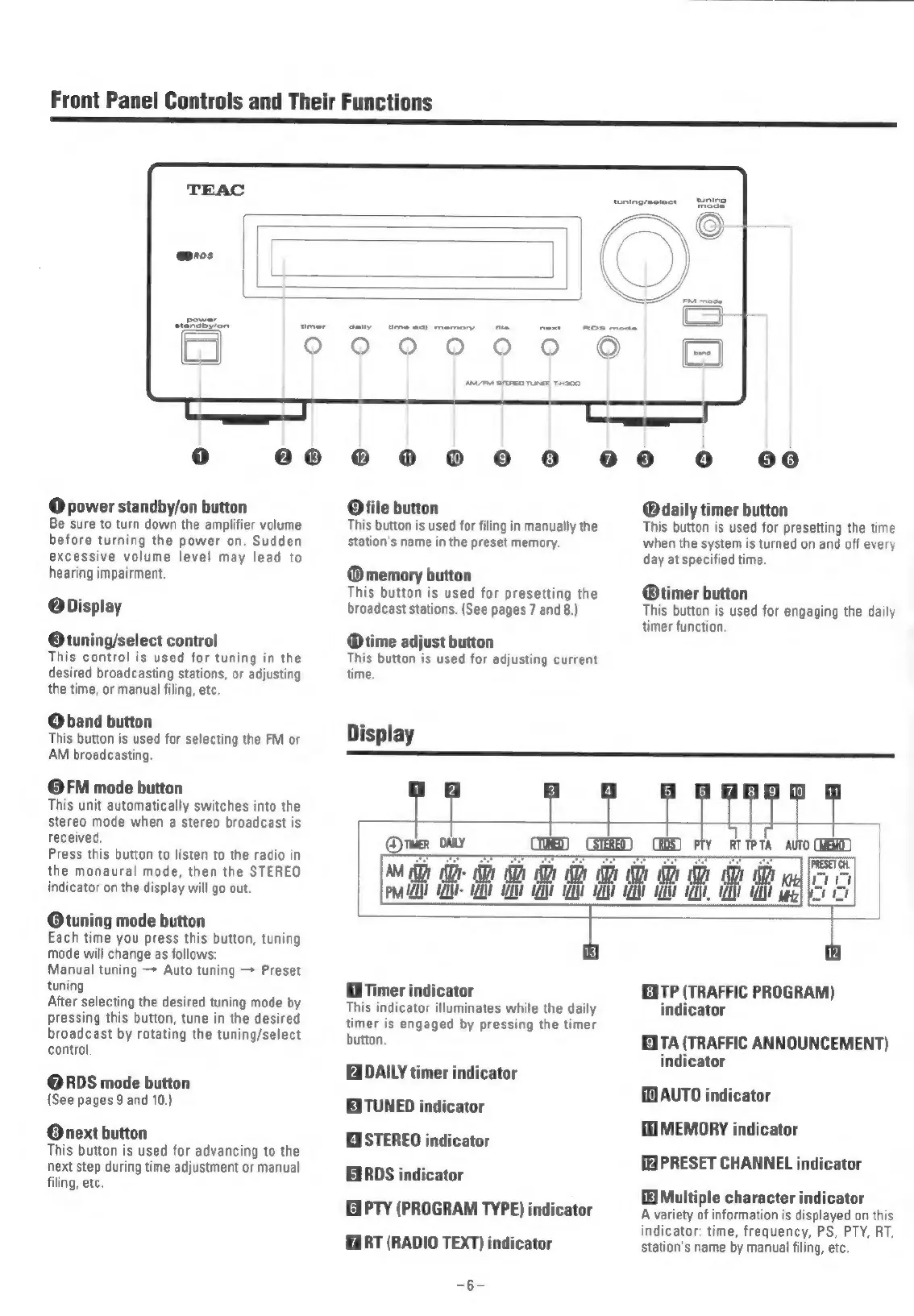
@
power
standby/on
button
Be
sure
to
turn
down
the
amplifier
volume
before
turning
the
power
on.
Sudden
excessive
volume
level
may
lead
to
hearing
impairment.
@Display
Otuning/select
control
This
control
is
used
for
tuning
in
the
desired
broadcasting
stations,
or
adjusting
the
time,
or
manual
filing,
etc.
QO
band
button
This
button
is
used
for
selecting
the
FM
or
AM
broadcasting.
©FM
mode
button
This
unit
automatically
switches
into
the
stereo
mode when
a
stereo
broadcast
is
received.
Press
this
button
to
listen
to
the
radio
in
the
monaural
mode,
then
the
STEREO
indicator
on
the
display
will
go
out.
@tuning
mode
button
Each
time
you
press
this
button,
tuning
mode
will
change
as
follows:
Manual
tuning
—*
Auto
tuning
Preset
tuning
After
selecting
the
desired
tuning
mode
by
pressing
this
button,
tune
in
the
desired
broadcast
by
rotating
the
tuning/select
control
@RDS
mode
button
(See
pages
9
and
10.)
@next
button
This
button
is
used
for
advancing
to
the
next
step
during
time
adjustment
or
manual
filing,
etc.
000
®
02
©
8
@
Ofile
button
This
button
is
used
for
filing
in
manually
the
station's
name
in
the
preset
memory.
@memory
button
This
button
is
used
for
presetting
the
broadcast
stations.
(See
pages
7
and
8.)
time
adjust
button
This
button
is
used
for
adjusting
current
time.
09o
0
60
@
daily
timer
button
This
button
is
used
for
presetting
the
time
when
the
system
is
turned
on
and
off
every
day
at
specified
time.
@®timer
button
This
button
is
used
for
engaging
the
daily
timer
function.
abd
aa
AM
A
te
he
i
a
ae
ea
a
PMA
A
ALT
AEN
LNT
AANA
AANA
AANA
Hi
Timer
indicator
This
indicator
illuminates
while
the
daily
timer
is
engaged
by
pressing
the
timer
button.
DAILY
timer
indicator
EXTUNED
indicator
EASTEREO
indicator
RDS
indicator
GPTY
(PROGRAM
TYPE)
indicator
RT
(RADIO
TEXT)
indicator
=B=
Kita
EITP
(TRAFFIC
PROGRAM)
indicator
EXTA
(TRAFFIC
ANNOUNCEMENT)
indicator
1)
AUTO
indicator
HE
MEMORY
indicator
PRESET
CHANNEL
indicator
Multiple
character
indicator
A
variety
of
information
is
displayed
on
this
indicator:
time,
frequency,
PS,
PTY,
RT,
station's
name
by
manual
filing,
etc.

Related product manuals