EasyManua.ls Logo

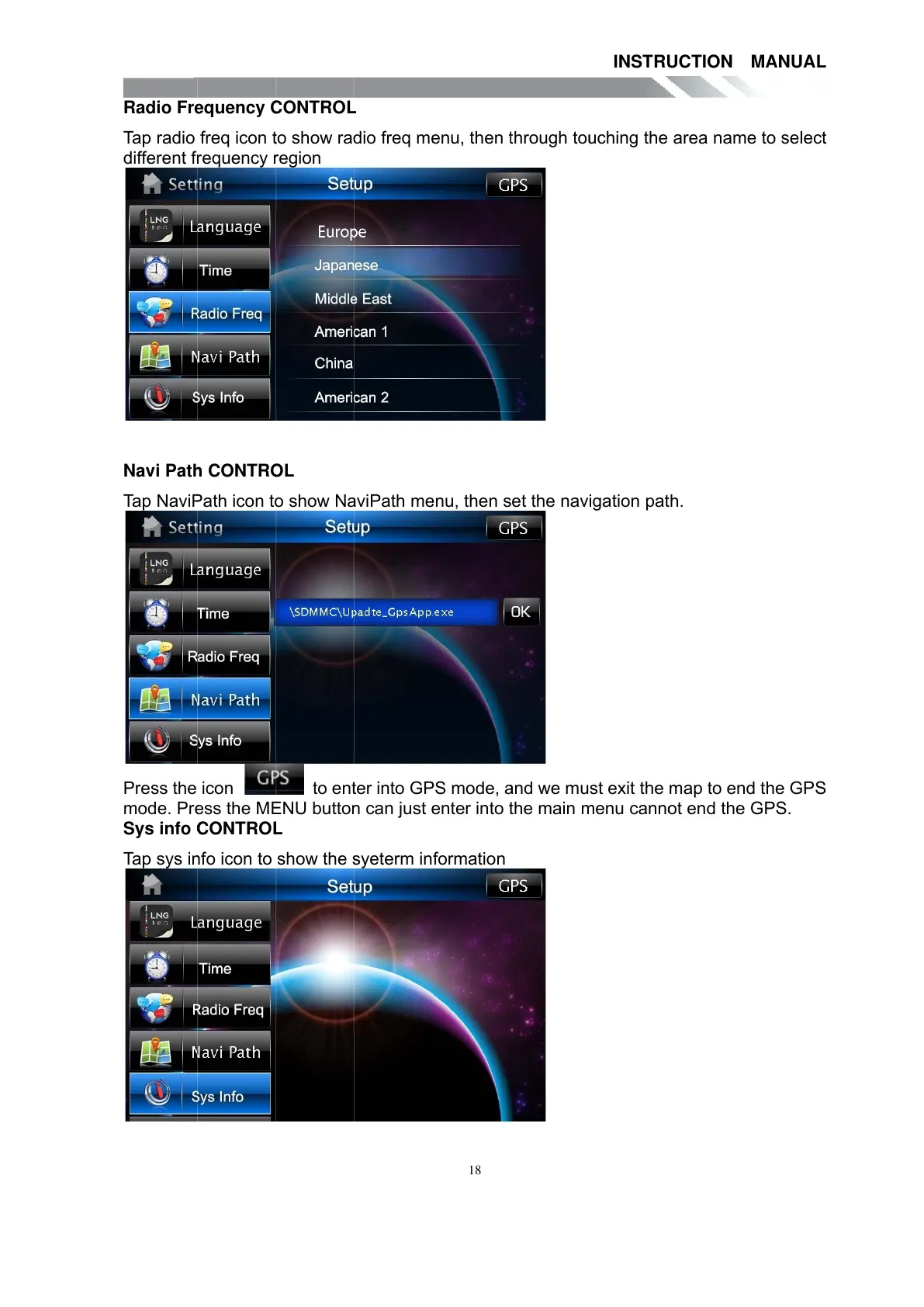
Teac TE-268 - Radio Frequency CONTROL; Navi Path CONTROL; Sys info CONTROL

Teac TE-268
59 pages
Print Icon
To Next Page IconTo Next Page
To Previous Page IconTo Previous Page
Loading...
Radio Fr
e
Tap radio
different f
r
Navi Pat
h
Tap Navi
P
Press the
mode. Pr
e
Sys info
C
Tap sys i
n
e
quency
C
freq icon
t
r
equency
r
h
CONTR
O
P
ath icon t
o
icon
e
ss the M
E
C
ONTRO
L
n
fo icon to
C
ONTRO
L
t
o show ra
d
r
egion
O
L
o
show N
a
to en
t
E
NU butto
n
L
show the
s
L
d
io freq m
e
a
viPath m
e
t
er into G
P
n
can just
e
s
yeterm in
18
e
nu, then
t
e
nu, then s
P
S mode,
a
e
nter into
t
formation
t
hrough to
u
et the nav
a
nd we mu
t
he main
m
INSTR
U
u
ching the
igation pa
t
st exit the
m
enu cann
o
U
CTION
area nam
t
h.
map to en
o
t end the
MANUA
L
e to selec
t
d the GP
S
GPS.
L
t
S
All manuals and user guides at all-guides.com

Other manuals for Teac TE-268

Related product manuals