EasyManua.ls Logo

Teac TE-268 - NAVIGATION MODE; SWC MODE

Teac TE-268
59 pages
Print Icon
To Next Page IconTo Next Page
To Previous Page IconTo Previous Page
Loading...
NAVIG
A
To start
G
Note: Ins
e
NAVI PA
T
Memory
c
SWC M
To start
S
1) First c
h
2) The st
e
connectin
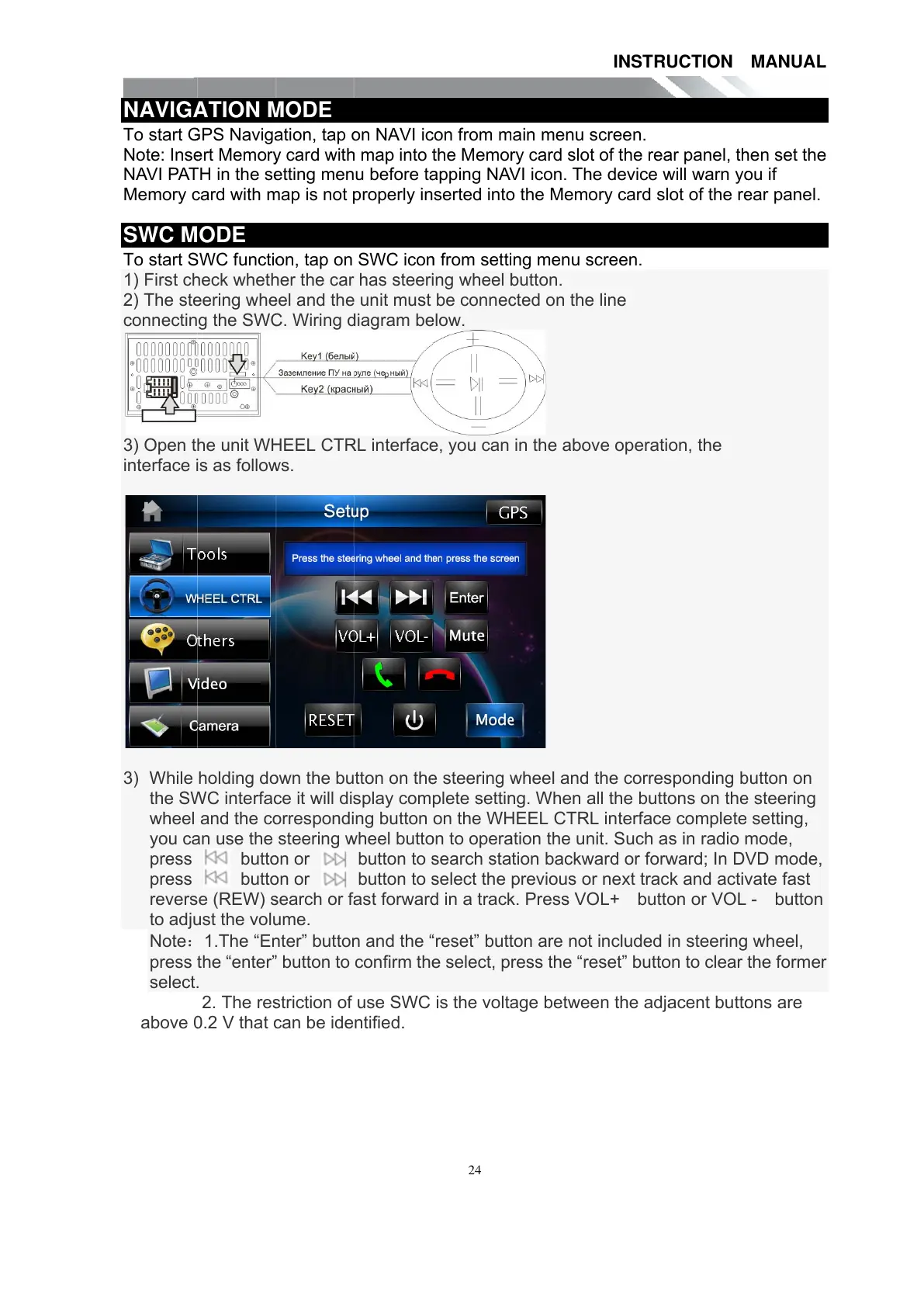
3) Open t
interface
i
3) While
the S
W
wheel
you c
a
press
press
rever
s
to adj
u
Note
press
t
select
.
above
0
A
TION
M
G
PS Navig
a
e
rt Memor
y
T
H in the s
e
c
ard with
m
ODE
S
WC functi
o
h
eck whet
h
e
ering wh
e
g the SW
C
he unit W
H
i
s as follo
w
holding d
o
W
C interfa
c
and the c
o
a
n use the
butt
o
butt
o
s
e (REW)
s
u
st the vol
u
1.The “E
n
t
he “enter
.
2. The re
s
0
.2 V that
c
M
ODE
a
tion, tap
o
y
card wit
h
e
tting men
m
ap is not
p
o
n, tap on
h
er the car
e
el and the
C
. Wiring
d
H
EEL CT
R
w
s.
o
wn the bu
c
e it will di
s
o
rrespondi
steering
w
o
n or
o
n or
s
earch or f
a
u
me.
n
te
r
” butto
n
button to
s
triction of
c
an be ide
o
n NAVI i
c
h
map into
t
u before t
a
p
roperly in
SWC ico
n
has steer
i
unit must
d
iagram b
e
R
L interfac
e
tton on th
e
s
play com
ng button
w
heel butt
o
button to
s
button to
s
a
st forwar
d
n
and the
confirm th
e
use SWC
ntified.
24
c
on from
m
t
he Memo
r
a
pping NA
V
serted int
o
n
from sett
i
i
ng wheel
b
be conne
c
e
low.
e
, you can
e
steering
w
plete setti
n
on the W
H
o
n to oper
a
s
earch sta
s
elect the
in a trac
k
reset” but
t
e
select, p
is the volt
a
m
ain menu
r
y card slo
V
I icon. T
h
o
the Mem
o
i
ng menu
s
b
utton.
c
ted on th
e
in the ab
o
w
heel and
n
g. When
a
H
EEL CTR
a
tion the u
n
tion back
w
previous
o
k
. Press V
O
t
on are no
t
ress the “r
e
a
ge betwe
INSTR
U
screen.
t of the re
a
h
e device
w
o
ry card sl
s
creen.
e
line
o
ve operati
the corre
s
a
ll the butt
o
L interfac
e
n
it. Such a
w
ard or for
w
o
r next tra
c
O
L+ butt
o
t
included
e
set” butt
o
en the adj
a
U
CTION
ar
panel, t
h
w
ill warn y
o
ot of the r
e
on, the
s
ponding
b
o
ns on th
e
e
complete
s in radio
m
w
ard; In D
V
c
k and acti
v
o
n or VOL
in steerin
g
o
n to clear
a
cent butt
o
MANUA
L
h
en set th
e
o
u if
e
a
r
panel.
b
utton on
e
steering
setting,
m
ode,
V
D mode,
v
ate fast
- button
g
wheel,
the forme
r
o
ns are
L
e
r
All manuals and user guides at all-guides.com

Other manuals for Teac TE-268

Related product manuals