EasyManua.ls Logo

Teac V-1030 - Tape Counter and Timer Functions; Maintenance and Troubleshooting; Maintenance Procedures

Teac V-1030
9 pages
Print Icon
To Next Page IconTo Next Page
To Previous Page IconTo Previous Page
Loading...
Fora
Blank
of
Less
Than
4
Seconds
After
pressing
the
REC
MUTE
button
during
recording,
press
the
#
button,
before
the
4-second
interval
has
elapsed,
to
cancel
the
muting
mode
and
engage
the
record-pause
Mode.
To
begin
record-
ing,
press
the
®
button
or
#
button.
Multi-Counter
Function
With
the
multi-counter
facilities
incorporat-
ed
in
the
unit,
there
are
two
different
dis-
play
modes
available,
depending
on
the
setting
of
the
MODE
button.
Tape
Counter
Mode:
The
counter
functions
as
a
conventional
tape
counter.
TRT
Counter
mode:
The
counter
functions
as
a
tape-run-time
counter,
measuring
tape
travel
in
minutes
and
seconds.
Using
as
a
Tape
Counter
Using
the
MODE
button,
call
up
the
tape
counter
mode;
a
4-digit
display
will
appear.
Its
function
is
identical
to
that
of
a
conven-
tional
tape
indexing
counter,
During
re-
cording
(including
record
muting),
playback
and
fast-forward,
the
counter
counts
up
as
the
tape
moves
from
left
to
right,
and
down
during
rewind
as
the
tape
moves
from
right
to
left.
The
indicated
numerals
are
not
related
to
elapsed
time
and
are
not
compatible
with
the
counter
readings
of
other
cassette
decks.
One
typical
example
of
using
this
display
in
the
conventional
tape
counter
mode
is:
First
load
a
cassette
and
before
recording,
press
the
CLEAR
button
to
reset
the
counter
to
“0000”.
Then
note
the
counter
reading
at
the
be
ning
of
each
piece
of
music
to
facilitate
locating
that
particular
selection
when
you
wish
to
play
it
back.
Using
as
a
TRT
Counter
Using
the
MODE
button,
call
up
the
tape-
run-time
mode;
““M”
appears
between
the
2nd
and
3rd
digits
and
“‘S”
at
the
end
of
the
4th
digit.
In
this
mode,
tape
travel
is
measured
in
minutes
and
seconds
while
the
tape
is
running
at
normal
speed
during
recording
(including
record
muting)
and
playback.
Counting
stops
during
rewind
and
fast-forward.
This
function
can
be
used
to
measure
the
approximate
length
of
a
recorded
song
or
to
make
an
estimate
of
how
much
tape
is
left.
Vi
and
“Invisible”
Counters
Both
counter
modes
are
switchable
at
any
time,
with
the
one
selected
appearing
on
the
display
and
the
other
functioning
in
memo-
ry.
For
example,
when
the
conventional
tape
counter
is
selected
with
the
MODE
button,
counting
of
the
tape-run-time
also
takes
place
and
its
reading
can
be
called
up
at
any
time
by
pressing
the
MODE
button,
Pressing
the
CLEAR
button
resets
only
the
counter
which
is
currently
display-
ed.
Both
counters,
“visible”
and
‘‘invisible’”’
are
reset
when
power
is
switched
off.
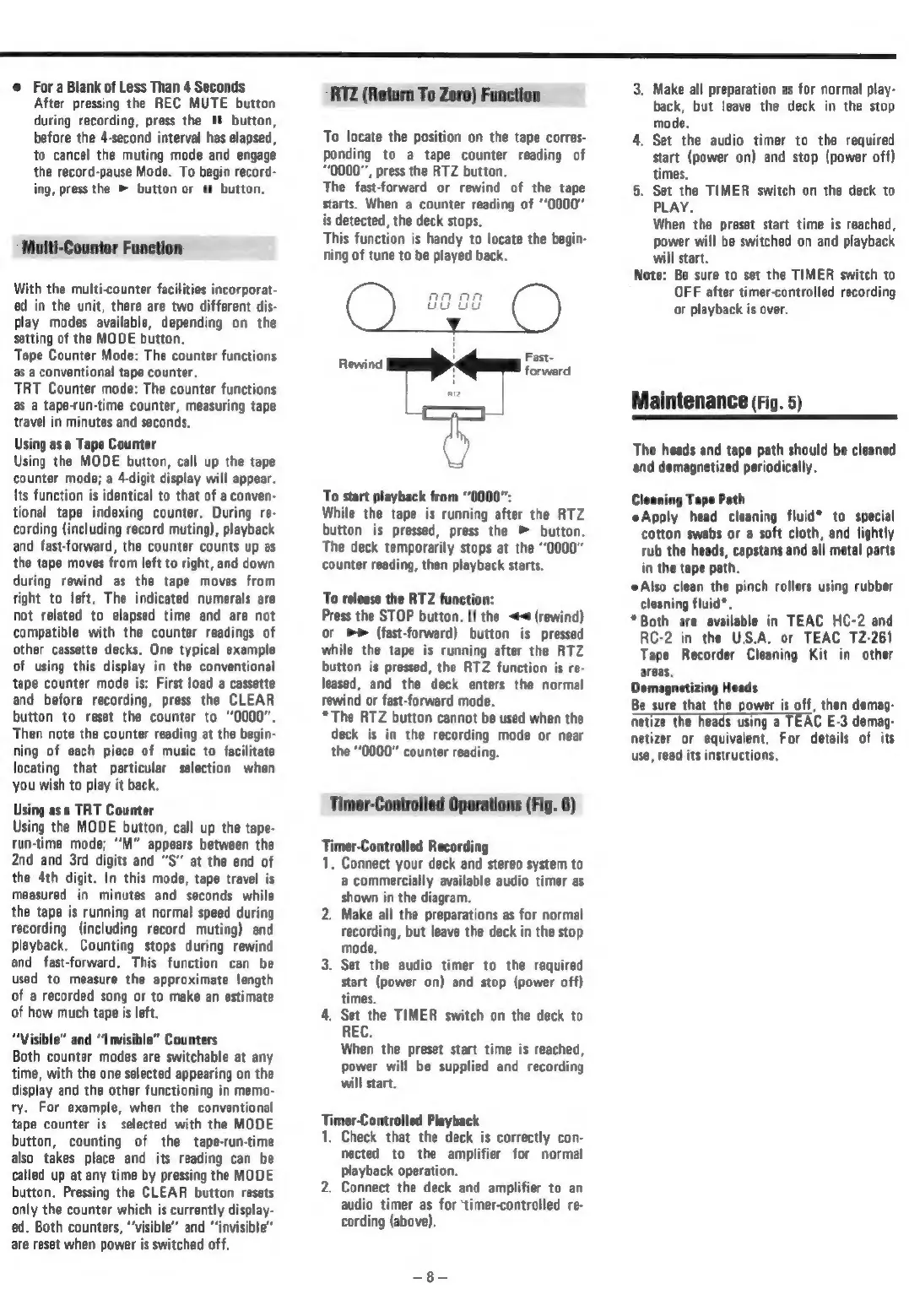
RTZ
(Return
To
Zero)
Function
To
locate
the
position
on
the
tape
corres-
ponding
to
a
tape
counter
reading
of
0000",
press
the
RTZ
button.
The
fast-forward
or
rewind
of
the
tape
starts.
When
a
counter
reading
of
“‘0000"
is
detected,
the
deck
stops.
This
function
is
handy
to
locate
the
begin-
ning
of
tune
to
be
played
back.
To
start
playback
from
“0000”:
While
the
tape
is
running
after
the
RTZ
button
is
pressed,
press
the
>
button.
The
deck
temporarily
stops
at
the
“0000”
counter
reading,
then
playback
starts.
To
release
the
RTZ
function:
Press
the
STOP
button.
If
the
<4
(rewind)
or
(fast-forward)
button
is
pressed
while
the
tape
is
running
after
the
RTZ
button
is
pressed,
the
RTZ
function
is
re-
leased,
and
the
deck
enters
the
normal
rewind
or
fast-forward
mode.
*The
RTZ
button
cannot
be
used
when
the
deck
is
in
the
recording
mode
or
near
the
“0000”
counter
reading.
Timer-Controlied
Operations
(Fig.
6)
Horse
Controlled
Recording
.
Connect
your
deck
and
stereo
system
to
a
commercially
available
audio timer
as
shown
in
the
diagram.
2.
Make
all
the
preparations
as
for
normal
recording,
but
leave
the
deck
in
the
stop
mode.
3.
Set the
audio
timer
to
the
required
start
(power
on)
and
stop
(power
off)
times.
4.
Set
the
TIMER
switch
on
the
deck
to
When
the
preset
start
time
is
reached,
power
will
be
supplied
and
recording
will
start.
Timer-Controlled
Playback
1.
Check
that
the
deck
is
correctly
con-
nected
to
the
amplifier
for
normal
playback
operation.
2.
Connect
the
deck
and
amplifier
to
an
audio
timer
as
for
‘timer-controlled
re-
cording
(above).
ae
3.
Make
all
preparation
as
for
normal
play-
back,
but
leave
the
deck
in
the
stop
mode.
4.
Set
the
audio timer
to
the
required
start
(power
on)
and
stop
(power
off)
times.
5.
Set the
TIMER
switch
on
the
deck
to
PLAY.
When
the
preset
start
time
is
reached,
power
will
be
switched
on
and
playback
will
start.
Note:
Be
sure
to
set
the
TIMER
switch
to
OFF
after
timer-controlled
recording
or
playback
is
over.
Maintenance
(Fig.
5)
The
heads
and
tape
path
should
be
cleaned
and
demagnetized
periodically.
Cleaning
Tape
Path
Apply
cleaning
fluid*
to
special
cotton
swabs
or
a
soft
cloth,
and
lightly
rub
the
heads,
capstans
and
all
metal
parts
in
the
path.
Also
clean
the
pinch
rollers
using
rubber
cleaning
fluid*.
*Both
are
available
in
TEAC
HC-2
and
RC-2
in
the
U.S.A.
or
TEAC
12-261
Tape
Recorder
Cleaning
Kit
in
other
ar
Demagnetizing
Heads
Be
sure
that
the
power
is
off,
then
demag-
netize
the
heads
using
a
TEAC
E-3
demag-
netizer
or
equivalent.
For
details
of
its
use,
read
its
instructions,

Related product manuals