Need help?
Do you have a question about the Teac V-1030 and is the answer not in the manual?
Important warnings regarding electrical shock, moisture, and proper use.
Comprehensive safety instructions covering operation, placement, and servicing.
Explanation of front panel buttons for playback, recording, and other functions.
Description of the display window, indicators, and their meanings.
Details on connecting audio sources and outputs via rear panel terminals.
Step-by-step guide for performing stereo playback and recording operations.
Guidance on adjusting REC LEVEL, BALANCE, and BIAS FINE tuning.
Information on using tape counters, RTZ, and timer-controlled operations.
Instructions for cleaning the tape path and demagnetizing heads.
Basic troubleshooting steps for common problems with the cassette deck.
Explanation of the Dolby HX Pro feature for improved recording quality.
Detailed technical specifications for the TEAC V-1030 Stereo Cassette Deck.
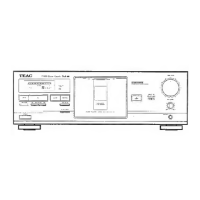
The TEAC V-1030 is a stereo cassette deck designed for high-quality audio recording and playback. It incorporates a 3-head system, allowing for separate erase, record, and playback heads, which enables real-time monitoring of the recorded signal.
The primary function of the V-1030 is to record and play back audio on cassette tapes. It supports various tape types including normal, chrome (cobalt), and metal, automatically detecting the type loaded into the cassette holder. The deck features a comprehensive set of controls for managing tape transport, including play, stop, rewind, fast-forward, and pause. For recording, it offers a dedicated record button that sets the deck to record-pause mode, allowing for level adjustments before actual recording begins. The REC MUTE button provides a convenient way to create blank sections between tunes during recording, with an automatic 4-second blanking option or the ability to hold the button for longer silent periods.
The V-1030 includes Dolby Noise Reduction (NR) systems (Dolby B and Dolby C) to minimize tape hiss during recording and playback, enhancing the signal-to-noise ratio. An MPX FILTER switch is available for Dolby NR recordings of FM broadcasts, eliminating the 19 kHz pilot tone and 38 kHz subcarrier tone that could interfere with the noise reduction system.
A notable feature is the Dolby HX Pro headroom extension system, which is an "active bias" technique designed to improve the quality of high-level high-frequency recordings. This system monitors the high-frequency content of the program material and adjusts the recorder bias oscillator to maintain a constant total bias level, resulting in improved high-frequency response and lower distortion without requiring any decoding during playback.
The deck also features a BIAS FINE Tuning Control, allowing users to fine-tune the bias level during recording. This control enables adjustments to optimize high-frequency response based on the specific tape and program material, with a center "click" position for standard bias.
The front panel includes a display window with a Peak Level Meter, showing the peak level of input or playback signals. This meter is crucial for setting optimal recording levels, preventing distortion from excessively high levels and noise from excessively low levels. The display also shows the Tape Type Indicator (NORMAL, CrO, METAL) and Transport Mode Indicators (REC, PLAY, PAUSE).
The V-1030 offers an AUTO MONITOR button, which automatically switches between monitoring the source signal (input) and the tape signal (recorded) during recording. Users can also manually switch between these modes to compare the original sound with the recorded sound.
A multi-counter function provides two display modes: a conventional tape counter and a Tape-Run-Time (TRT) counter. The conventional counter tracks tape position, while the TRT counter measures tape travel in minutes and seconds during play and record modes, useful for estimating song lengths or remaining tape. The RTZ (Return to Zero) button allows for quick navigation to the "0000" counter reading, facilitating the location of specific sections on the tape.
For private listening or monitoring, the deck is equipped with a PHONES jack and a dedicated PHONES LEVEL control. The REC LEVEL and BALANCE controls allow for precise adjustment of the input signal levels for both left and right channels before recording.
The V-1030 can be integrated into a timer-controlled audio system for unattended recording or playback. By setting the TIMER switch to REC or PLAY and connecting to an external audio timer, users can schedule operations.
Regular maintenance is crucial for optimal performance. The manual recommends periodic cleaning and demagnetization of the heads and tape path. For cleaning, users should apply head cleaning fluid to cotton swabs or a soft cloth to gently rub the heads, capstans, and all metal parts in the tape path. Pinch rollers should be cleaned with rubber cleaning fluid. TEAC offers specific cleaning kits (HC-2, RC-2, TZ-261) for these purposes.
For demagnetization, it is advised to use a TEAC E-3 demagnetizer or equivalent with the power off, following the demagnetizer's instructions.
The manual also provides troubleshooting tips for common issues such as no power, tape running when power is turned on (check TIMER function), no audio output (check connections, head cleanliness, NR system), degraded sound quality (check heads, tape quality, NR system), and inability to select record mode (check tape protection tabs). It also warns against using C-120 cassette tapes due to their thinness and potential for stretching and wow & flutter.
 Power
Power| power requirements | 120/230 V AC, 50 - 60 Hz (General export models) |
|---|---|
| power requirements (U.S.A./Canada) | 120 V AC, 60 Hz |
| power requirements (Europe) | 230 V AC, 50 Hz |
| power requirements (Australia) | 240 V AC, 50 Hz |
| power consumption | 16 W |
 Audio Specifications
| track system | 4-Track, 2-Channel Stereo |
|---|---|
| tape speed | 4.8 cm/sec. (1-7/8 ips) |
| wow and flutter | 0.045 % (W. RMS) |
| frequency response (metal tape) | 15 — 21, 000 Hz +3 dB |
| frequency response (CrO Tape) | 15 — 20, 000 Hz +3 dB |
| frequency response (normal tape) | 15 — 18, 000 Hz +3 dB |
| signal-to-noise ratio (NR OFF) | 60 dB (3% THD Level, Weighted) |
| signal-to-noise ratio (Dolby B In) | 70 dB (over 5 kHz) |
| signal-to-noise ratio (Dolby C In) | 80 dB (over 1 kHz) |
Inputs and Outputs| line input | 60 mV, 50k ohms |
|---|---|
| line output | 0.37 V for load impedance of 50k ohms or more |
| headphones output | 1 mW/8-ohm load |
 Weight and Dimensions
| dimensions | 435 X 147 X 290 mm |
|---|---|
| dimensions (inches) | 17-1/8" X 5-13/16" X 11-7/16" |
| weight | 4.8 kg (10.56 Ibs.) |


 To Next Page