EasyManua.ls Logo

Teac W-415 - Page 6

Teac W-415
15 pages
Print Icon
To Next Page IconTo Next Page
To Previous Page IconTo Previous Page
Loading...
OPERATIONS
Loading
a
Cassette
Tape
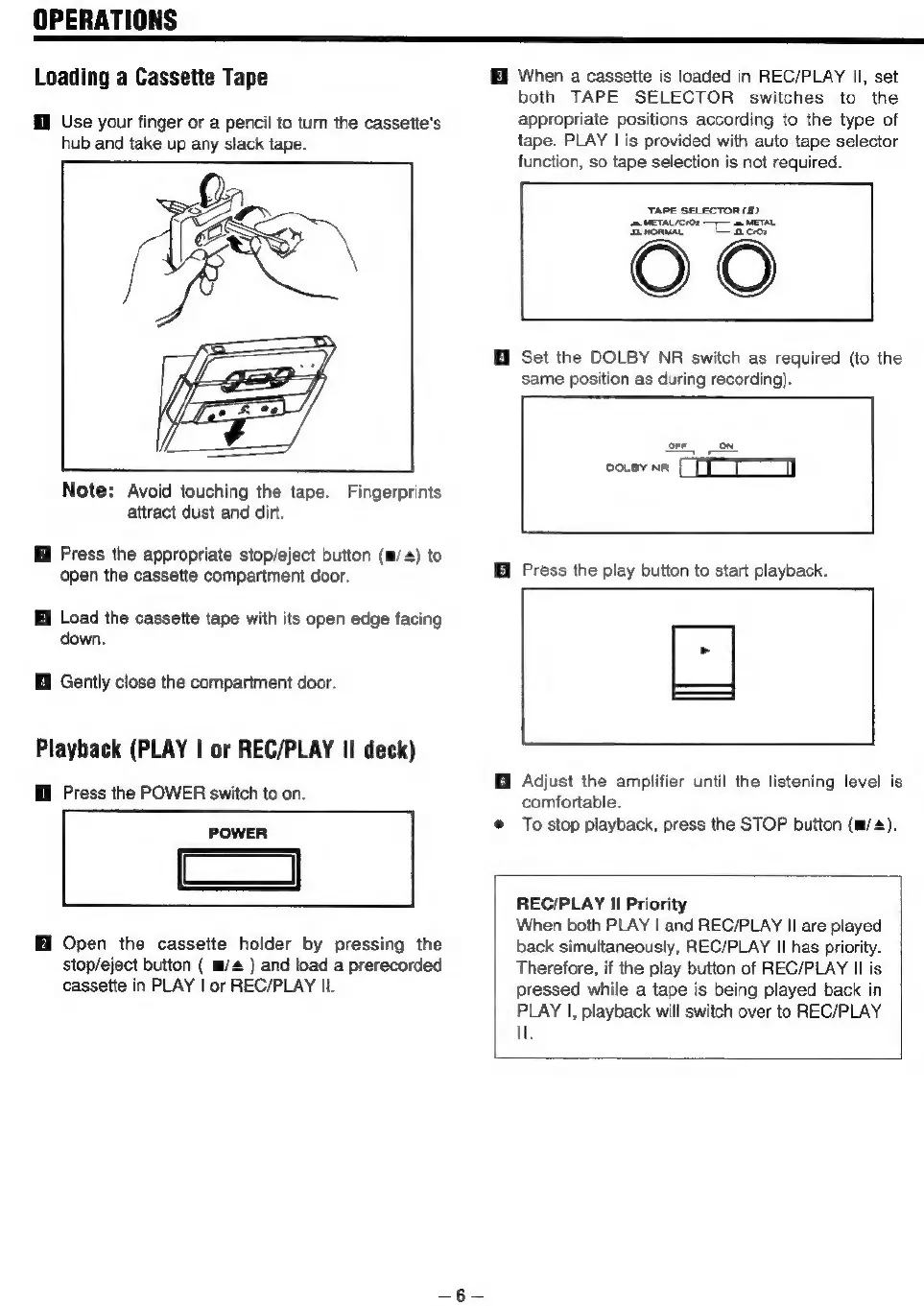
Use
your
finger
or
a
pencil
to
turn
the
cassette's
hub
and
take
up
any
slack
tape.
Note:
Avoid
touching
the
tape.
Fingerprints
attract
dust
and
dirt.
Press
the
appropriate
stop/eject
button
(m/+)
to
open
the
cassette
compartment
door.
I
Load
the
cassette
tape
with
its
open
edge
facing
down.
@
Gently
close
the
compartment
door.
Playback
(PLAY
|
or
REC/PLAY
II
deck)
I
Press
the
POWER
switch
to
on.
POWER
Cc]
Open
the
cassette
holder
by
pressing
the
stop/eject
button
(
m/
)
and
load
a
prerecorded
cassette
in
PLAY
|
or
REC/PLAY
II.
Hi
When
a
cassette
is
loaded
in
REC/PLAY
Il,
set
both
TAPE
SELECTOR
switches
to
the
appropriate
positions
according
to
the
type
of
tape.
PLAY
|
is
provided
with
auto
tape
selector
function,
so
tape
selection
is
not
required.
TAPE
SELECTOR
(11)
Hf
Set
the
DOLBY
NR
switch
as
required
(to
the
same
position
as
during
recording).
corr
on.
@
Press
the
play
button
to
start
playback.
Adjust
the
amplifier
until
the
listening
level
is
comfortable.
@
To
stop
playback,
press
the
STOP
button
(m/4).
REC/PLAY
Il
Priority
When
both
PLAY
|
and
REC/PLAY
II
are
played
back
simultaneously,
REC/PLAY
II
has
priority.
Therefore,
if
the
play
button
of
REC/PLAY
Il
is
pressed
while
a
tape
is
being
played
back
in
PLAY
|,
playback
will
switch
over
to
REC/PLAY
Ul.

Related product manuals