EasyManua.ls Logo

Teac W-520R - Continuous Playback

Teac W-520R
17 pages
Print Icon
To Next Page IconTo Next Page
To Previous Page IconTo Previous Page
Loading...
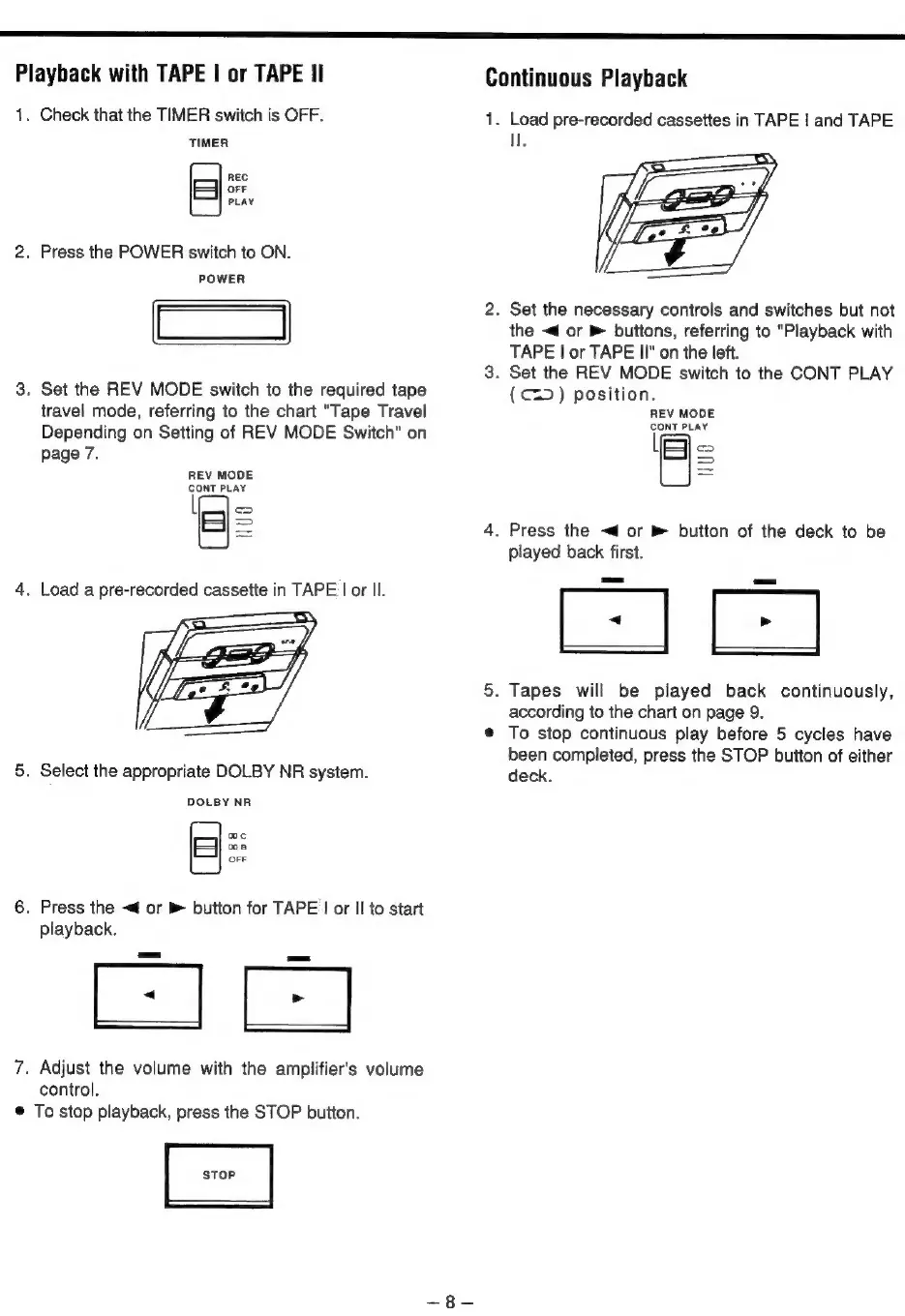
Playback
with
TAPE
|
or
TAPE
II
1.
Check
that
the
TIMER
switch
is
OFF.
TIMER
.
Press
the
POWER
switch
to
ON.
POWER
.
Set
the
REV
MODE
switch
to
the
required
tape
travel
mode,
referring
to
the
chart
"Tape
Travel
Depending
on
Setting
of
REV
MODE
Switch"
on
page
7.
REC
OFF
PLAY
REV
MODE
CONT
PLAY
[[—]
<>
S
.
Load
a
pre-recorded
cassette
in
TAPE
|
or
Il.
.
Select
the
appropriate
DOLBY
NR
system.
DOLBY
NR
.
Press
the
<4
or
®
button
for
TAPE
|
or
Il
to
start
playback.
wc
woe
OFF
.
Adjust
the
volume
with
the
amplifier's
volume
control.
To
stop
playback,
press
the
STOP
button.
STOP
Continuous
Playback
1.
Load
pre-recorded
cassettes
in
TAPE
|
and
TAPE
.
Set
the
necessary
controls
and
switches
but
not
the
<4
or
&
buttons,
referring
to
"Playback
with
TAPE
|
or
TAPE
II"
on
the
left.
.
Set
the
REV
MODE
switch
to
the
CONT
PLAY
(C=)
position.
REV
MODE
CONT
PLAY
=e
Ss
.
Press
the
<4
or
®
button
of
the
deck
to
be
played
back
first.
Eas
.
Tapes
will
be
played
back
continuously,
according
to
the
chart
on
page
9.
To
stop
continuous
play
before
5
cycles
have
been
completed,
press
the
STOP
button
of
either
deck.

Related product manuals