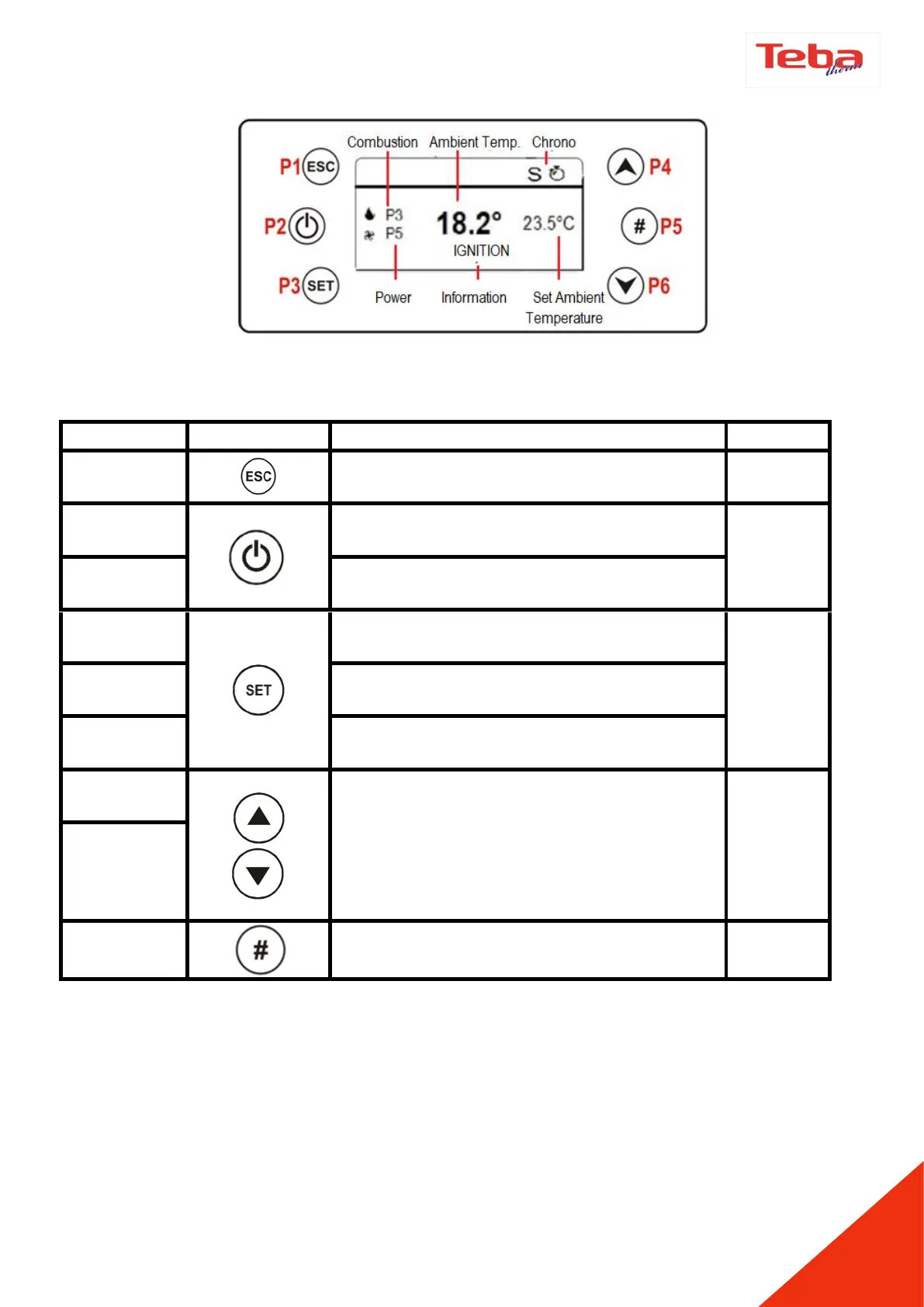
Use P1 to exit from menu or submenu and to
return previous menu
Wait for 3 seconds by touching the P2 to
switch on and off
(Er05) Wait for 3-4 seconds by touching the P2
to reset the error code
Use the P3 to access the menus
Use the P3 to enter a submenu in the current
menu.
Use the P3 to save data or values in the
current submenu.
Use the P4 and P6 s to switch between menus,
submenus data and values. When the P6 is
touched on the home screen the chimney
temperature - room temperature - air speed -
the chimney fan, auger speed will be shown.
After the adjustment of time, the selected
time slot will be activated by P5.



 To Next Page