2. INSTALLATION PROCEDURE
EO18-13004
2.1 Connecting the TRST-56 to the POS Terminal
2- 2
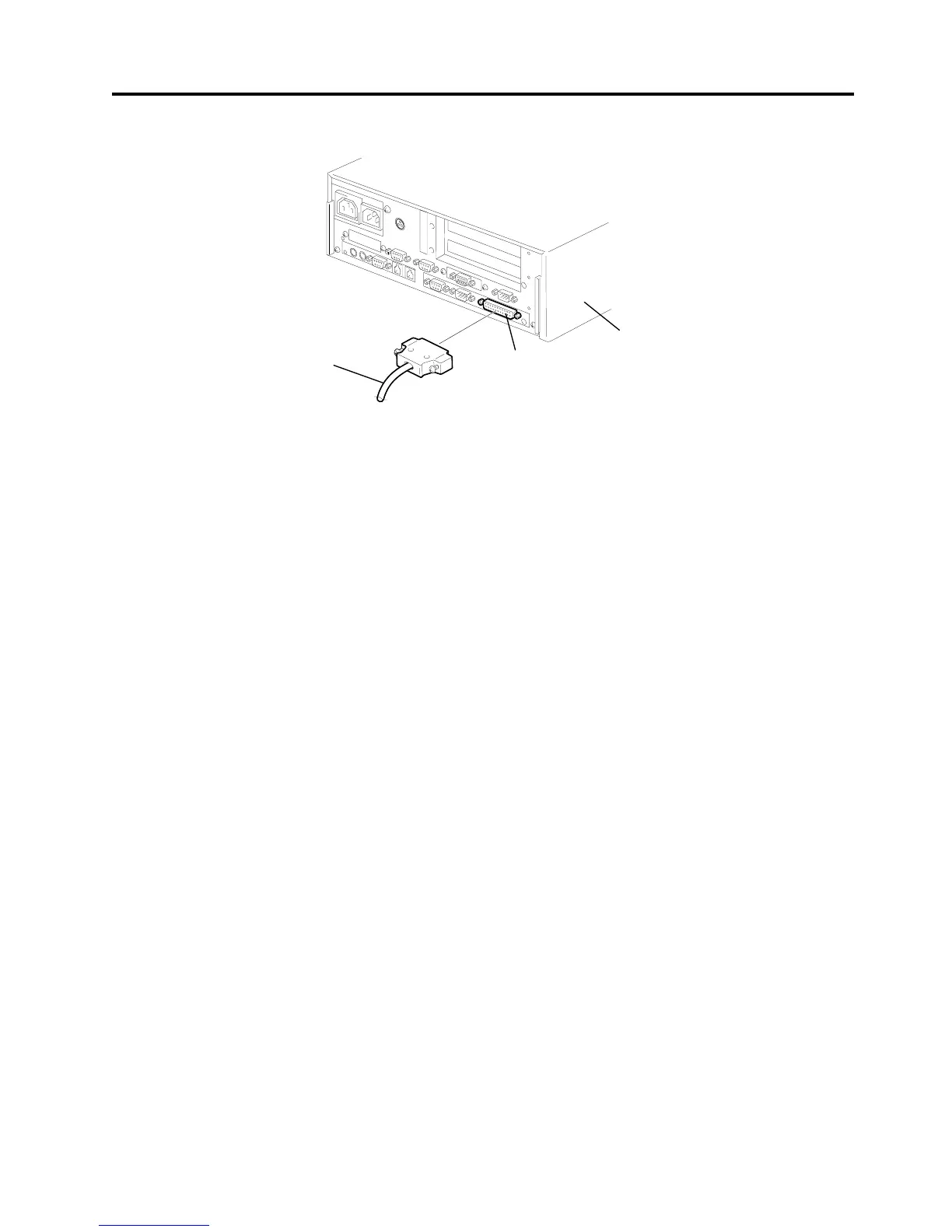
4. Connect the interface cable to the POS terminal, and then insert the power cord into the AC outlet.
NOTE: The above figure shows the example of the interface cable which is connected to the LPT1
port (Parallel interface) on the ST-5600.
LPT1
Interface Cable
Fig. 2-3
POS Terminal


 To Next Page