1.0 INTRODUCTION
ENGLISH
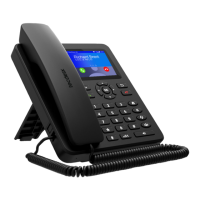
In order to make the best use of your Tecdesk Model 4 SIM desk phone, please read this manual carefully.This phone is designed for use with a valid SIM card from your
mobile network operator.
IMPORTANT NOTE
1. On installing your phone for the rst time, charge the battery between 12 and 16 hours.
3. If the phone is not going to be used for a long period of time, remove the battery.
4. If the battery has not been used for a long period of time or it is completely exhausted, it is likely that the phone screen will not turn on. Only once the battery has been
charging for a while will you be able to switch the phone back on to use it.
5. There is an increased risk of explosion if battery is replaced by an incorrect or unauthorised battery type. Dispose of used batteries according to the instructions.
Installation and Commissioning
These instructions are intended for the safe and effective use of your phone. Please follow these guidelines. Failure to do so might cause the product to malfunction, or
even a potential hazard to your health.
- Always read the safety instructions carefully.
- Keep this user manual for future reference.
- Keep the phone away from humidity.
- Place the phone on a reliable at surface before setting it up.
- If any of the following situations arise, have the unit checked by a service technician: exposure to moisture, dropped and damaged, obvious signs of breakage.
- Do not place the phone in a damp room at a distance of less than 1.5m from a water source. Keep the device away from water or any form of liquid.
- Do not use the device in environments where there are risks of explosions.
- Maintain the phone in an environmentally-friendly manner.


 To Next Page