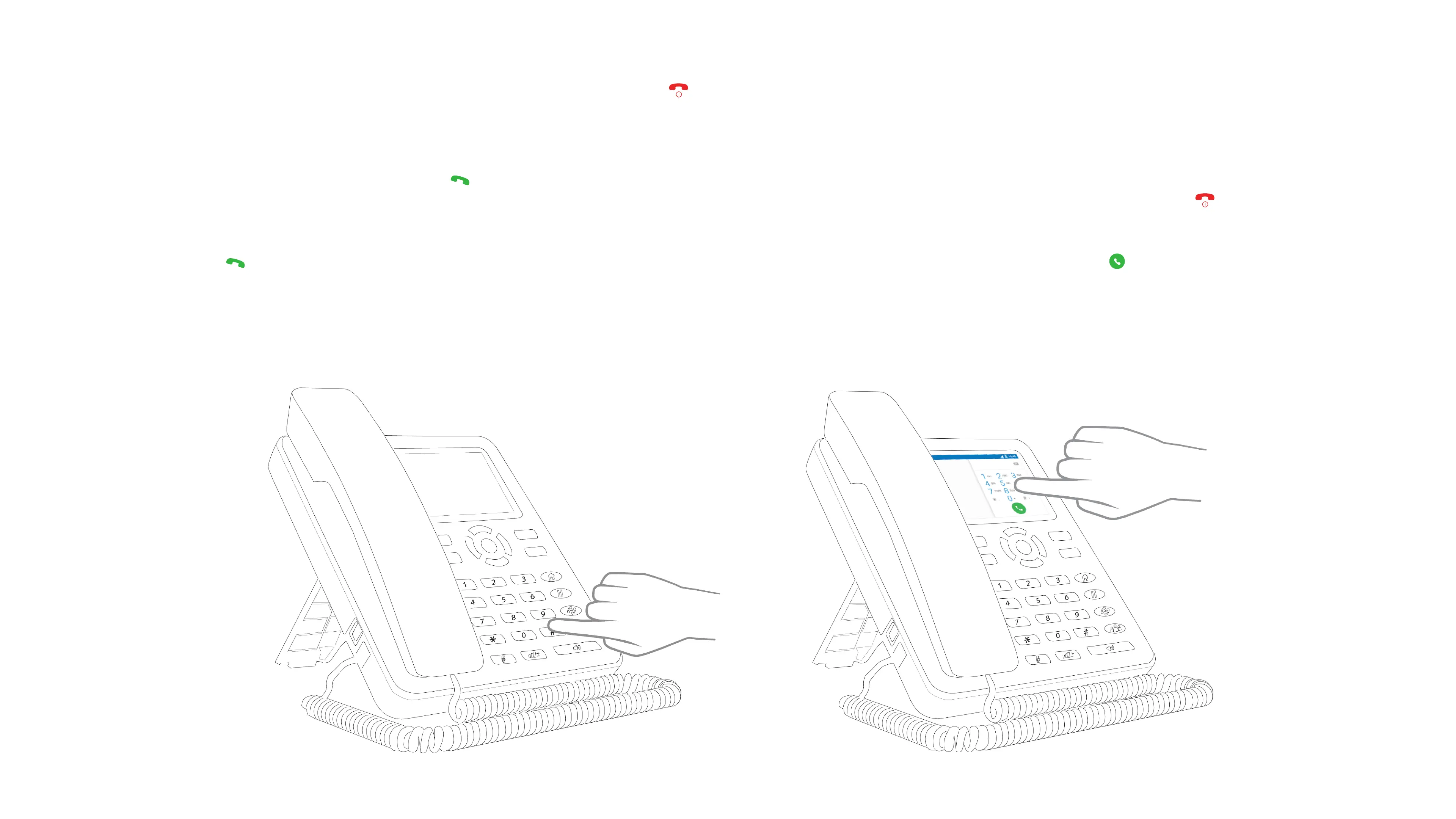
1. Make calls through numerical keys / keypad
Press phone numbers, and then press Dial key [ ] to call out. If needing to revise phone number, press right soft key to delete the existing numbers. When calling, the
screen will display the calling status, if the call is connected, the screen will display call status information. Press ON/OFF key to end the current call [ ].
2. Make calls through touch screen keys
Select call icon [ ] touch the right bottom corner, it will pop up dial number interface, input phone numbers, touch dial icon to call out [ ].
If the call is connected, the screen will display call status information. Touch ON/OFF icon to end the current call.
You can also use contact menu to search the saved contacts and call.
2.2 KEY PHONE FUNCTIONS
Insert SIM card into the phone, power on, if the signal strength icon showing [ ] at the right top corner on the screen, you could make calls and receive calls.
2.2.1 MAKE CALLS


 To Next Page