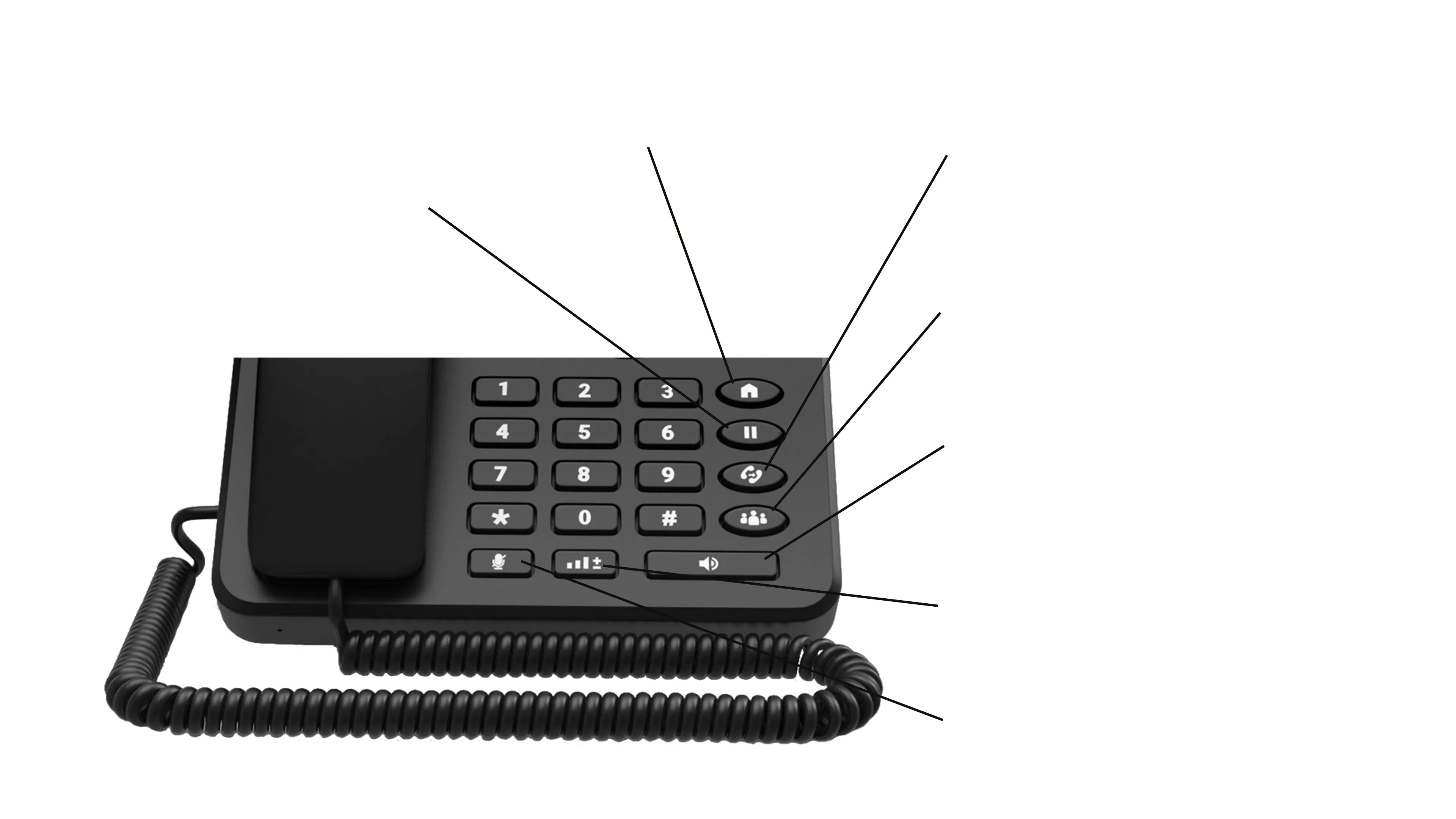
Press this key to mute an active call. Press this key
again to unmute the call.
Press this key to; open the dialler in loud speaker mode
or convert a call from the handset receiver to loud
speaker.
Press this key to increase and decrease the volume.
During a call, press this key to create a conference call.
Please note that these features are dependent on your
Mobile Network Provider.
During a call, press this key to transfer the call to an
internal or external number / telephone. Please note
that these features are dependent on your Mobile
Network Provide.
Press this key to take you back to the
home screen.
During a call, press this key to place the caller on hold.
From here, you can; add another call to the original call or
make a second call simultaneously while the original caller
is on hold. Please note that these features are dependent
on your Mobile Network Provider.
12. Mute Call
11. Loud Speaker
13. Volume
10. Conference Call
9. Transfer Call
7. Go to Home Screen
8. Hold Call



 To Next Page