17
support@techage.com
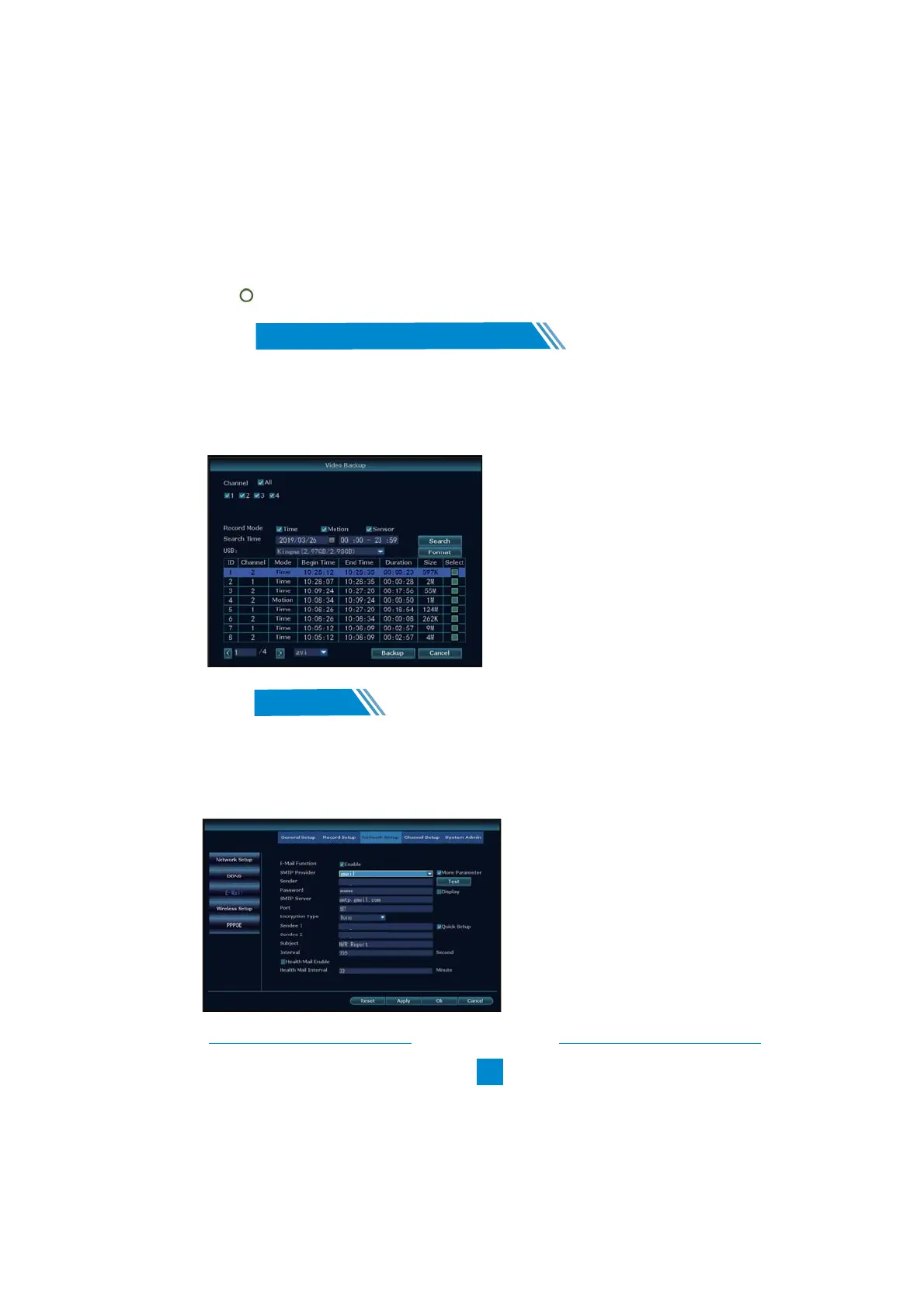
1. Prepare a USB flash disk for backup.
2. Right click the mouse > Video backup > Choose the channel, Record
mode and Search time > Search > Select the video you want to backup >
Click Backup.
Tips:
After the video detection settings, please do the Record Plan for motion in the Record Setup.
Click and choose the second time line of the Day for motion detection record.
Motion
09
Backup Videos to USB Storage
/
Find the email setup. Right Click the mouse> System Setup>Network Setup> E-mail. Enable
and Click “More Parameter”. You can search online and find the SMTP setup details for the email
you want to use. Find Gmail setup for the system as below. Please ensure to activate the IMAP in
your Gmail setting.
10
Email Alert
/
xxx@gmail.com
xxx@gmail.com
xxx@gmail.com



 To Next Page