16
support@techage.com
07/
Playback Video and Audio
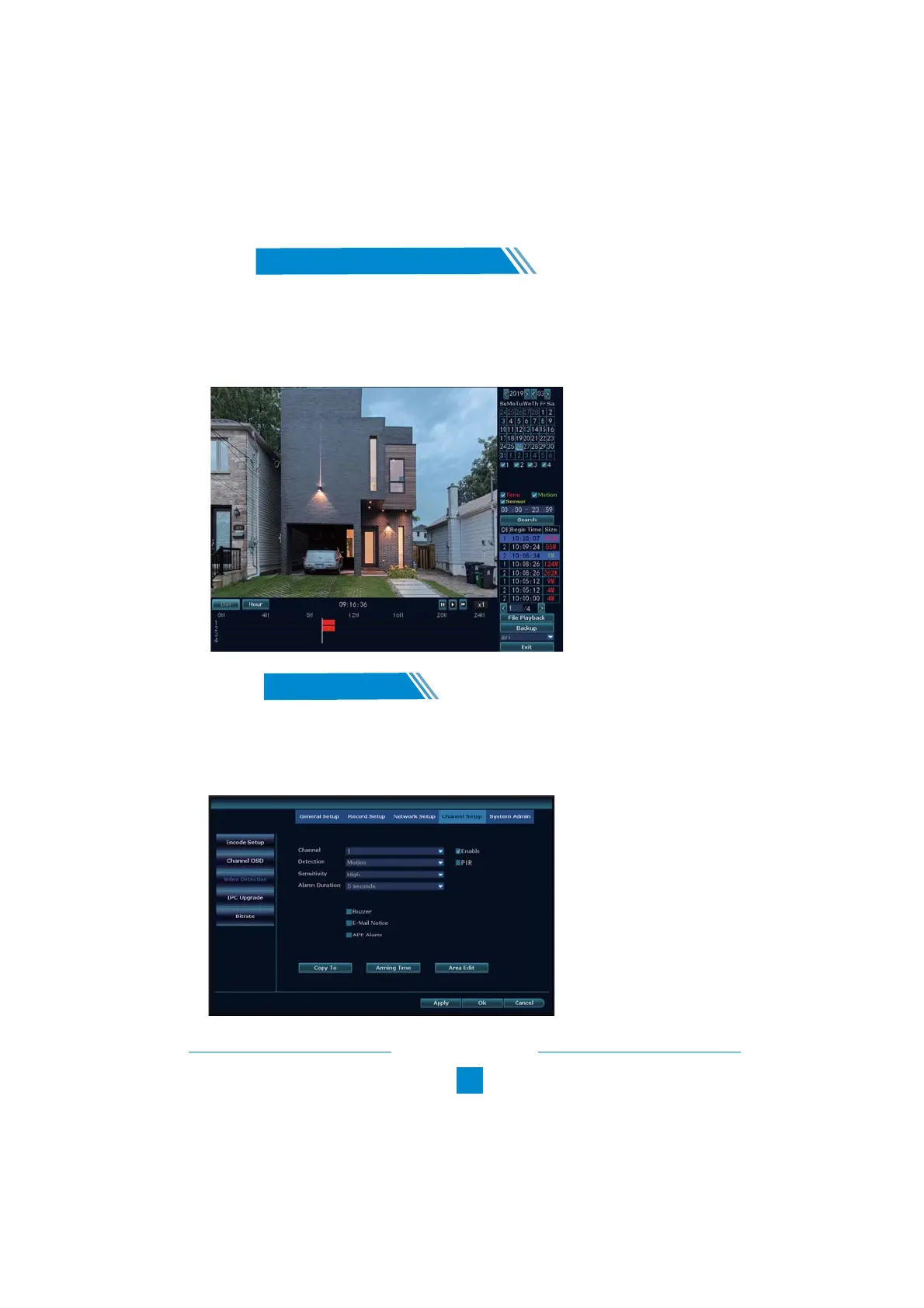
Right click the mouse > Video Playback> Choose the date > Search > double click which video
clip you want to playback. It will playback both audio and video. Please ensure your NVR is
connected to a speaker for audio playing. (For most HDMI monitors, they have speakers inside.
If the monitor does not have a speaker inside, please plug in one speaker into the audio out port.)
08
Video Detection
/
Step1: Right click the mouse > System setup > Channel Setup > Video Detection (on the left)
You can set Motion Detection Sensitivity Level, Alarm Duration Time and how to notify you when
motion detected, like Buzzer, Email Notice or App Alarm.



 To Next Page