10
support@techage.com
03
View on PC Client Software
Step 1:
Download EseeCloud.exe from CD or download it from http://techage.com/download.php
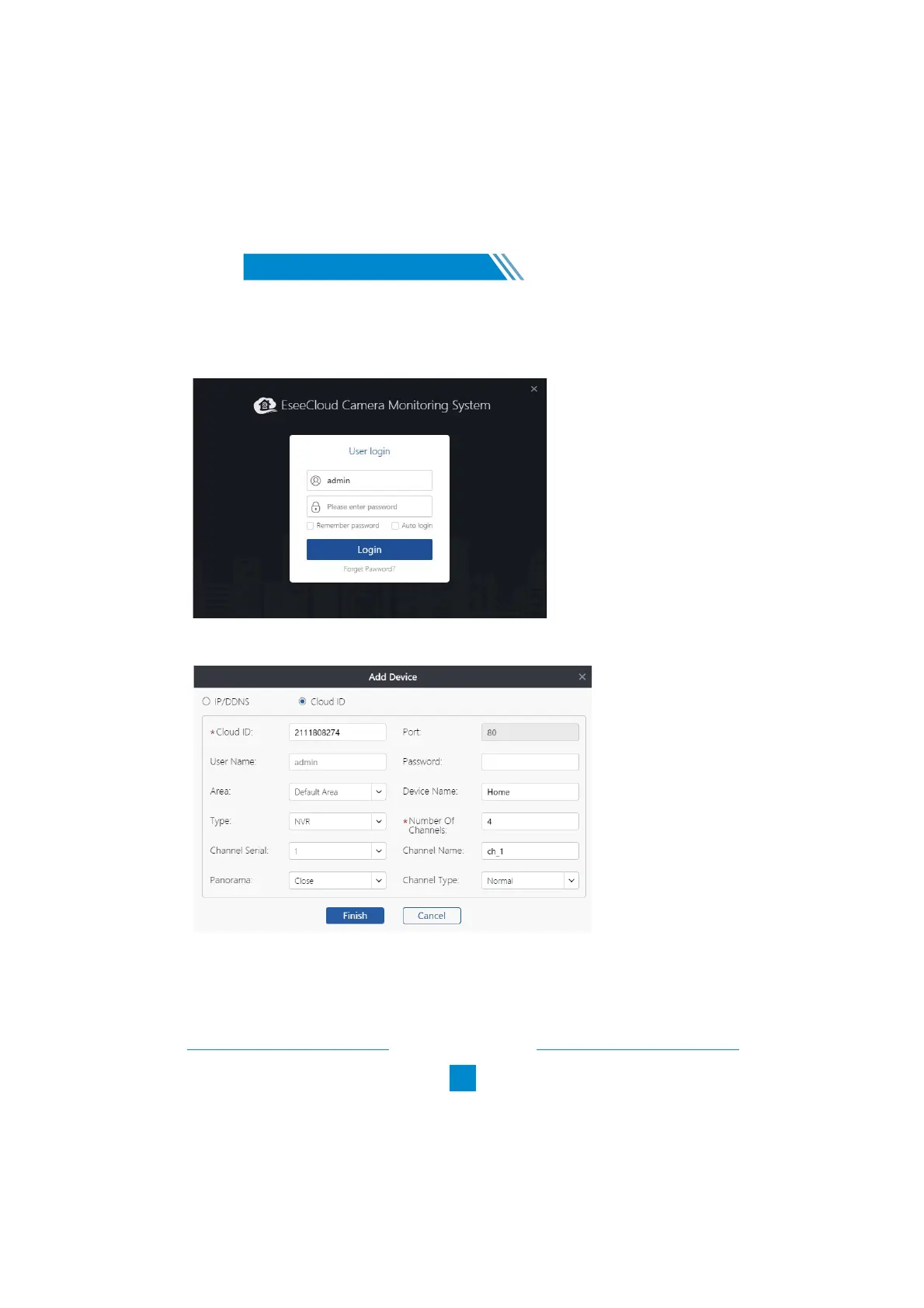
After opening the EseeCloud software, click on Login directly.
/
Step2.1: Choose add device by Cloud ID. Tap “+Add” on the right upper corner.
Cloud ID: Cloud ID
Username: admin
Password: Enter the NVR’s Password (default: No password required, just leave it blank)
Number of Channels: same as your NVR channels number



 To Next Page