EasyManua.ls Logo

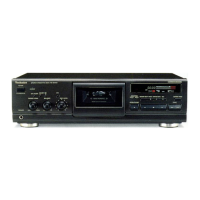
Technics RS-BX606 - Head Azimuth, Gain, and Frequency Response Adjustments

Technics RS-BX606
31 pages
Print Icon
To Next Page IconTo Next Page
To Previous Page IconTo Previous Page
Loading...
RS-BX606
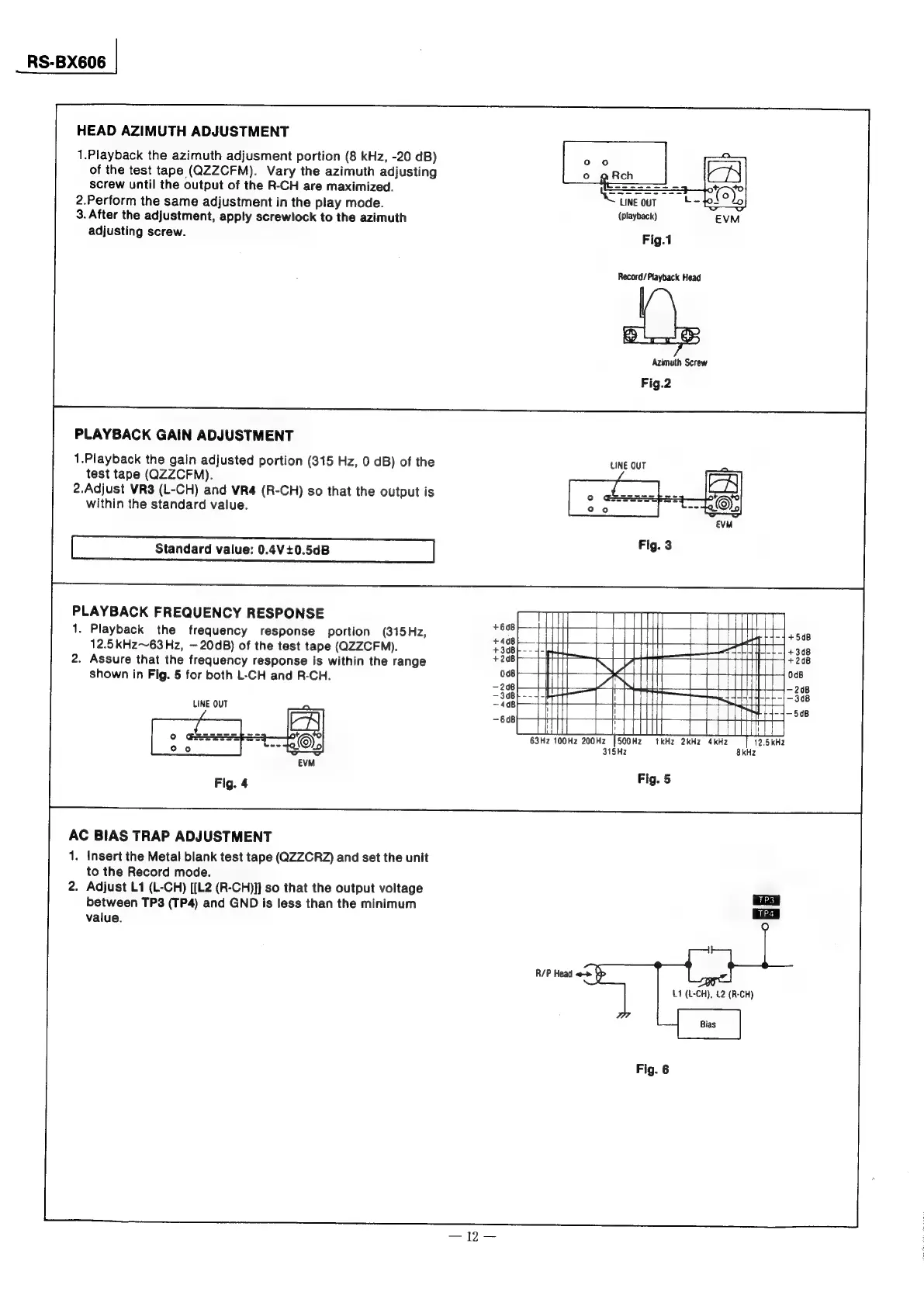
HEAD
AZIMUTH
ADJUSTMENT
1.Playback
the
azimuth
adjusment
portion
(8
kHz,
-20
dB)
of
the
test
tape
(QZZCFM).
Vary
the
azimuth
adjusting
screw
until
the
output
of
the
R-CH
are
maximized.
2.Perform
the
same
adjustment
in
the
play
mode.
3.
After
the
adjustment,
apply
screwlock
to
the
azimuth
(playback)
adjusting
screw.
Fig.1
Record/
Playback
Head
Azimuth
Screw
Fig.2
PLAYBACK
GAIN
ADJUSTMENT
1.Playback
the
gain
adjusted
portion
(315
Hz,
0
dB)
of
the
LINE
OUT
test
tape
(QZZCFM).
2.Adjust
VRS
(L-CH)
and
VR4
(R-CH)
so
that
the
output
is
within
the
standard
value.
Standard
value:
0.4V+0.5dB
PLAYBACK
FREQUENCY
RESPONSE
1.
Playback
the
frequency
response
portion
(315
Hz,
12.5kHz~63Hz,
—20dB)
of
the
test
tape
(QZZCFM).
2.
Assure
that
the
frequency
response
is
within
the
range
shown
in
Fig.
5
for
both
L-CH
and
R-CH.
LINE
OUT
Fig.
5
AC
BIAS
TRAP
ADJUSTMENT
1.
insert
the
Metal
blank
test
tape
(QZZCRZ)
and
set
the
unit
to
the
Record
mode.
2.
Adjust
L1
(L-CH)
[[L2
(R-CH)]]
so
that
the
output
voltage
between
TP3
(TP4)
and
GND
is
less
than
the
minimum
value.
R/P
Head
«-»
>
u
(t-CH),
(2
(R-CH)

Related product manuals